Chapter 5 Replacing Chassis Components 5-5
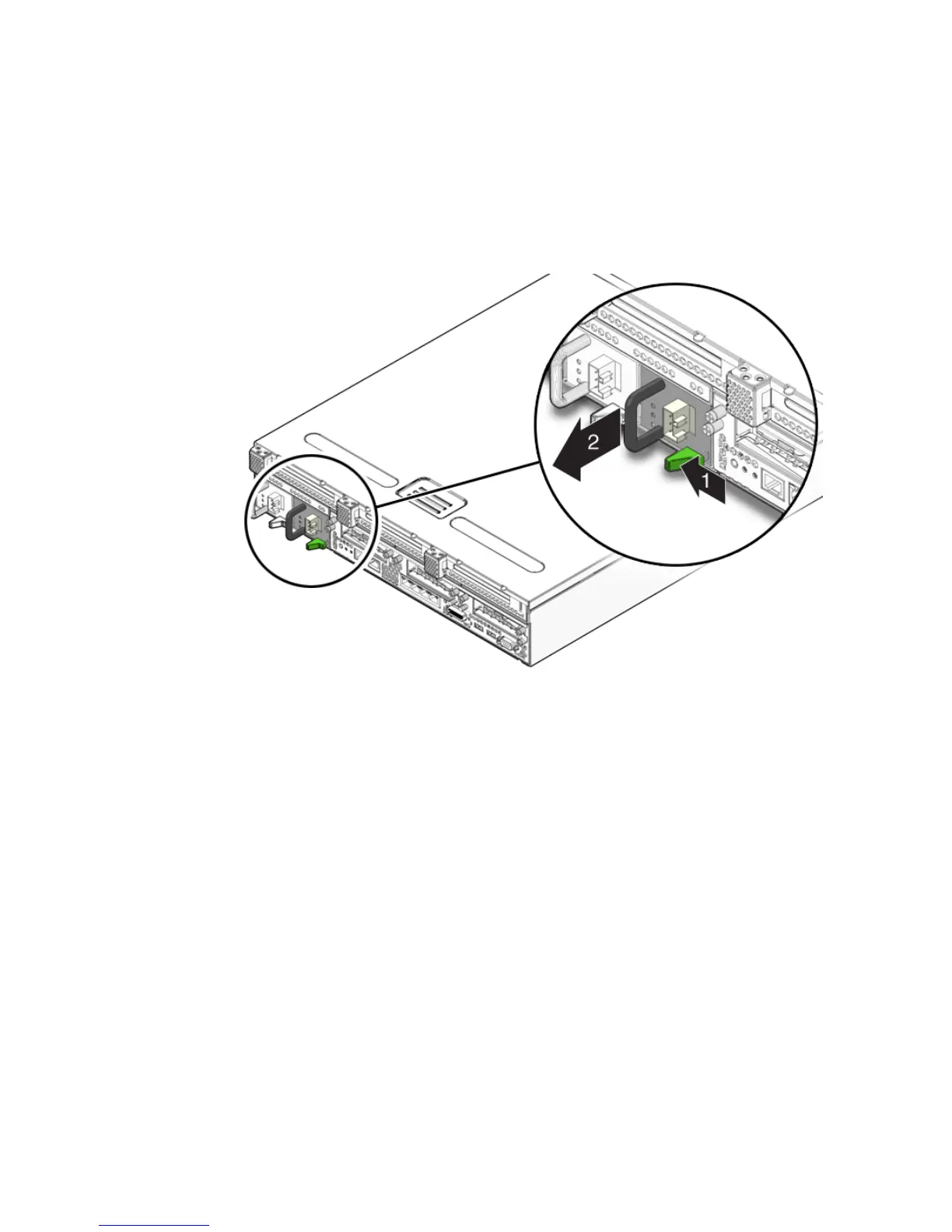
4. Grasp the power supply handle and push the power supply latch to the right
(
FIGURE 5-4).
5. Pull the power supply out of the chassis (
FIGURE 5-4).
FIGURE 5-4 Removing a Power Supply
6. Continue to Section 5.2.2, “Installing a Power Supply” on page 5-6.
5.2.2 Installing a Power Supply
1. Remove the replacement power supply from its packaging and place it on an
antistatic mat.
2. Align the replacement power supply with the empty power supply bay.
3. Slide the power supply into bay until it is fully seated (
FIGURE 5-5).













 To Next Page