Chapter 3 Replacing Storage Components 3-11
3.3.2 Installing the Media Bay Assembly
1. Remove the replacement media bay assembly from its packaging and place it on
an antistatic mat.
2. Move the cables as far out of the way as possible.
3. If disconnected, reconnect the media bay assembly ribbon cable to the PDB.
Arrange the cable where it can be reconnected to the assembly after it is reseated.
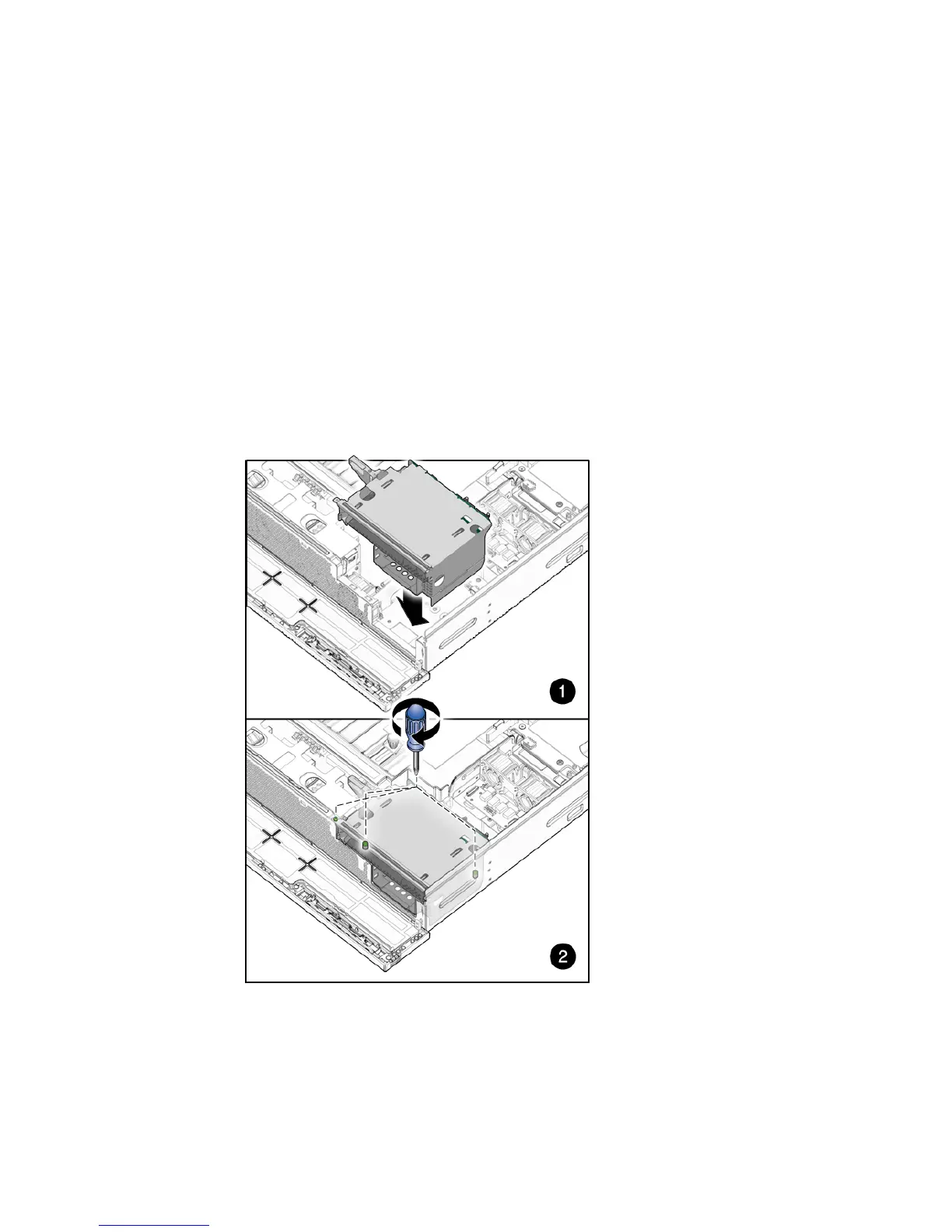
4. Lower the media bay assembly into the chassis until it seats (
FIGURE 3-11).
5. Tighten the media bay assembly screws (
FIGURE 3-11).
FIGURE 3-11 Setting the Media Bay Assembly Into Place and Tightening Screws













 To Next Page