5-24 Sun Netra T5220 Server Service Manual • January 2012
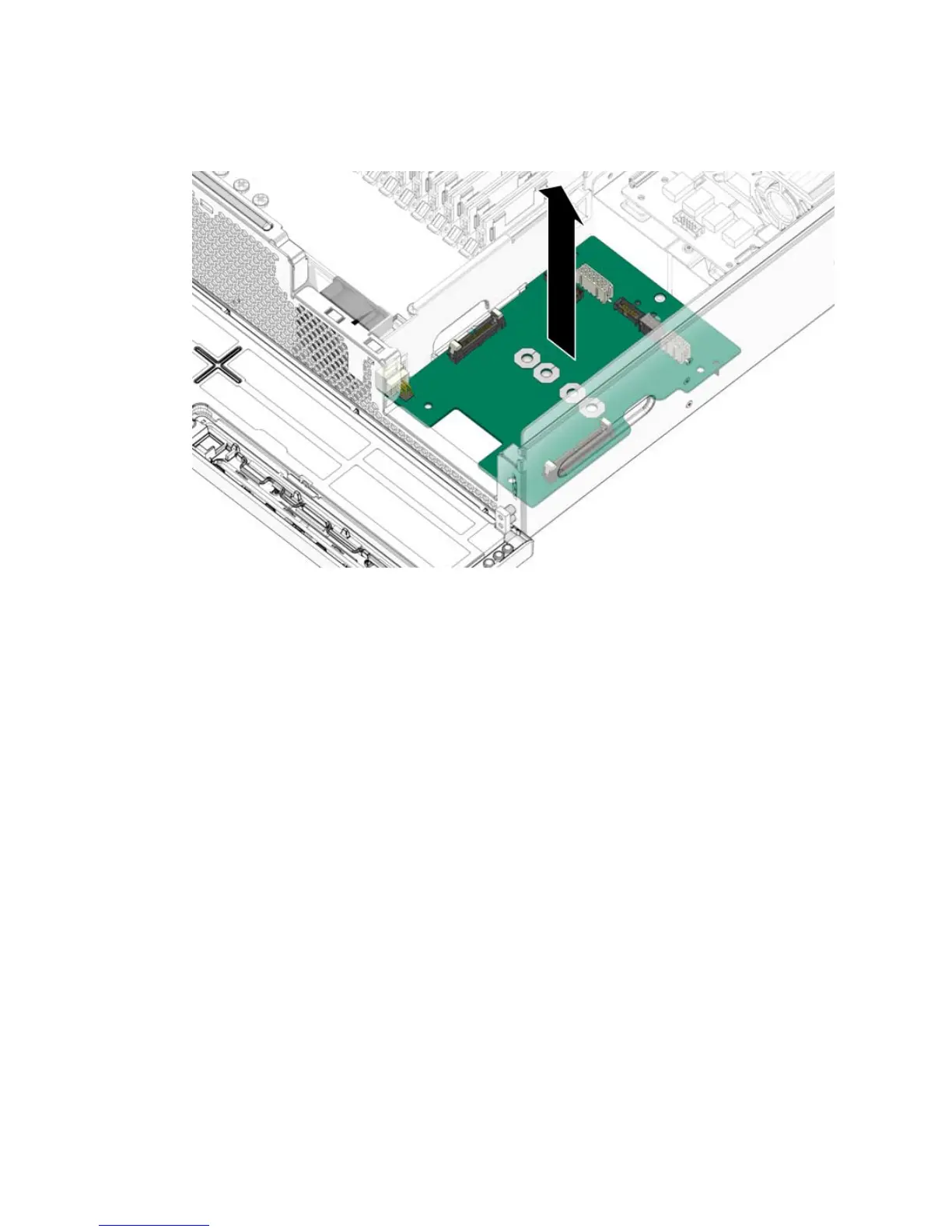
FIGURE 5-21 Lifting the Power Board From the Chassis
5. Continue to Section 5.8.2, “Installing the Power Board” on page 5-24.
5.8.2 Installing the Power Board
1. Remove the replacement power board from its packaging and place it on an
antistatic mat.
2. Lower the power board into the chassis, aligning the board’s holes with the
standoffs in the chassis.
3. Install the screws firmly to secure the power board to the chassis (
FIGURE 5-20).
4. Install the mass storage assembly, the hard drives, the optical media drive, and
the power supplies. See:
■ Section 3.3.2, “Installing the Media Bay Assembly” on page 3-11
■ Section 3.1.2, “Installing a Hard Drive” on page 3-5
■ Section 3.2.2, “Installing the Optical Media Drive” on page 3-7
■ Section 5.2.2, “Installing a Power Supply” on page 5-6
5. Perform the following tasks to bring the server back online:
■ Section 6.1.2, “Installing the Top Cover” on page 6-3
■ Section 6.1.3, “Removing Antistatic Measures” on page 6-4













 To Next Page