5-10 Sun Netra T5220 Server Service Manual • January 2012
5.4.1 Removing the Hard Drive Fan Assembly
1. Prepare the server for hard drive fan removal. See:
■ Section 2.3.1, “Powering Off the Server” on page 2-3
■ Section 2.3.2, “Disconnecting Cables From the Server” on page 2-4
■ Section 2.3.3, “Removing the Server From the Rack” on page 2-5
■ Section 2.3.4, “Performing Antistatic Measures” on page 2-8
■ Section 2.3.5, “Removing the Top Cover” on page 2-8
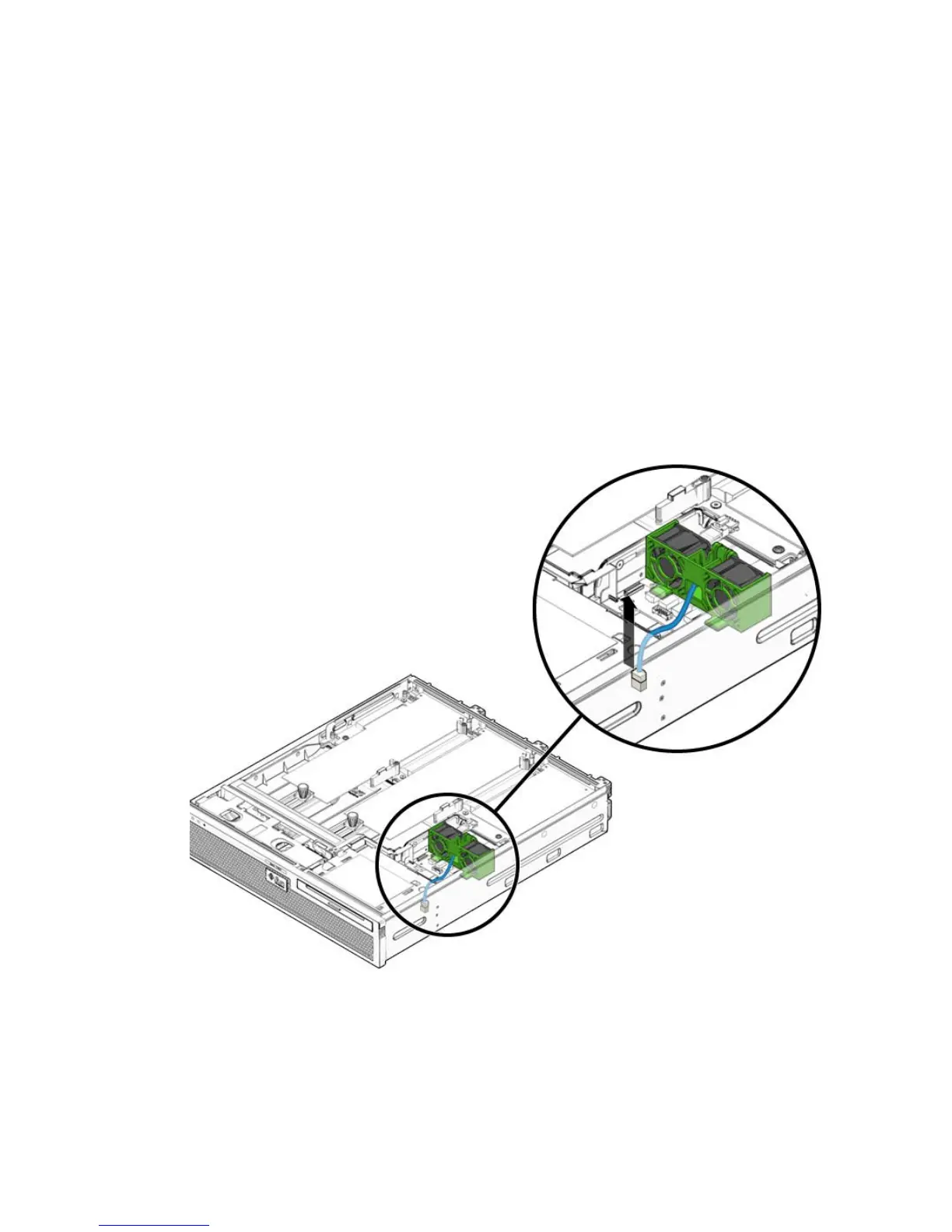
2. Disconnect the hard drive fan assembly cable from the power board connector
(
FIGURE 5-9).
FIGURE 5-9 Disconnecting the Hard Drive Fan Assembly Cable
3. Carefully lift the hard drive fan assembly cable from the cable guides.
4. Push the release button on the hard drive fan bracket, and pivot the bracket
backwards (
FIGURE 5-10).













 To Next Page