2-8 Sun Netra T5220 Server Service Manual • January 2012
2.3.4 Performing Antistatic Measures
1. Prepare an antistatic surface on which to set parts during removal and
installation.
Place ESD-sensitive components such as the printed circuit boards on an antistatic
mat. The following items can be used as an antistatic mat:
■ Antistatic bag used to wrap a Sun replacement part
■ Sun ESD mat, part number 250-1088
■ Disposable ESD mat (shipped with some replacement parts or optional system
components)
2. Attach an antistatic wrist strap.
When servicing or removing server components, attach an antistatic strap to your
wrist and then to a metal area on the chassis. Then disconnect the power cords
from the server.
3. Remove the top cover.
See Section 2.3.5, “Removing the Top Cover” on page 2-8.
2.3.5 Removing the Top Cover
All field-replaceable units (FRUs) that are not hot-swappable require the removal of
the top cover.
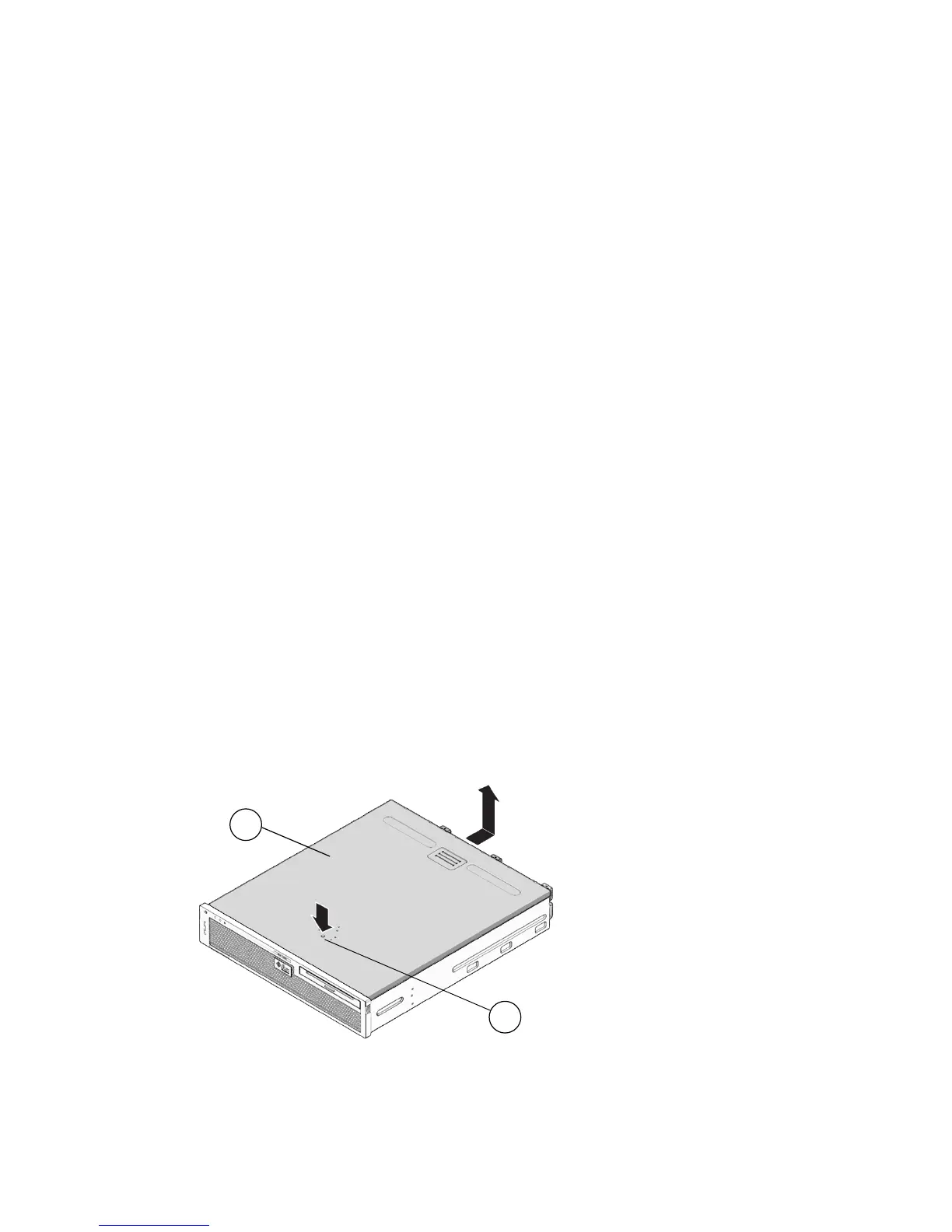
1. Use a No. 2 Philips screwdriver to press the top cover release button (
FIGURE 2-3).
FIGURE 2-3 Top Cover and Release Button
2
1













 To Next Page