Chapter 5 Replacing Chassis Components 5-13
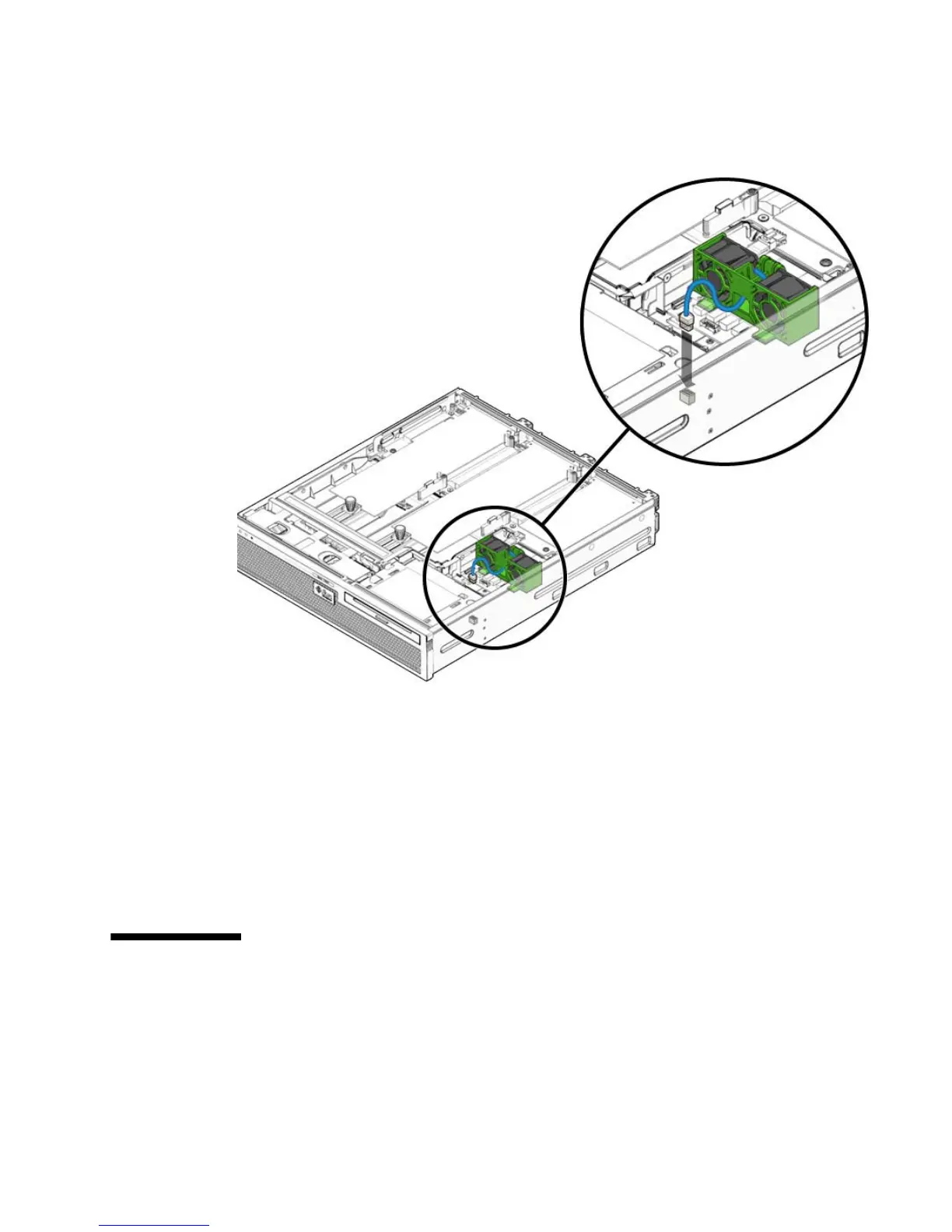
FIGURE 5-12 Lowering the Hard Drive Fan Assembly and Connecting the Cable
5. Route the hard drive fan assembly cable back into the cable guides.
6. Perform the following tasks to bring the server back online:
■ Section 6.1.2, “Installing the Top Cover” on page 6-3
■ Section 6.1.3, “Removing Antistatic Measures” on page 6-4
■ Section 6.1.4, “Reinstalling the Server Chassis in the Rack” on page 6-5
■ Section 6.1.5, “Reconnecting Cables to the Server” on page 6-7
■ Section 6.1.6, “Powering On the Server” on page 6-8
5.5 Replacing the FB-DIMM Fan Assembly
(FT2)
The FB-DIMM fan assembly is labeled FT2.













 To Next Page