Chapter 4 Replacing Motherboard Assembly Components 4-39
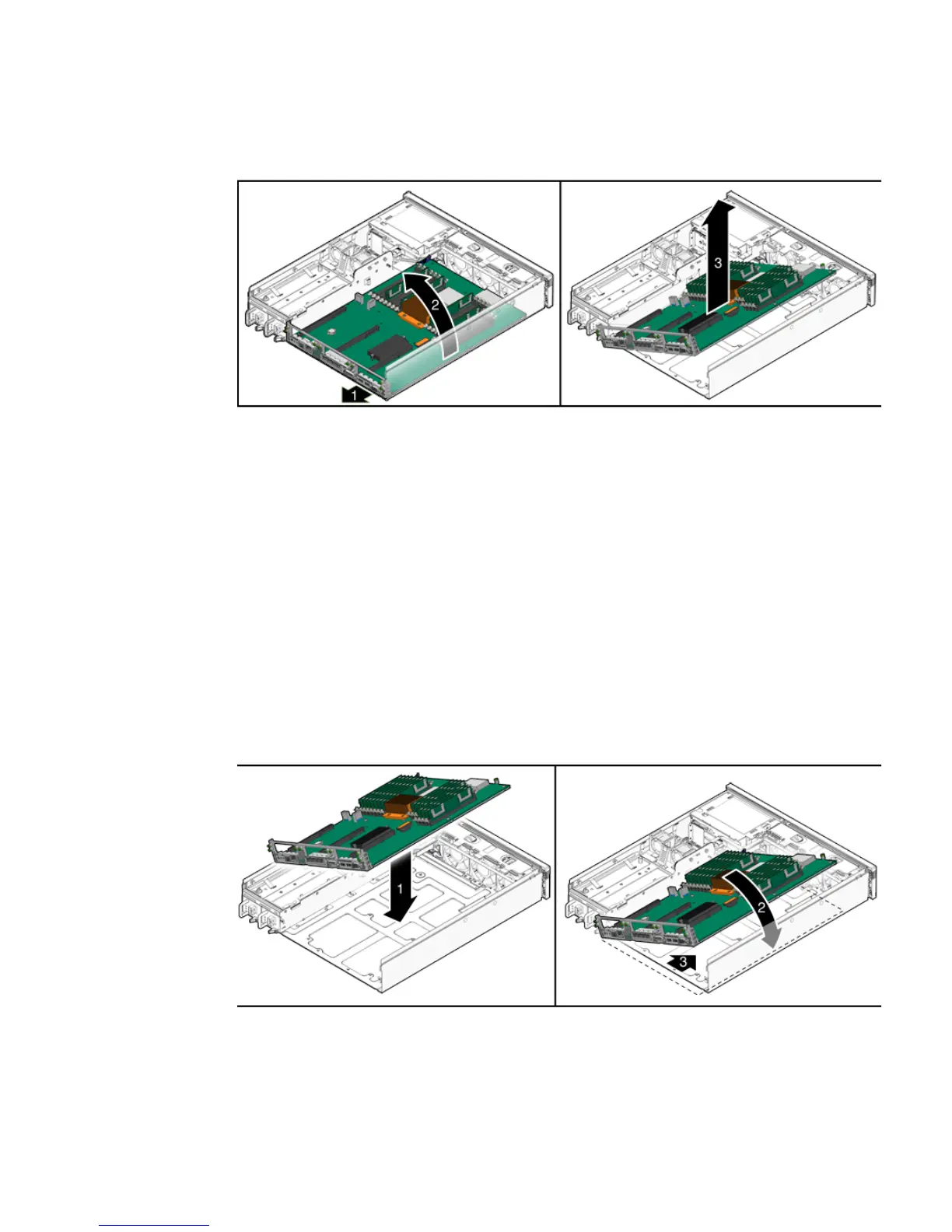
FIGURE 4-23 Removing the Motherboard Assembly From the Chassis
10. Set the motherboard assembly aside on an antistatic mat.
11. Continue to Section 4.10.2, “Installing the Motherboard Assembly” on page 4-39.
4.10.2 Installing the Motherboard Assembly
1. Remove the replacement motherboard assembly from its packaging and place it
on an antistatic mat.
2. Lower the left edge of the motherboard assembly into the chassis, then the
entire board, and while slightly elevated, slide the motherboard assembly to the
back of the chassis (
FIGURE 4-24).
FIGURE 4-24 Installing the Motherboard Assembly Into the Chassis
3. Align the motherboard assembly screw holes over the chassis standoffs.













 To Next Page