4-18 Sun Netra T5220 Server Service Manual • January 2012
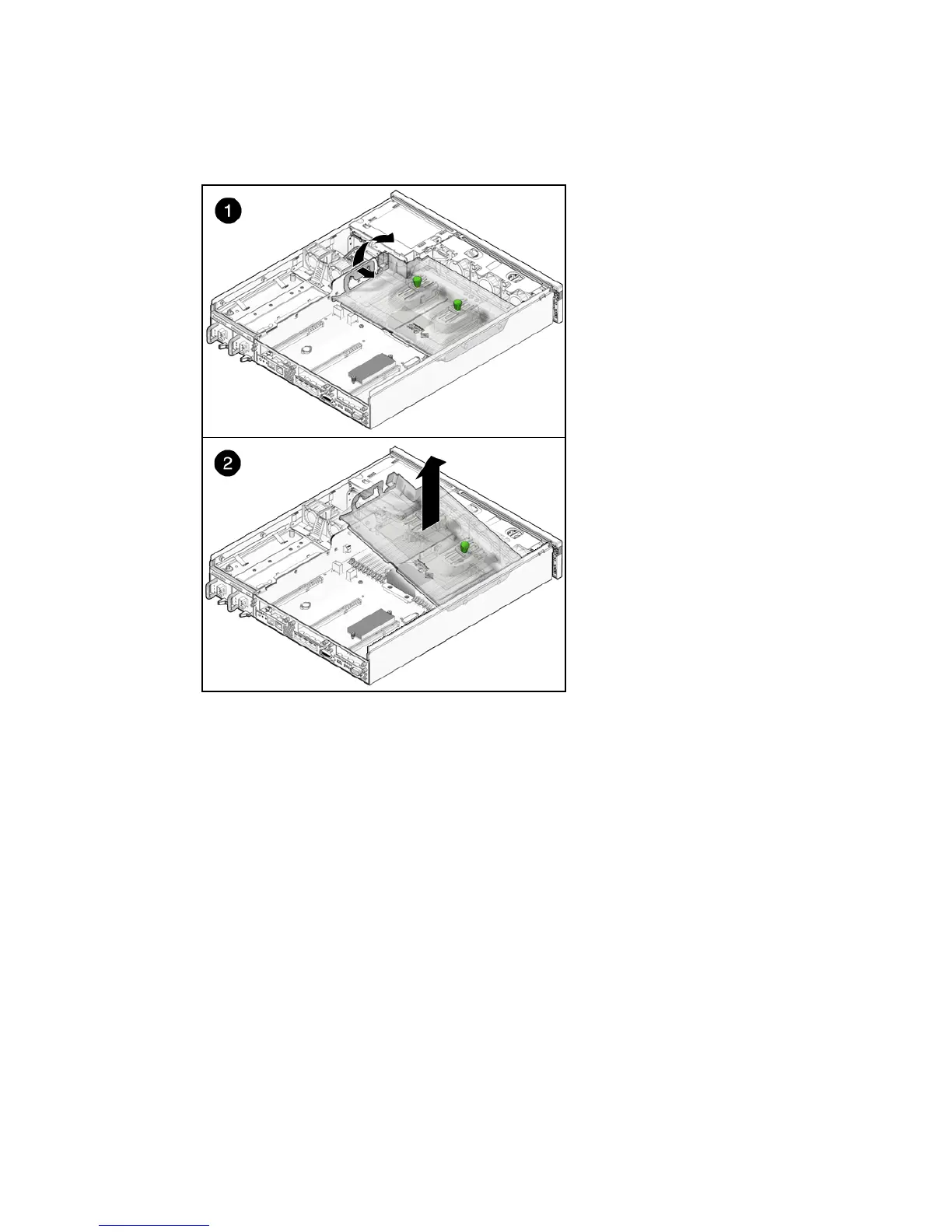
FIGURE 4-11 Removing the Air Duct
4. Consider your next step:
■ If you removed the air duct as part of another procedure, return to that procedure.
■ Otherwise, continue to Section 4.4.2, “Installing the Air Duct” on page 4-18.
4.4.2 Installing the Air Duct
1. Remove the replacement air duct from its packaging.
2. With the duct at a 45 degree angle, position the pin holes in the duct to align
with the pins of the chassis (
FIGURE 4-12).
3. Lower the duct to the horizontal position until the tab secures in place
(
FIGURE 4-12).













 To Next Page