6-4 Sun Netra T5220 Server Service Manual • January 2012
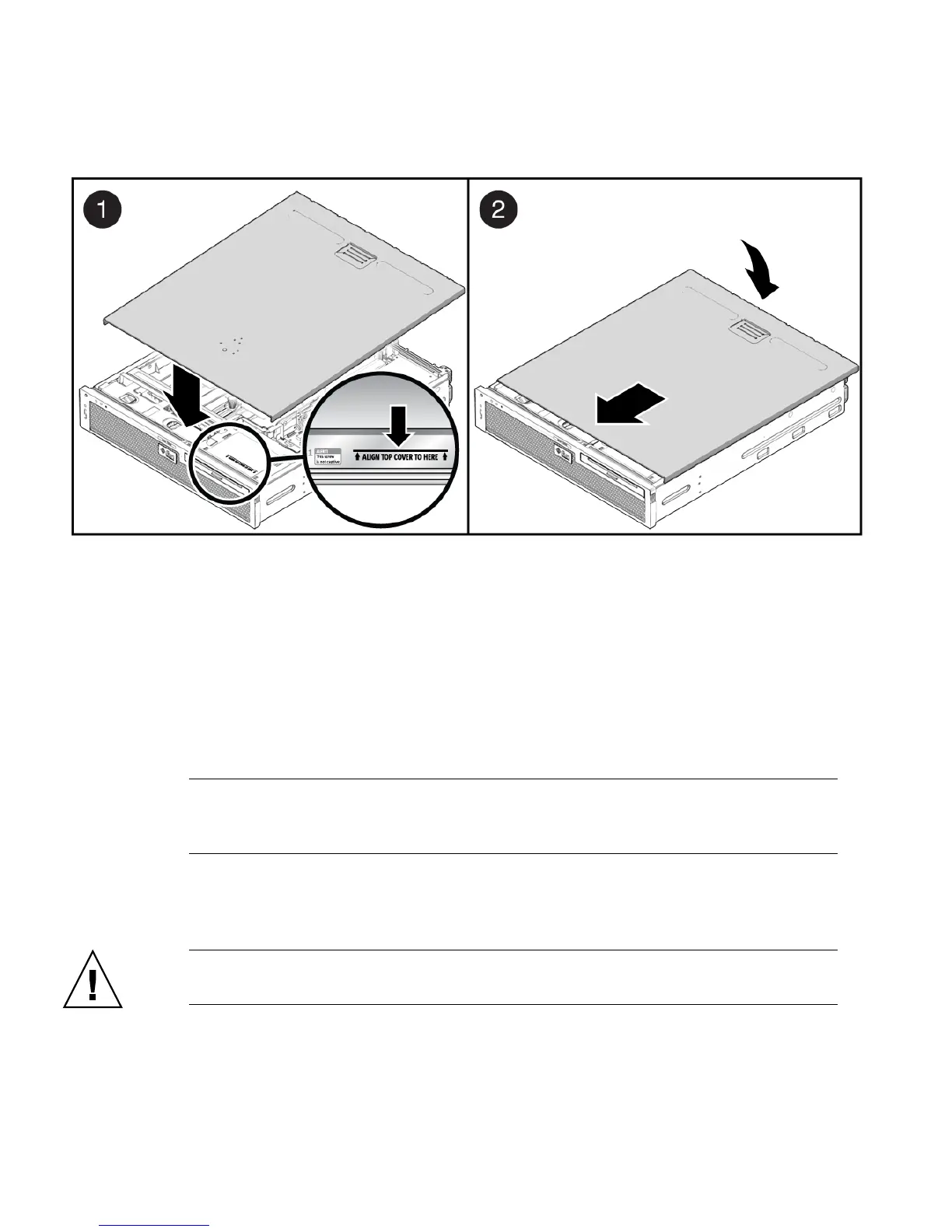
FIGURE 6-3 Installing the Top Cover
4. Remove the antistatic precautions.
See Section 6.1.3, “Removing Antistatic Measures” on page 6-4.
6.1.3 Removing Antistatic Measures
1. Remove any antistatic straps or conductors from the server chassis.
2. Remove the antistatic wrist strap from yourself.
Note – You will be handling the chassis, which is metal, so the wriststrap is no
longer necessary. Additionally, this gives you more freedom of movement for
installing the server into the rack.
3. Lift the server from the antistatic mat and reinstall it into the rack.
See Section 6.1.4, “Reinstalling the Server Chassis in the Rack” on page 6-5.
Caution – The server weighs approximately 40 lb (18 kg). Two people are required
to carry the chassis and install it in the rack.













 To Next Page