Chapter 4 Replacing Motherboard Assembly Components 4-31
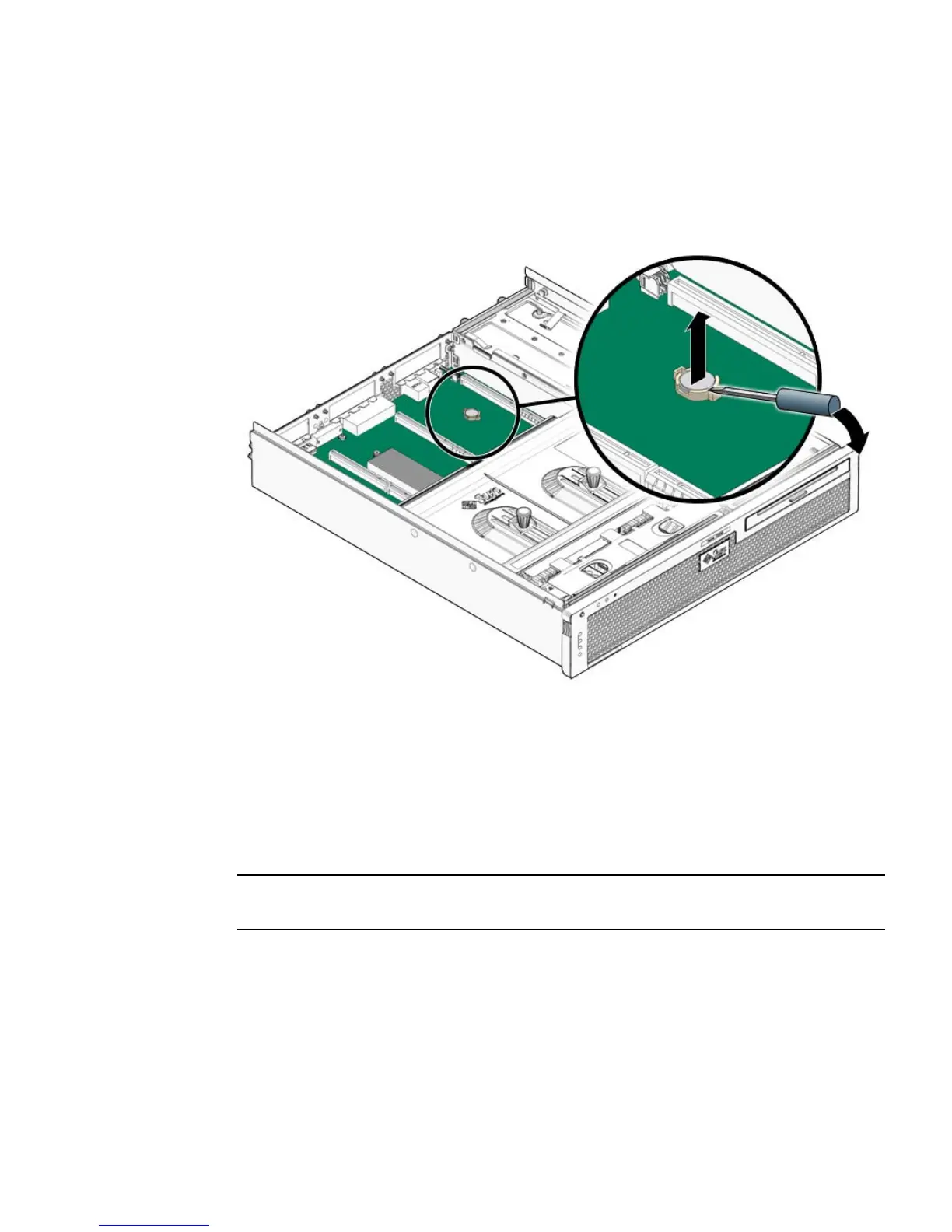
2. Pry the battery out of the service processor board using a small flat-blade
screwdriver (
FIGURE 4-17).
FIGURE 4-17 Prying the Battery From the Motherboard
3. Set the battery aside on an antistatic mat.
4. Continue to Section 4.7.2, “Installing the Battery” on page 4-31.
4.7.2 Installing the Battery
Note – The Sun Netra T5220 server uses one of three lithium CR2032 batteries (part
number 371-2210-01: Panasonic, Maxell or Renata).
1. Remove the replacement battery from its packaging.
2. Press the new battery in with the “+” side facing up (
FIGURE 4-18).













 To Next Page