5-4 Sun Netra T5220 Server Service Manual • January 2012
5.2.1 Removing a Power Supply
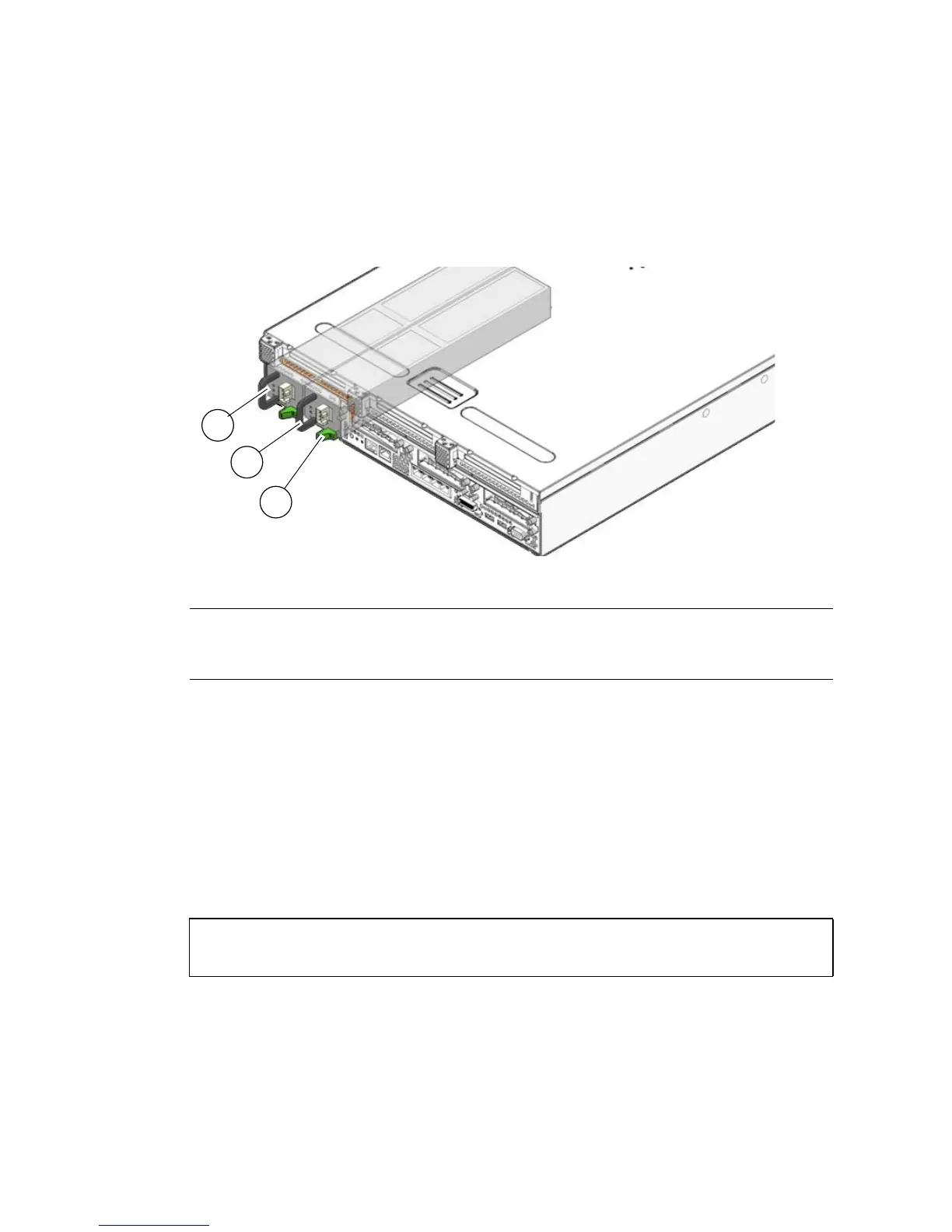
1. Identify which power supply requires replacement (FIGURE 5-3).
FIGURE 5-3 Locating the Power Supplies and Latches
A lighted amber LED on a power supply indicates that a failure was detected. You
can also use the showfaults command at the sc> prompt.
2. At the sc> prompt, issue the removefru command.
The removefru command indicates if it is OK to perform a hot-swap of a power
supply. This command does not perform any action, but it provides a warning if
the power supply should not be removed because the other power supply is not
providing power to the server.
For example:
In this command,
PSn is the identifier for the power supply you plan to remove,
either PS0 or PS1.
3. Disconnect the power cord from the faulty power supply.
Figure Legend
1 Power Supply 0
2 Power Supply 1
3 Power Supply release latches
sc> removefru PSn
Are you sure you want to remove PSn [y/n]? y
<PSn> is safe to remove.
2
1
3













 To Next Page