Chapter 6 Finishing Up 6-7
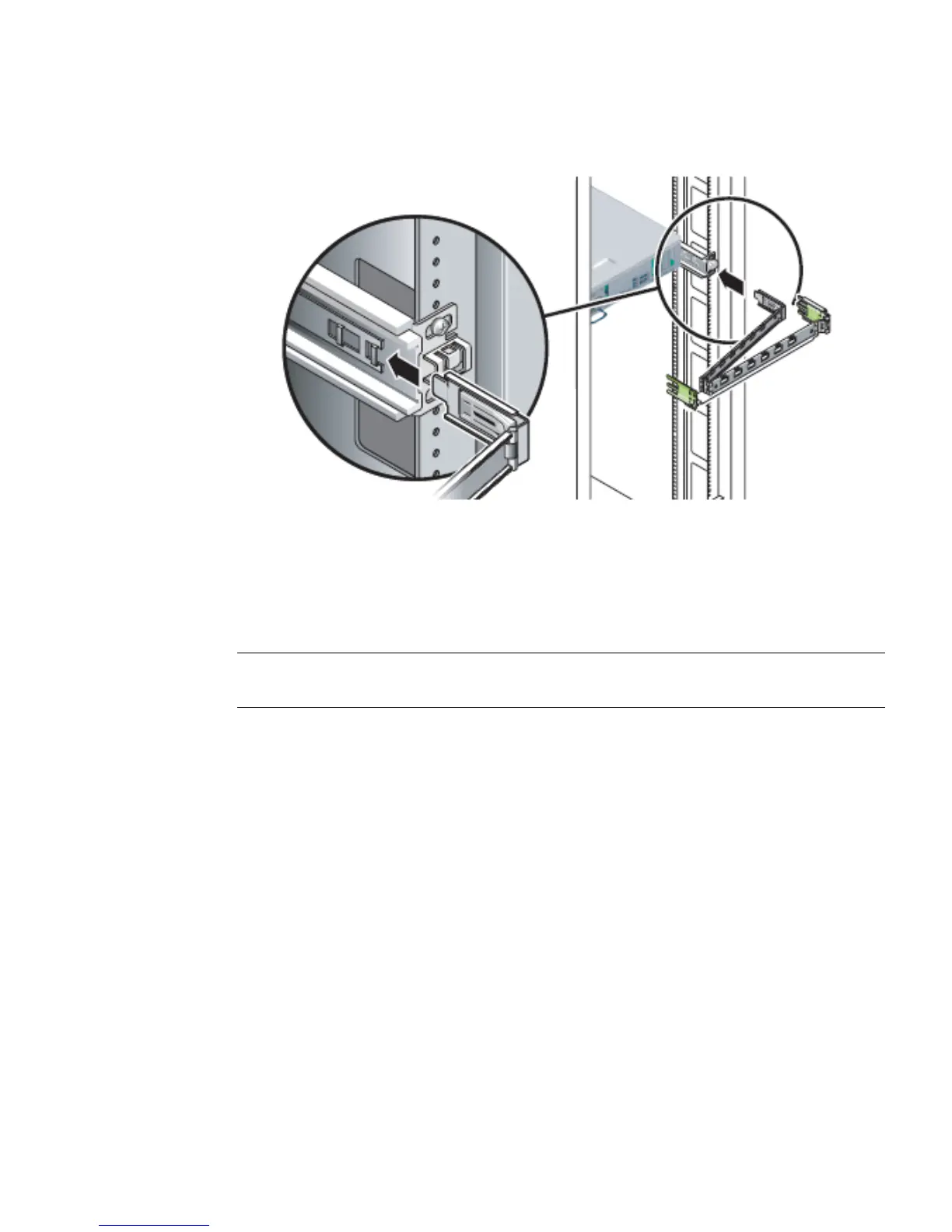
FIGURE 6-6 Installing the CMA
b. Plug the CMA rail extension into the end of the left sliding rail assembly.
The tab at the front of the rail extension clicks into place.
7. Reconnect the cables to the back of the server.
See Section 6.1.5, “Reconnecting Cables to the Server” on page 6-7.
Note – If the CMA is in the way, disconnect the left CMA release and swing the
CMA open.
6.1.5 Reconnecting Cables to the Server
1. Reconnect the power, Ethernet, and PCI/XAUI cables as appropriate:
2. If necessary, reinstall the appropriate cables into the CMA.
3. Power on the server.
See Section 6.1.6, “Powering On the Server” on page 6-8.
6.1.6 Powering On the Server
As soon as the power cords are connected, standby power is applied. Depending on
the configuration of the firmware, the system might boot. If not, follow this
procedure.













 To Next Page