3-10 Sun Netra T5220 Server Service Manual • January 2012
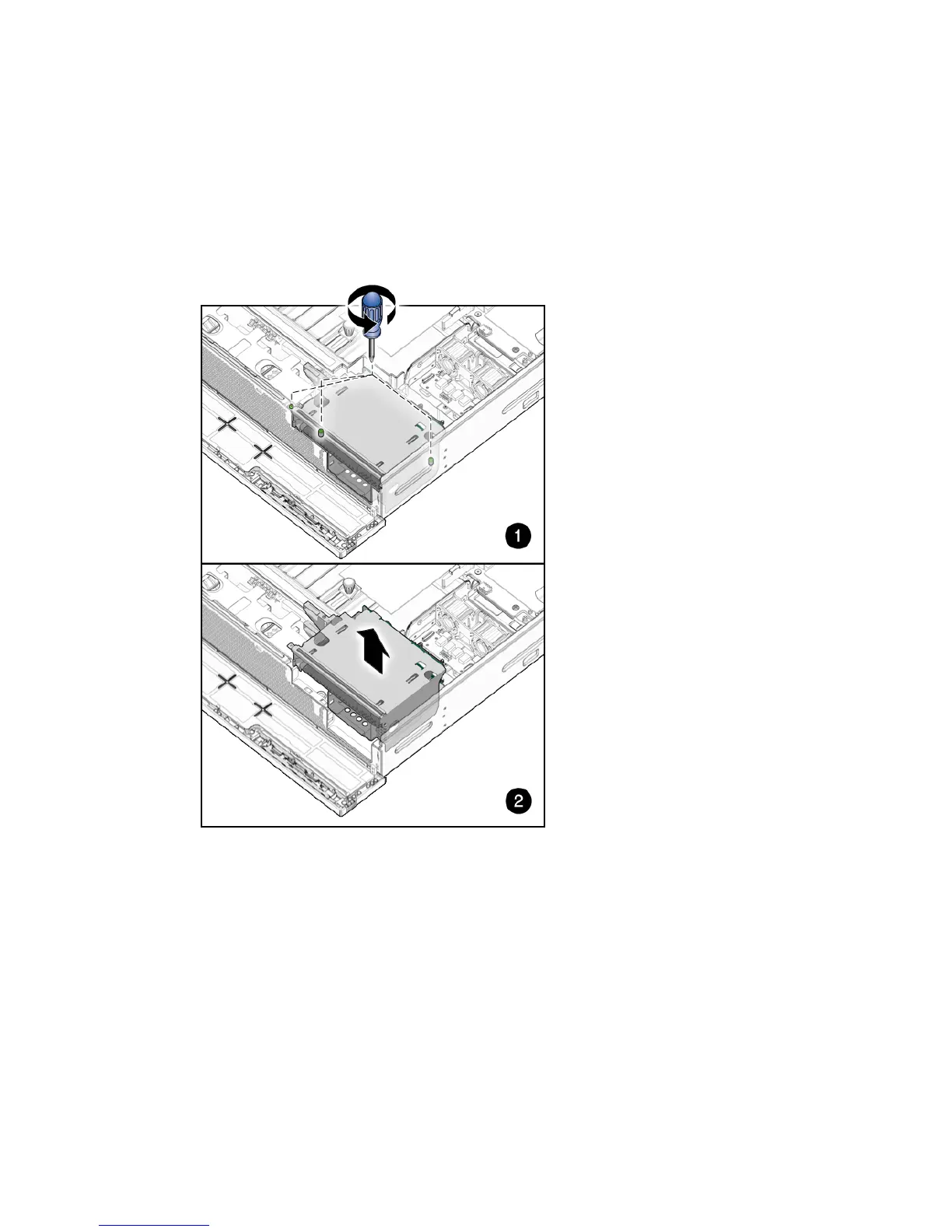
4. Loosen captive screws labeled 2 and 3, and remove non-captive screw labeled 1
closest to the front of the server (
FIGURE 3-10).
5. Lift the media bay assembly out of the chassis (
FIGURE 3-10).
FIGURE 3-10 Loosening the Media Bay Assembly Screws and Lifting From Chassis
6. (Optional) Disconnect and remove the ribbon cable from the PDB.
7. Set the media bay assembly aside on an antistatic mat.
8. Consider your next step:
■ If you removed the media bay assembly as part of another procedure, return to
that procedure.
■ Otherwise, continue to Section 3.3.2, “Installing the Media Bay Assembly” on
page 3-11.













 To Next Page