5-18 Sun Netra T5220 Server Service Manual • January 2012
■ Section 2.3.2, “Disconnecting Cables From the Server” on page 2-4
■ Section 2.3.3, “Removing the Server From the Rack” on page 2-5
■ Section 2.3.4, “Performing Antistatic Measures” on page 2-8
■ Section 2.3.5, “Removing the Top Cover” on page 2-8
■ Section 2.3.6, “Removing the PCI Mezzanine” on page 2-9
2. Remove the air duct.
See Section 4.4.1, “Removing the Air Duct” on page 4-17.
3. Remove the system fan assembly.
See Section 5.3.1, “Removing the System Fan Assembly” on page 5-7.
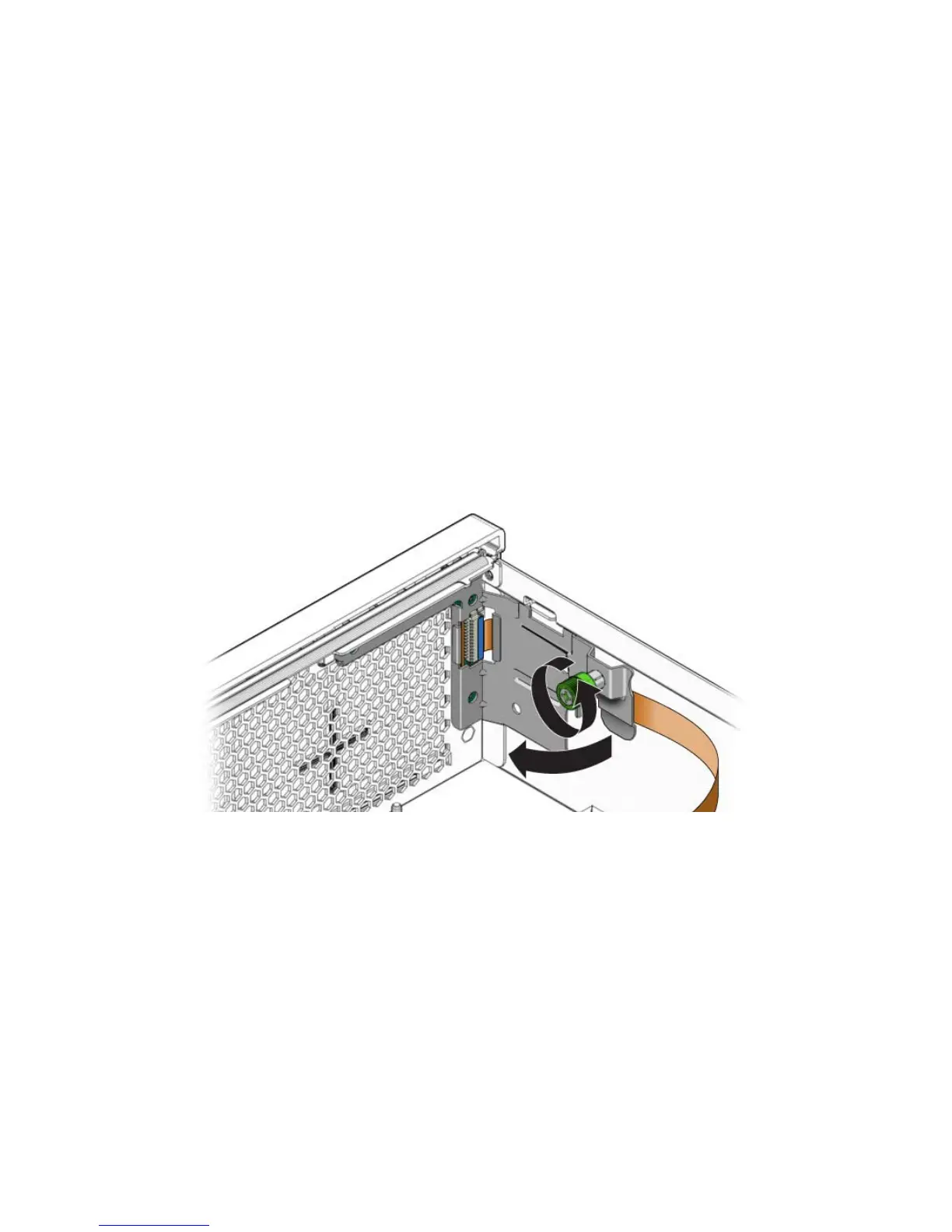
4. Loosen the thumbscrew of the LED board and swing the board out to the left
(
FIGURE 5-16).
FIGURE 5-16 Removing the LED Board
5. Carefully lift the LED board and cable from the cable clips.
6. Disconnect the cable from the LED board (
FIGURE 5-17).













 To Next Page