4-16 Sun Netra T5220 Server Service Manual • January 2012
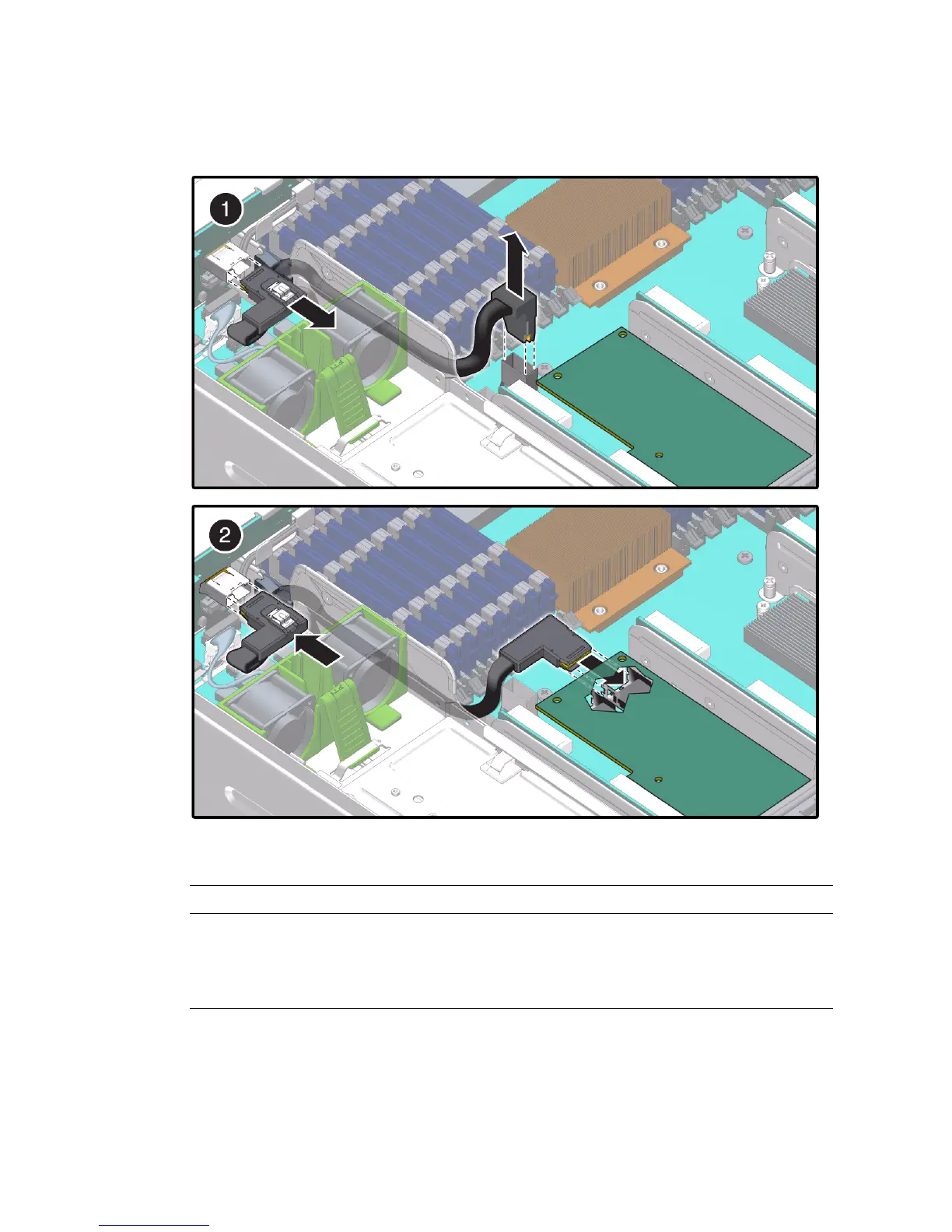
FIGURE 4-10 Cable Connections for the Sun Storage 6 Gb PCIe SAS RAID HBA
4. Bring the server back online. See Section 4.1, “Powering Off and Powering On
the Server” on page 4-1.
Figure Callout Instruction
1 Unulug existing SAS cable from the SAS BackPlane (BP) connector and
from the motherboard near slot 0
2 Plug the new SAS cable into port SAS0 of the HBA and into the SAS BP
connector.













 To Next Page