Chapter 4 Replacing Motherboard Assembly Components 4-27
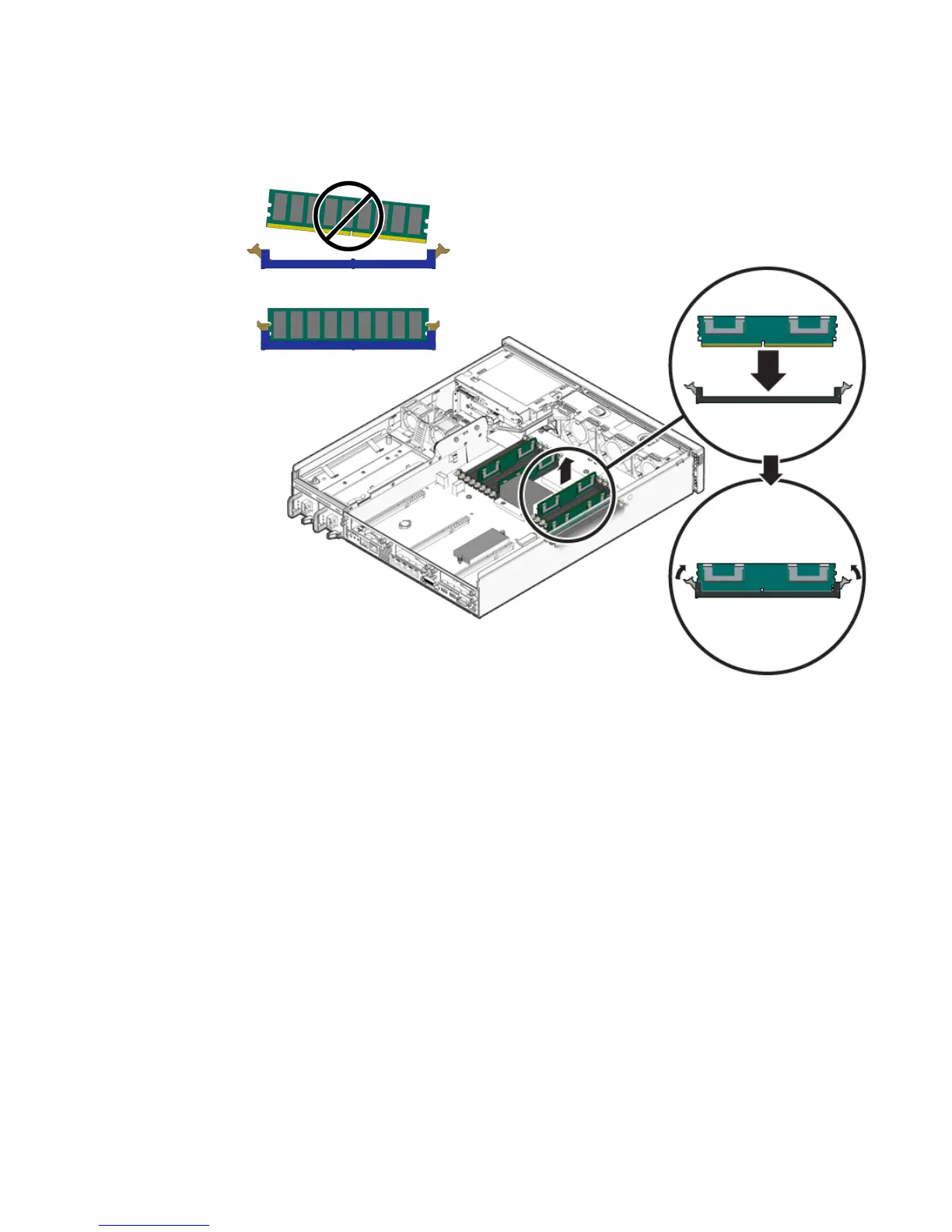
FIGURE 4-16 Inserting the FB-DIMM Into the Slot
5. Repeat Step 2 through Step 4 until all replacement FB-DIMMs are installed.
6. Consider your next step:
■ If you installed FB-DIMMs as part of another procedure, return to that procedure.
■ If you are to only install FB-DIMMs:
a. Install the air duct.
See Section 4.4.2, “Installing the Air Duct” on page 4-18.
b. Bring the server back online. See Section 4.1, “Powering Off and Powering On
the Server” on page 4-1













 To Next Page