Chapter 5 Replacing Chassis Components 5-15
■ Section 2.3.1, “Powering Off the Server” on page 2-3
■ Section 2.3.2, “Disconnecting Cables From the Server” on page 2-4
■ Section 2.3.3, “Removing the Server From the Rack” on page 2-5
■ Section 2.3.4, “Performing Antistatic Measures” on page 2-8
■ Section 2.3.5, “Removing the Top Cover” on page 2-8
■ Section 2.3.6, “Removing the PCI Mezzanine” on page 2-9
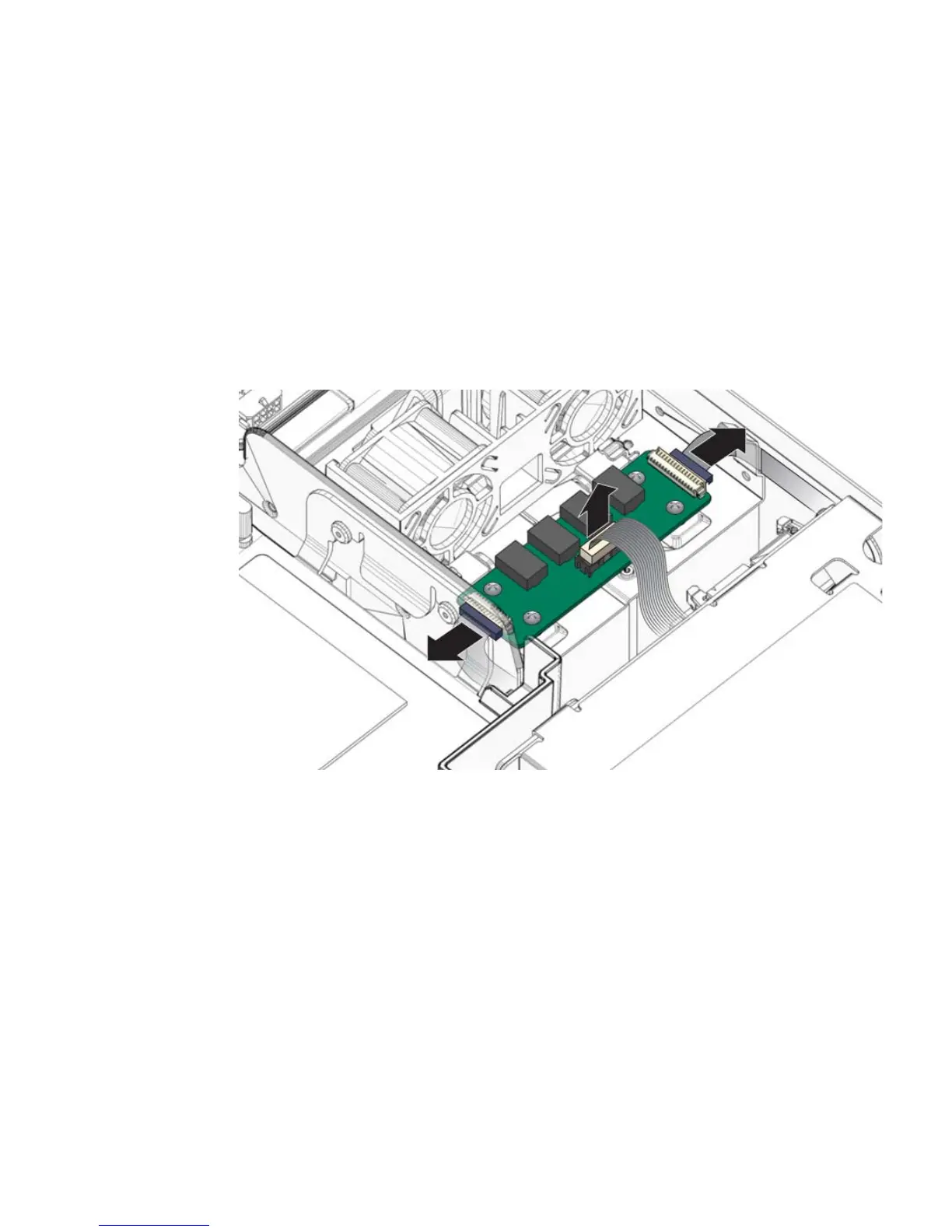
2. Disconnect the cables from the alarm board (
FIGURE 5-13):
FIGURE 5-13 Disconnecting the Cables From the Alarm Board
3. Remove the four alarm board screws and lift it up and out of the chassis
(
FIGURE 5-14).













 To Next Page