4-8 Sun Netra T5220 Server Service Manual • January 2012
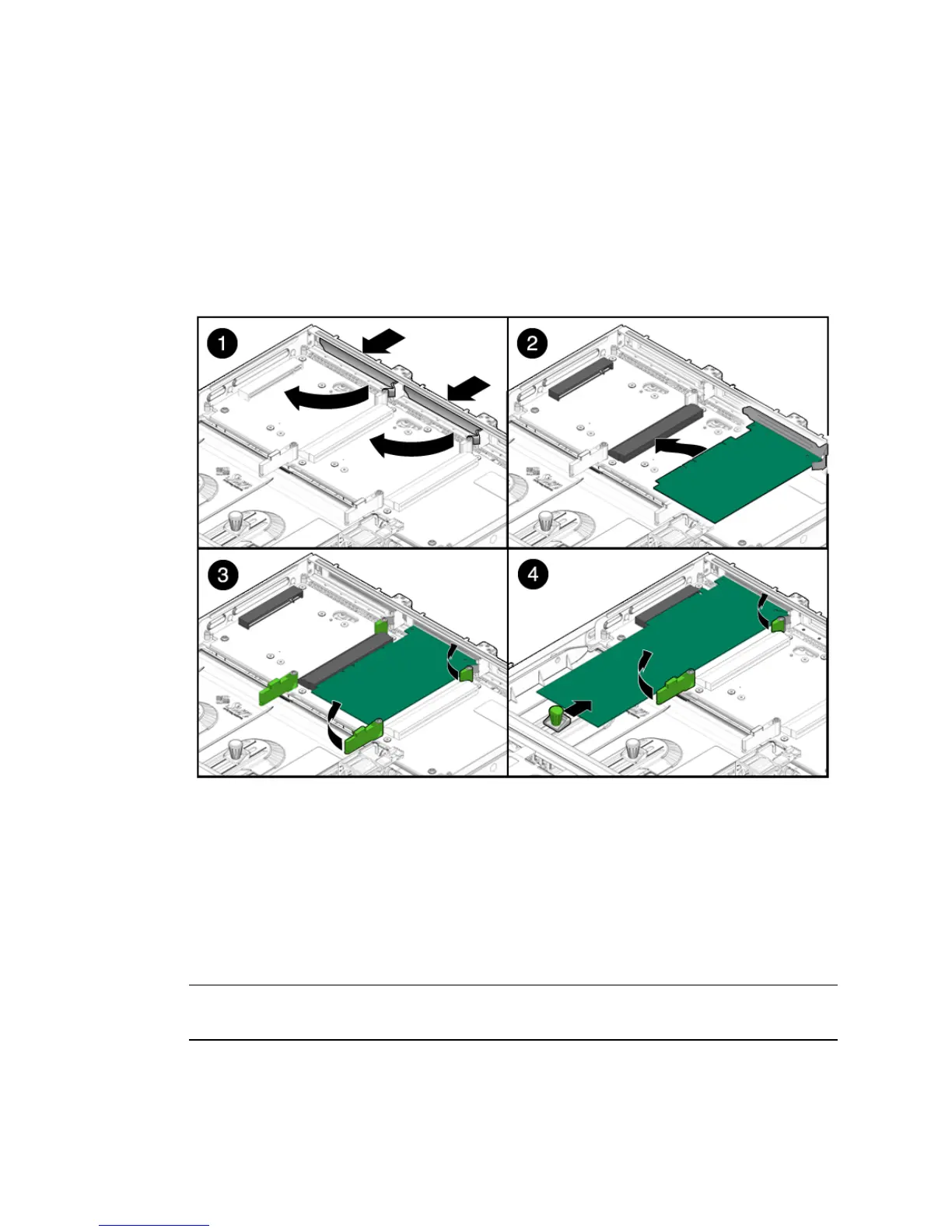
5. Lower the card into position on the PCI mezzanine, then slide it to the right to
seat it into the connector (
FIGURE 4-5).
You must secure the right side of the PCI card faceplate into the small slot on the
right side of the PCI card slot (facing the rear of the server) before installing the
PCI card.
FIGURE 4-5 Installing PCI-X 4 and PCIe 5 Cards in the PCI Mezzanine
6. Tighten the card securing screws and appropriate PCI retainers (FIGURE 4-3).
7. Bring the server back online. See Section 4.1, “Powering Off and Powering On
the Server” on page 4-1.
4.2.3 Replacing the PCI-X 3 Card
Note – The maximum power of any one PCI card is 25 watts. Only PCI-X slot 4 and
PCIe slot 5 accept long cards.













 To Next Page