86 Sun Server X4-2 Service Manual • May 2014
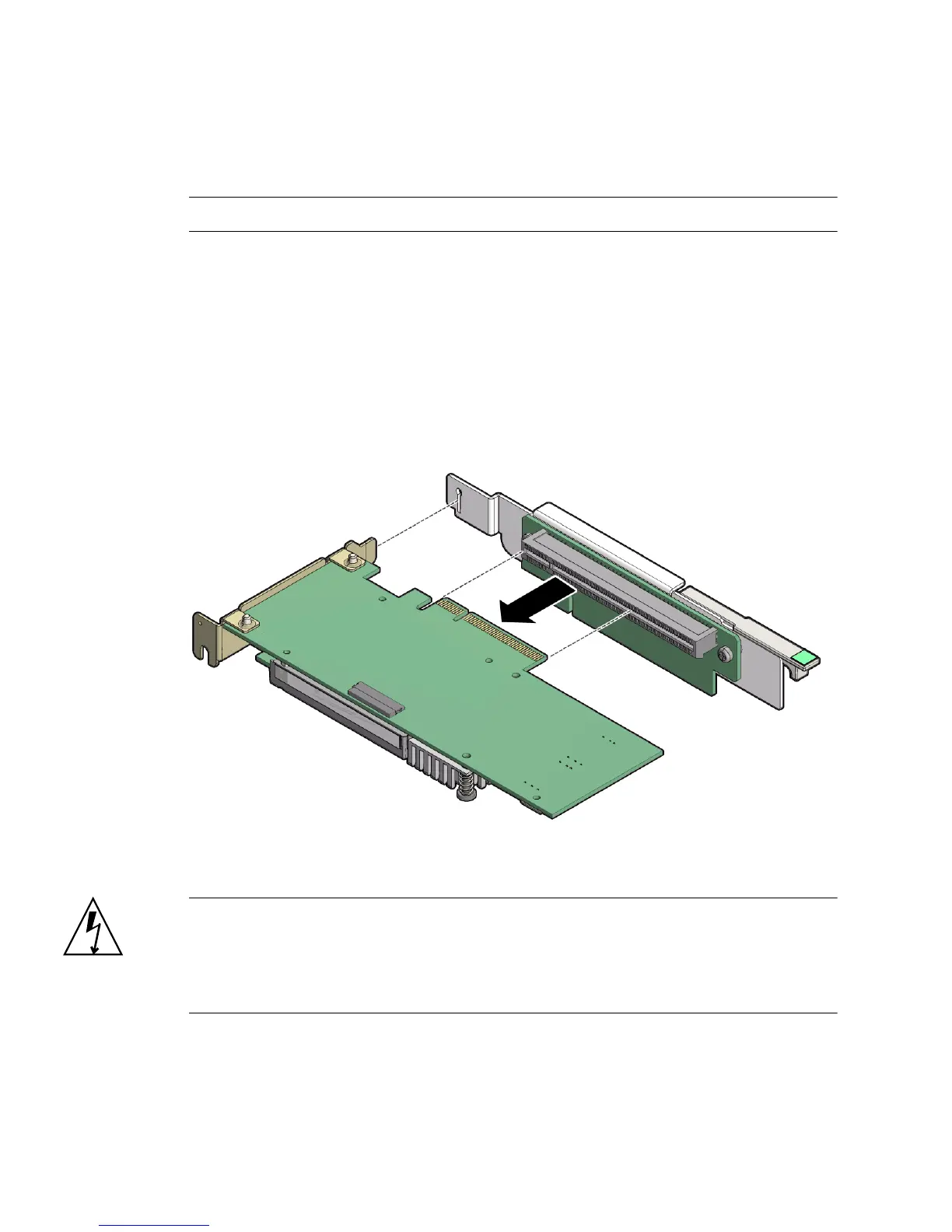
▼ Remove a PCIe Card From PCIe Slot 1 or 2
Note – PCIe slot 1 is nonfunctional in single-processor systems.
1. Remove the PCIe riser from the server.
For instructions, see “Remove a PCIe Riser From PCIe Slot 1 or 2” on page 76.
2. Remove the PCIe card from the PCIe riser.
a. Hold the riser in one hand and use your other hand to carefully pull the PCIe
card connector out of the riser.
b. Disconnect the rear bracket that is attached to the PCIe card from the rear of
the PCIe riser.
3. Place the PCIe card on an antistatic mat.
Caution – Whenever you remove a PCIe card, you should replace it with another
PCIe card or a PCIe filler panel. Installing PCIe filler panels in vacant PCIe slots
helps reduce the level of electromagnetic interference (EMI) emitted by the server.
For instructions for installing a PCIe filler panel, see “Removing and Installing Server
Filler Panels” on page 143.



 To Next Page