Servicing CRUs That Require Server Power-Off 73
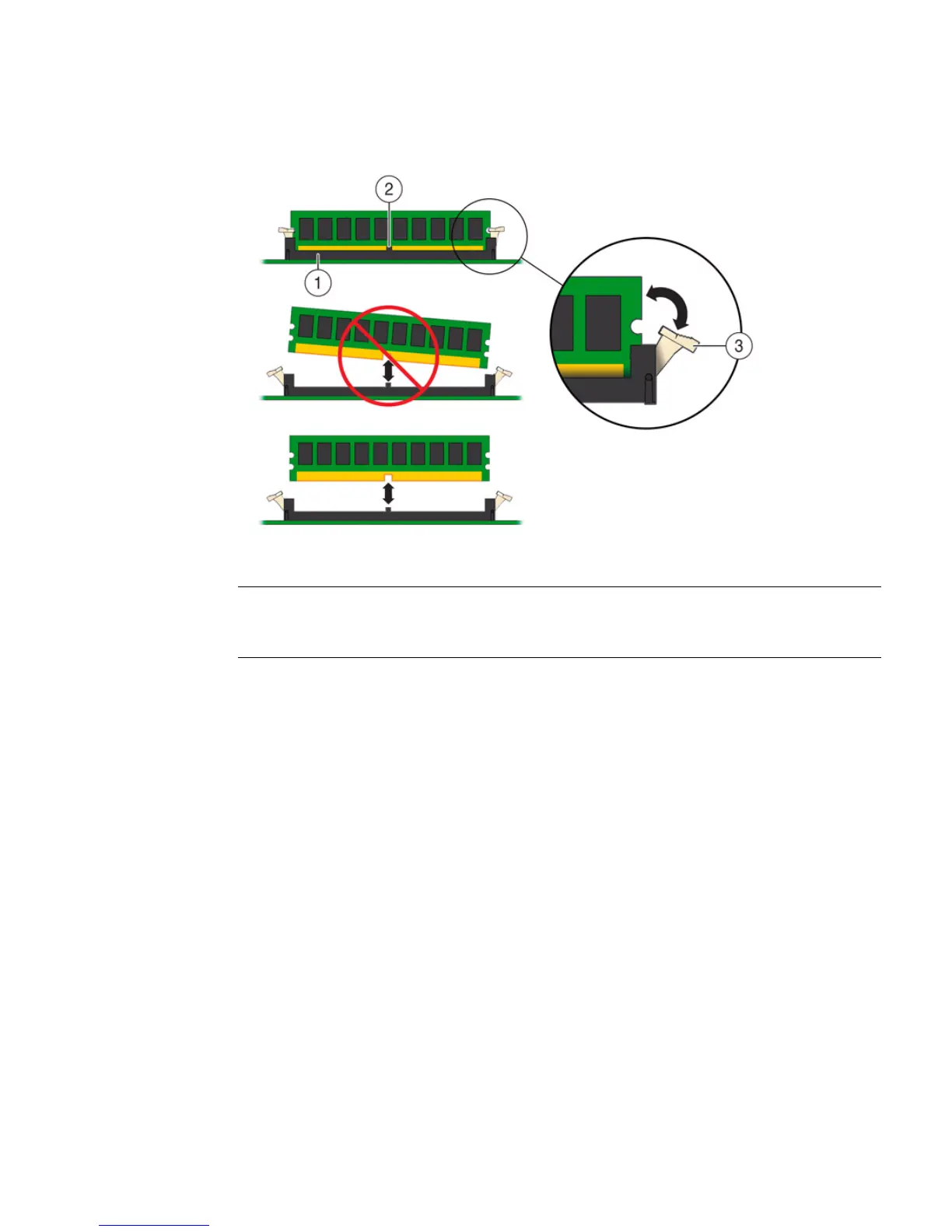
FIGURE: DIMM Socket Release and Alignment
▼ Install a DIMM
1. Unpack the replacement DDR3 DIMM and place it on an antistatic mat.
2. Ensure that the replacement DDR3 DIMM matches the size of the DIMM it is
replacing.
You must not replace a dual-rank DIMM with a quad-rank DIMM and vice versa.
If you violate this rule, the performance of the server might be adversely affected.
For DIMM socket population rules, see “DIMM Population Rules” on page 67.
3. Install a DIMM.
a. Ensure that the ejector tabs are in the open position.
b. Align the notch in the replacement DIMM with the connector key in the
connector socket.
The notch ensures that the DIMM is oriented correctly.
Figure Legend
1 DIMM connector socket
2 DIMM connector key
3 DIMM ejector lever



 To Next Page