72 Sun Server X4-2 Service Manual • May 2014
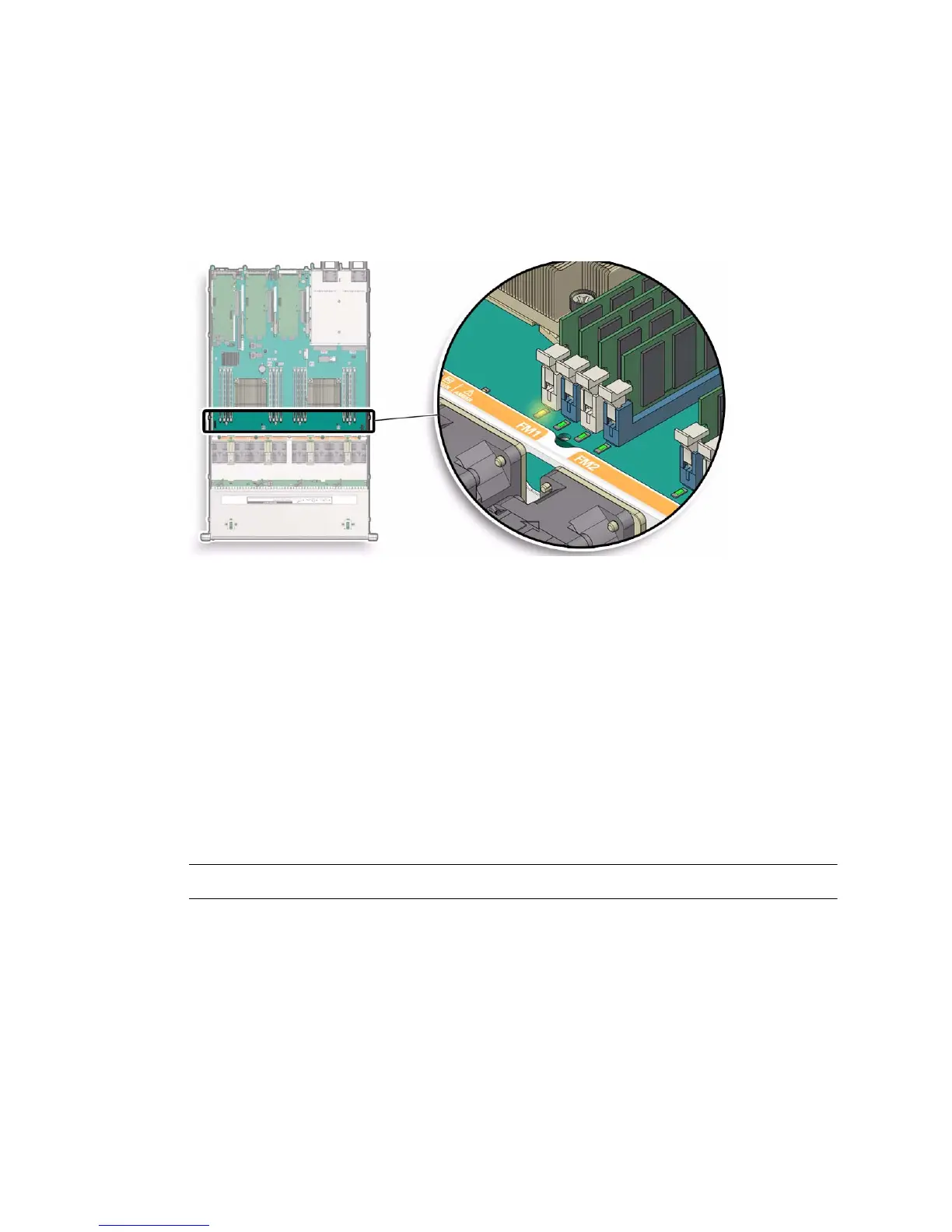
2. Identify and note the location of the faulty DDR3 DIMM by pressing the Fault
Remind button on the motherboard (see “Using the Fault Remind Button” on
page 70).
Faulty DDR3 DIMMs are identified with a corresponding amber LED on the
motherboard.
■ If the DIMM fault LED is off, the DIMM is operating properly.
■ If the DIMM fault LED is on (amber), then the DIMM is faulty and should be
replaced.
3. To remove the faulty DIMM do the following:
a. Rotate both DIMM socket ejectors outward as far as they will go.
The DIMM is partially ejected from the socket (See FIGURE: DIMM Socket
Release and Alignment on page 73).
b. Carefully lift the DIMM straight up to remove it from the socket.
4. Replace each faulty DIMM with either another DIMM of the same rank size
(quad rank, dual rank, or single rank) or leave the socket empty.
Note – DIMM filler panels are optional and not required.
For DIMM replacement instructions, see “Install a DIMM” on page 73.



 To Next Page