Servicing CRUs That Require Server Power-Off 87
▼ Install a PCIe Card in PCIe Slot 1 or 2
Note – PCIe slot 1 is nonfunctional in single-processor systems.
1. Retrieve the PCIe card and riser you to install.
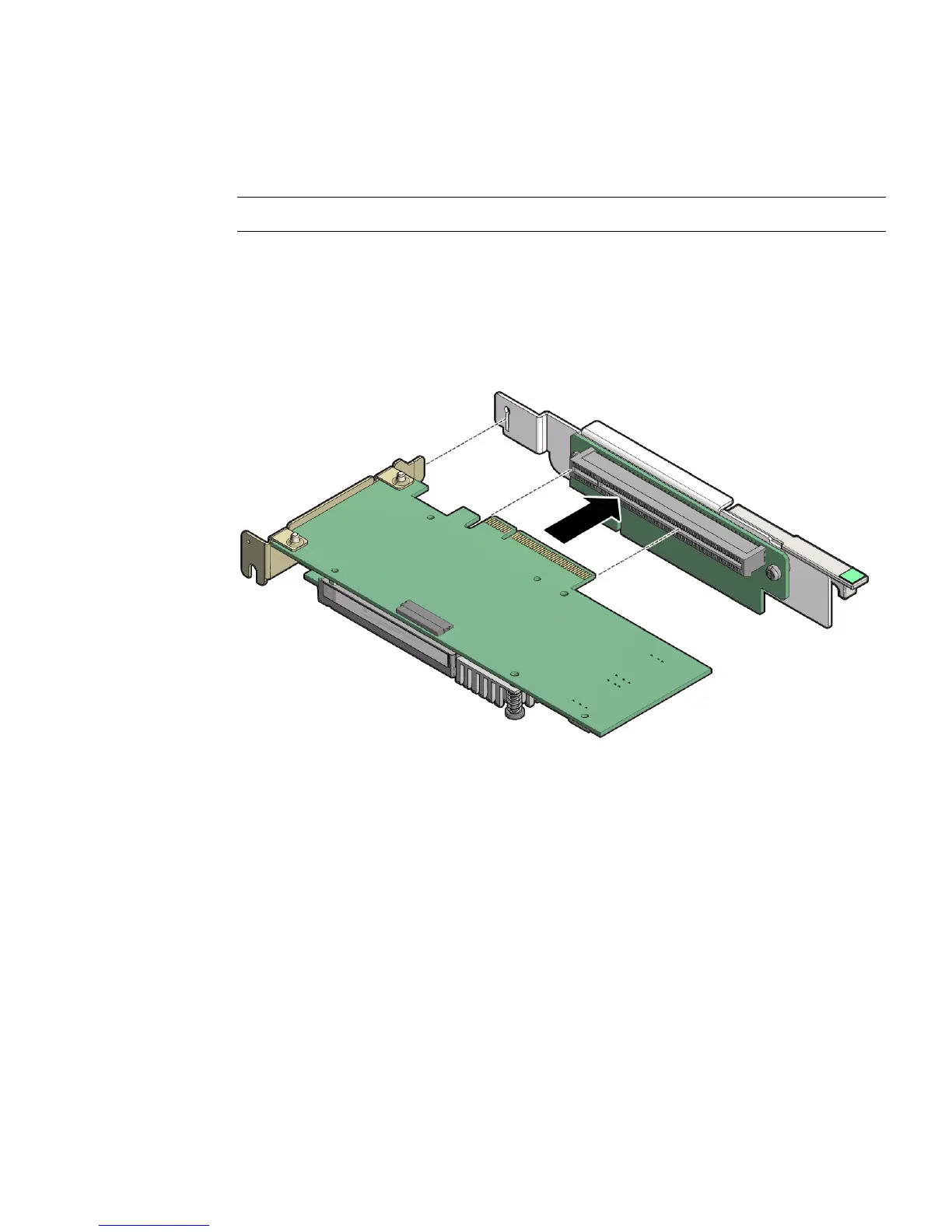
2. Insert the rear bracket that is attached to the PCIe card into the PCIe riser.
3. Hold the riser in one hand and use your other hand to carefully insert the PCIe
card connector into the Riser.
4. Install the PCIe riser into the server.
For instructions, see “Install a PCIe Riser Into PCIe Slot 1 or 2” on page 78.
▼ Remove a PCIe Card From PCIe Slot 3
1. Remove the PCIe riser from the server.
For instructions, see “Remove a PCIe Riser From PCIe Slots 3 and 4” on page 80
2. Remove the PCIe card from the riser.
a. Hold the riser in one hand and use your other hand to carefully remove the
PCIe card connector from the riser.



 To Next Page