Servicing FRUs 141
▼ Install Storage Drive SAS Cables
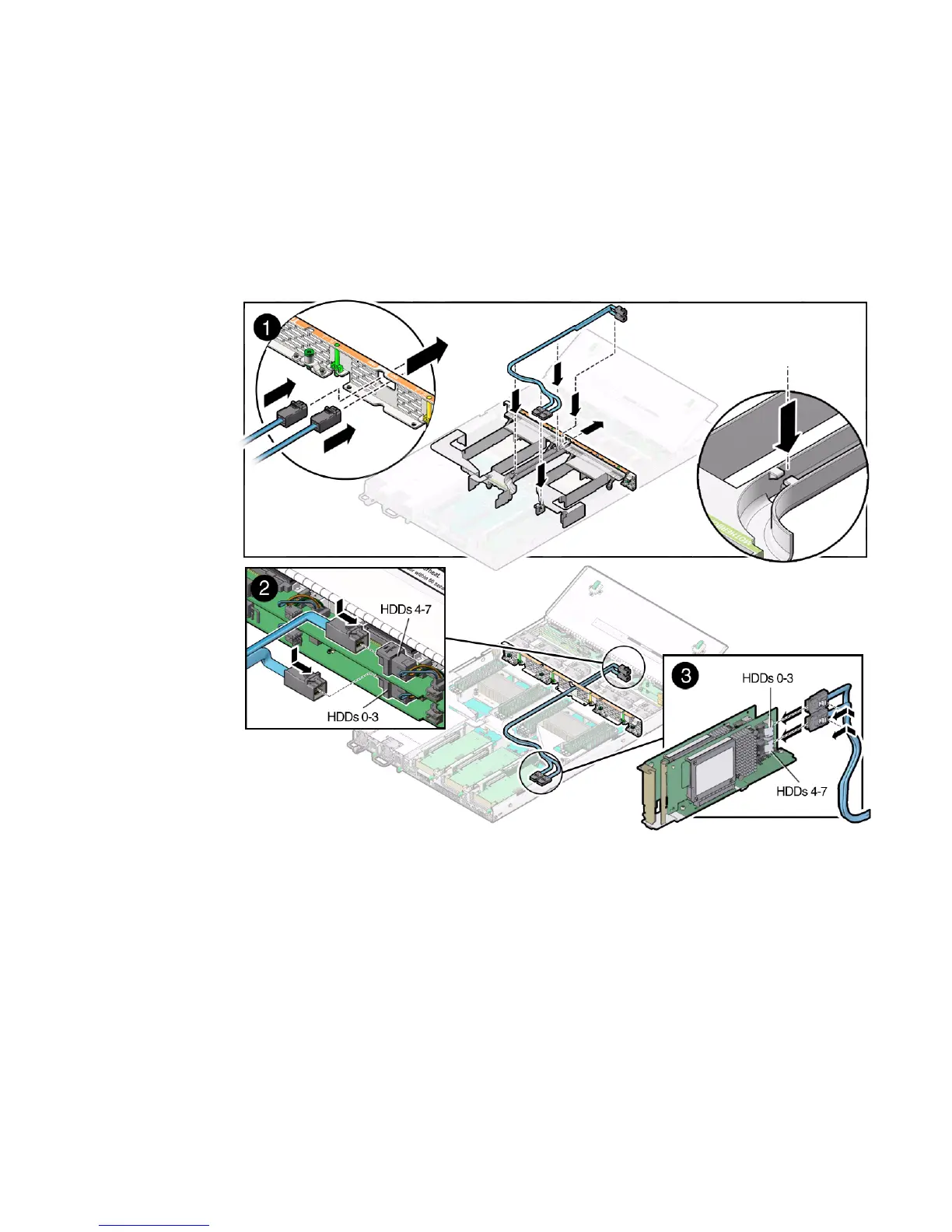
1. Properly orient the ends of the SAS cables to connect to the disk backplane and
the HBA, respectively.
2. Carefully push the SAS cables through the mid-wall and place them into the
cable trough in the middle of the air duct [1].
3. Install the HDDs 0-3 cable.
a. Install the HDDs 0-3 cable connector into the bottom disk backplane [2].
b. Plug the HDDs 0-3 cable connector into the connector on the left side of the
HBA card (the connector that is farthest from the power supplies) [3].
4. If the server has more than four storage drives, do the following:
a. Install the top disk backplane.
See “Install the Disk Backplane” on page 122.



 To Next Page