140 Sun Server X4-2 Service Manual • May 2014
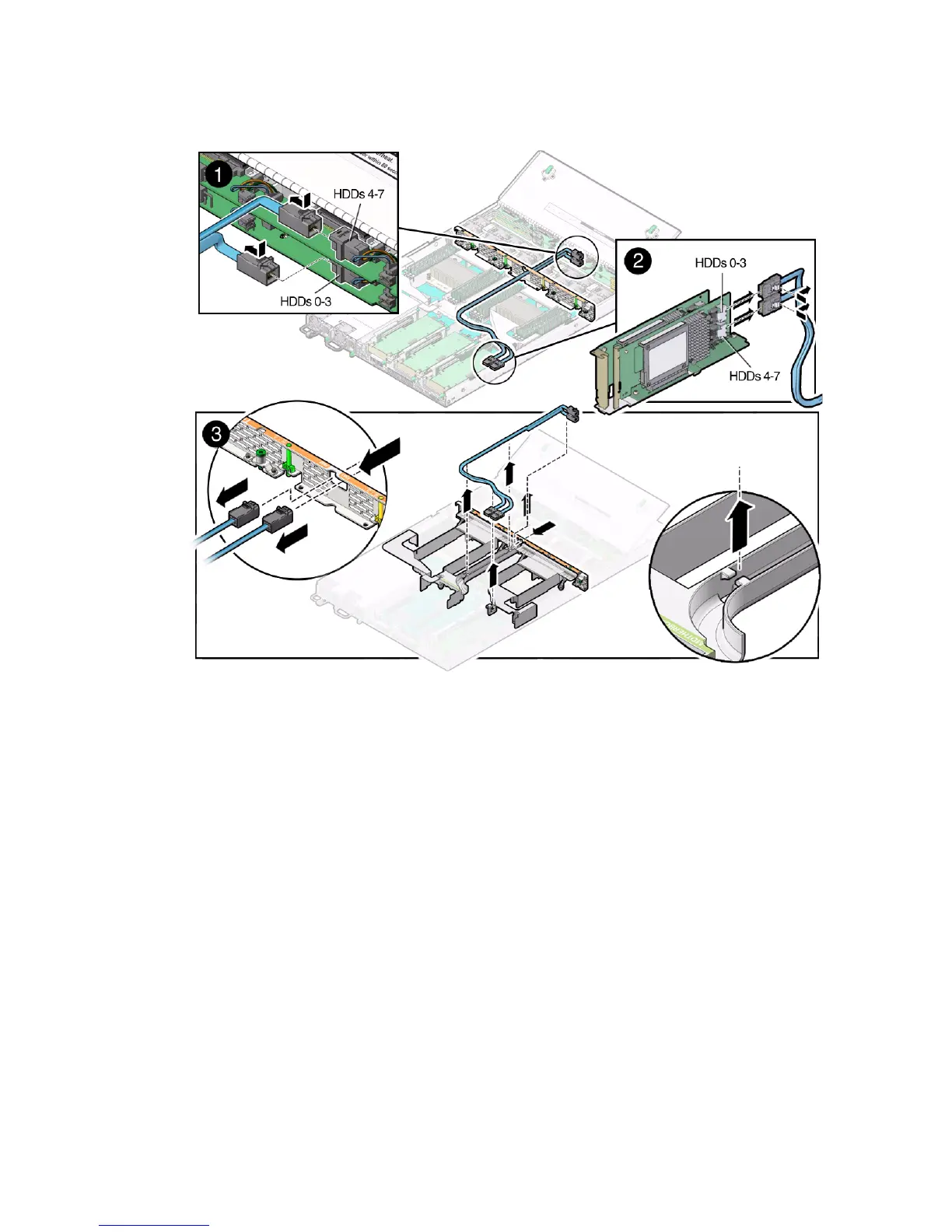
5. If the server has only one disk backplane, to disconnect the cable from disk
backplane, press and hold the cable latch, push in toward the connector, and
then pull out the SAS cable [1].
6. Disconnect the SAS cable(s) from the internal host bus adapter (HBA) [2].
To disconnect the SAS cable(s) from the internal HBA card, press and hold the
cable latches and then pull out the cables.
7. Carefully remove the SAS cables from the trough in the air duct [3].
8. Carefully pull the internal SAS cables through the mid-wall and remove them
from the chassis [3].
Related Information
■ “Install Storage Drive SAS Cables” on page 141



 To Next Page