54 Sun Server X4-2 Service Manual • May 2014
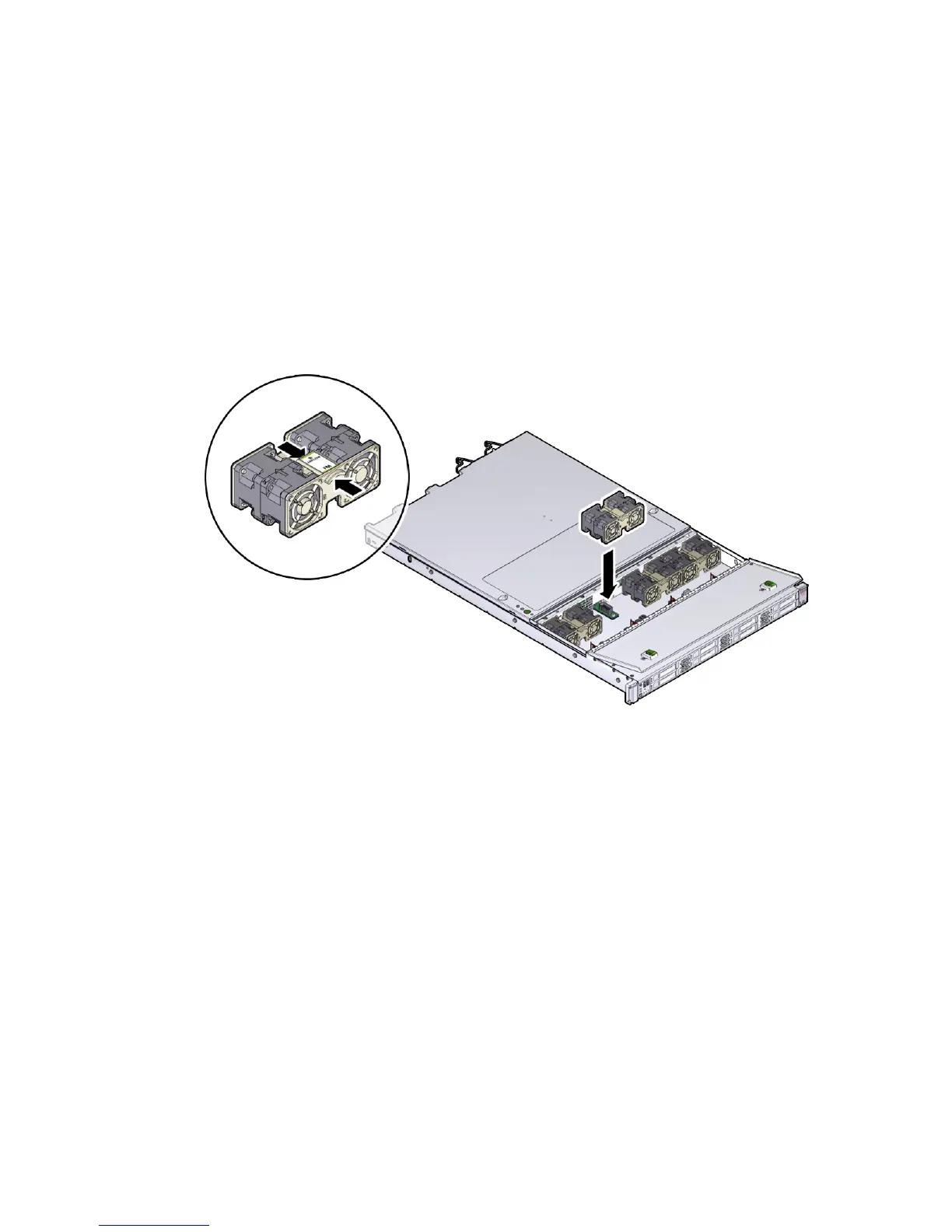
▼ Install a Fan Module
1. Remove the replacement fan module from its packaging and place it on an
antistatic mat.
2. With the fan door open, position the replacement fan module into the server.
The fan modules are keyed to ensure that they are installed in the correct
orientation.
FIGURE: Installing a Fan Module
3. Press down on the fan module and apply firm pressure to fully seat the fan
module.
4. Verify that the fan status LED that aligns with the replaced fan module is lit
green.
5. Close the fan door.
6. Verify that the Top Fan Fault LED on the front of the server and the Service
Required LEDs on the front and rear of the server are extinguished.
See “About Server and Component Status Indicators” on page 6 for more
information about identifying and interpreting system indicators.
7. Consider your next step:
■ If you installed the fan module as part of another procedure, return to that
procedure.



 To Next Page