Preparing for Service 43
Note – An antistatic wrist strap is not included in the Ship Kit for the server.
However, antistatic wrist straps are still included with options and components.
Related Information
■ “Remove Antistatic Measures” on page 146
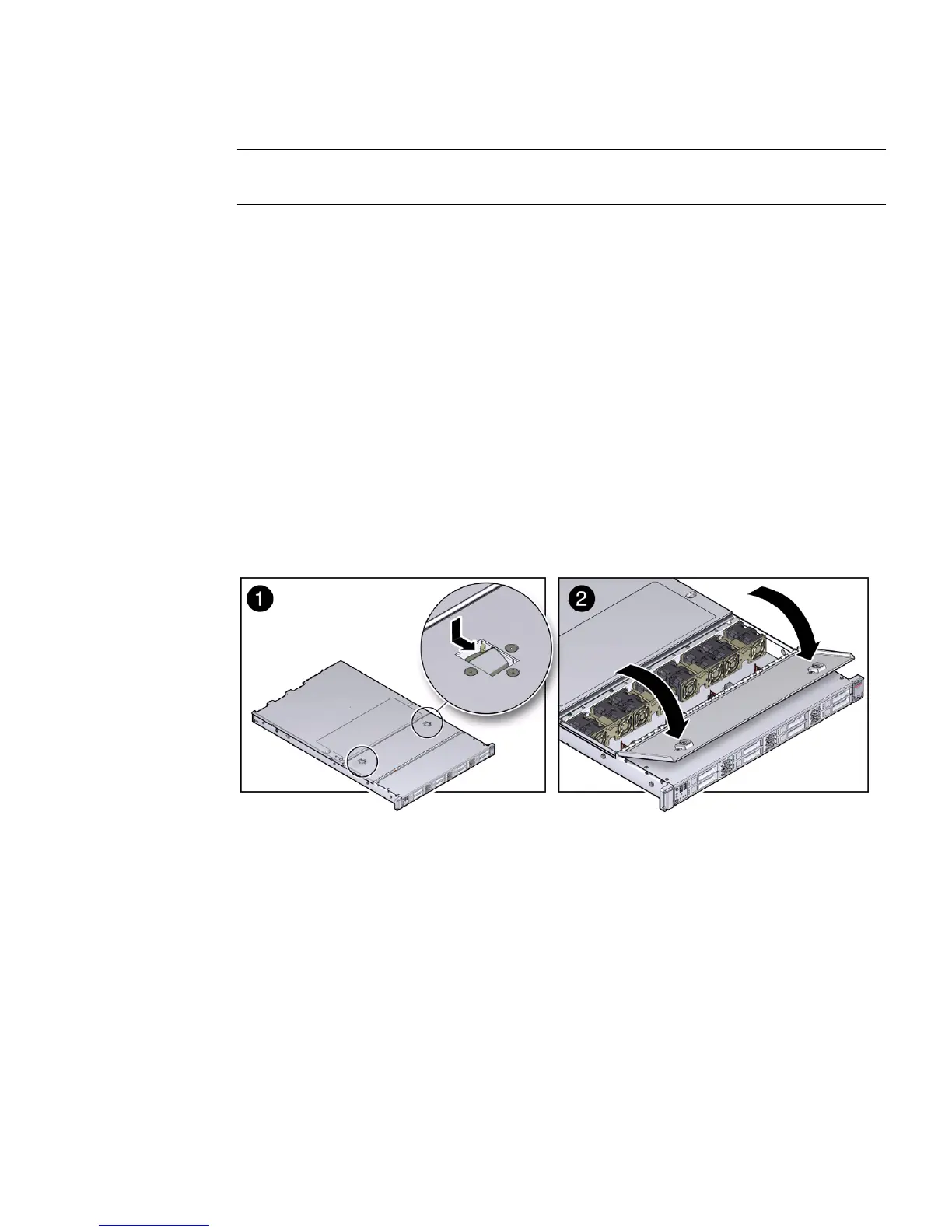
▼ Open the Server Fan Door
Servicing the server fan modules and other components located in the front of the
server, such as the front indication module, the DVD drive, and disk backplanes,
requires that the fan door be opened. It is also easier to remove the server top cover
if you open the fan door first.
● To open the server fan door, slide the fan door latches to the front of the server
and swing the door up to the open position.
FIGURE: Opening the Server Fan Door
Related Information
■ “Take Antistatic Measures” on page 42
■ “Remove the Server Top Cover” on page 43
▼ Remove the Server Top Cover
Servicing most of the server components requires that the top cover be removed.



 To Next Page