44 Sun Server X4-2 Service Manual • May 2014
Caution – If the top cover is removed without first removing the AC power cords,
the server host shuts down immediately and an event is logged to indicate that the
chassis top cover has been removed.
1. Ensure that the AC power cords are disconnected from the server power
supplies.
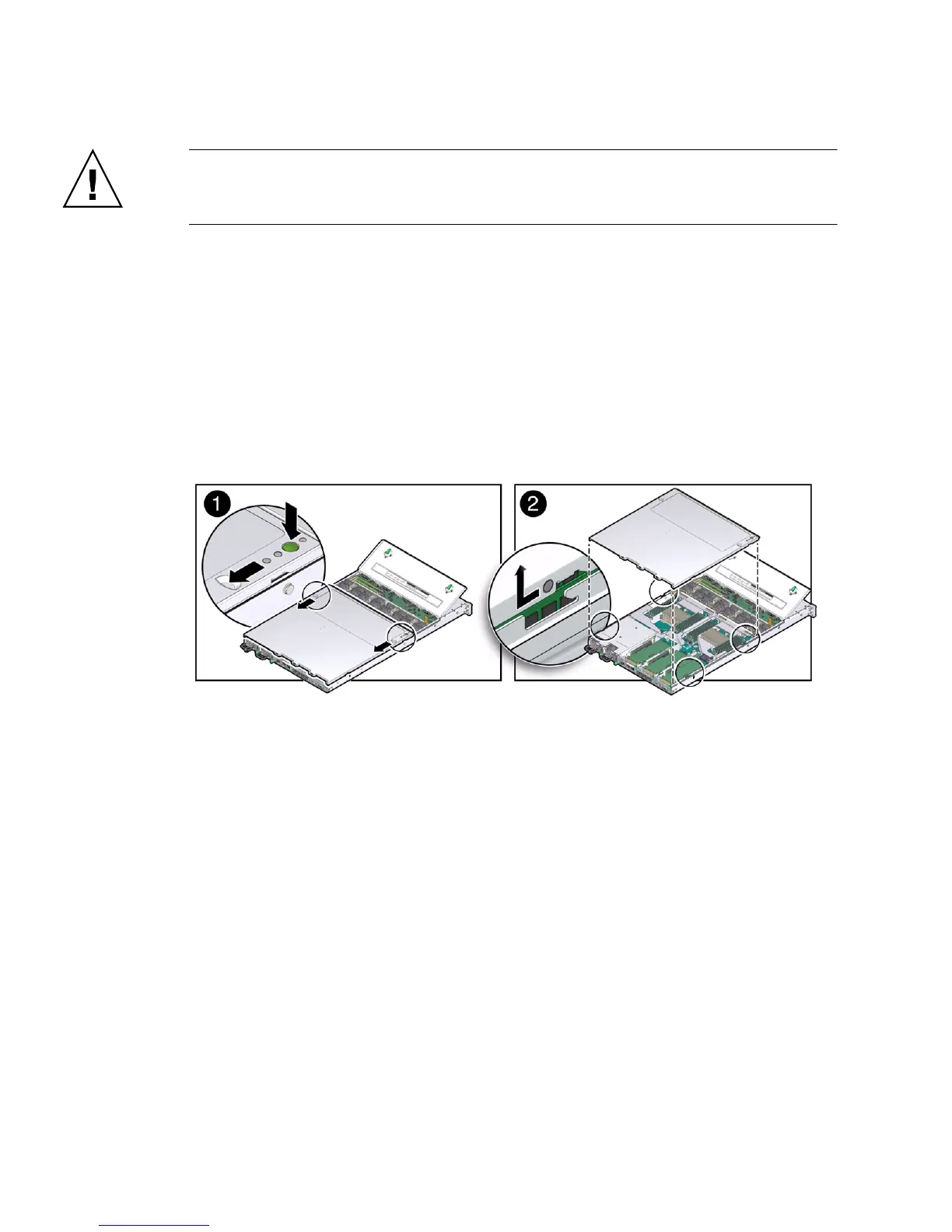
2. To open the server fan door, slide the fan door latches toward the front of the
server and swing the door up to the open position.
3. To open the server top cover, press and hold down the top cover release buttons
and use the recessed areas to slide the top cover toward the rear of the server
about 0.5 inches (12.7 mm) [1].
FIGURE: Removing the Server Top Cover
4. Lift the cover off the chassis and set it aside [2].
Related Information
■ “Take Antistatic Measures” on page 42
■ “Install the Server Top Cover” on page 145



 To Next Page