92 Sun Server X4-2 Service Manual • May 2014
a. Power off the server and disconnect the power cords from the power
supplies.
See “Powering Down the Server” on page 33.
b. Extend the server to the maintenance position.
See “Extend the Server to the Maintenance Position” on page 39.
c. Attach an antistatic wrist strap to your wrist and then to a metal area on the
chassis.
See “Take Antistatic Measures” on page 42.
d. Remove the server top cover.
See “Remove the Server Top Cover” on page 43.
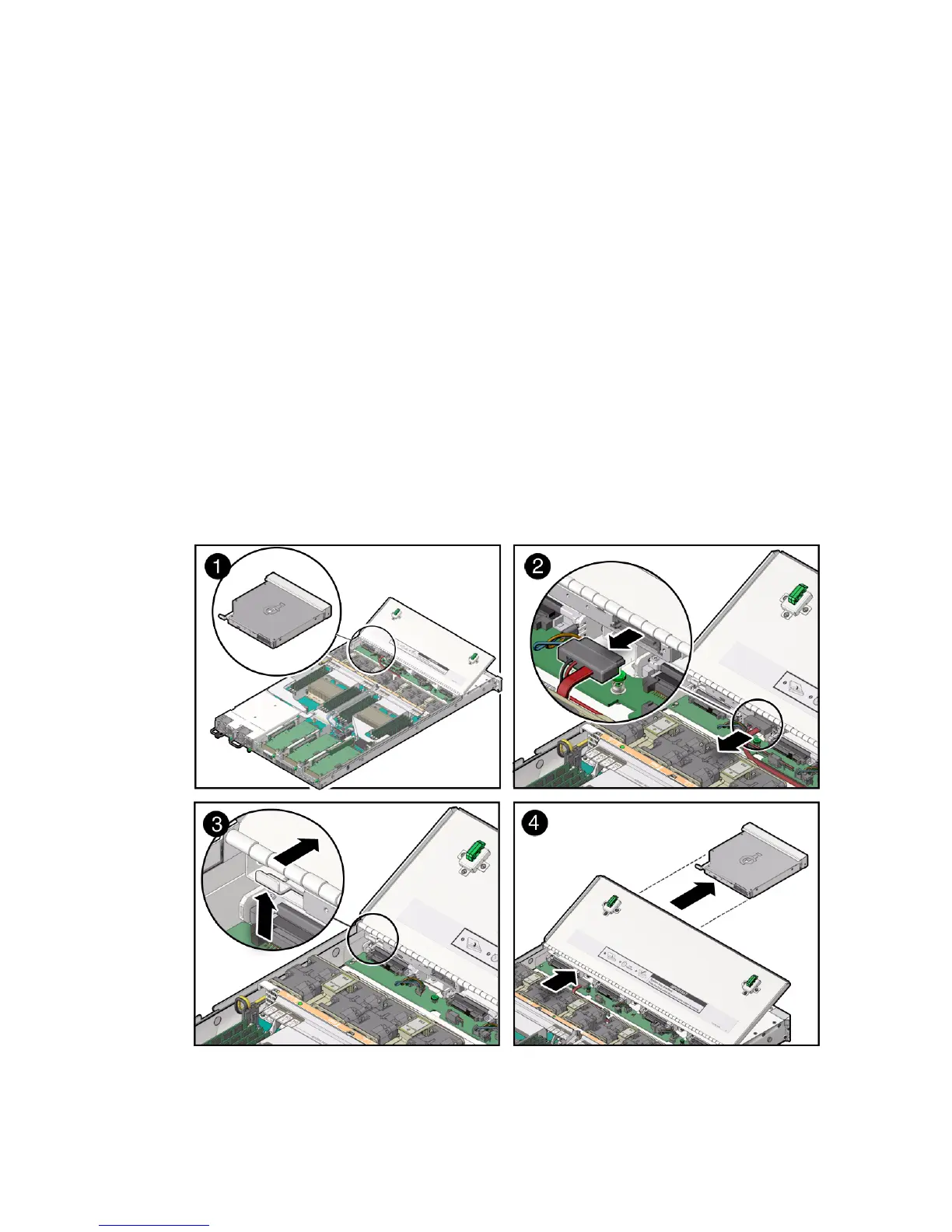
3. Locate the DVD drive [1].
4. Disconnect the cable from the rear of the DVD [2].
FIGURE: Removing the DVD Drive



 To Next Page