Servicing FRUs 121
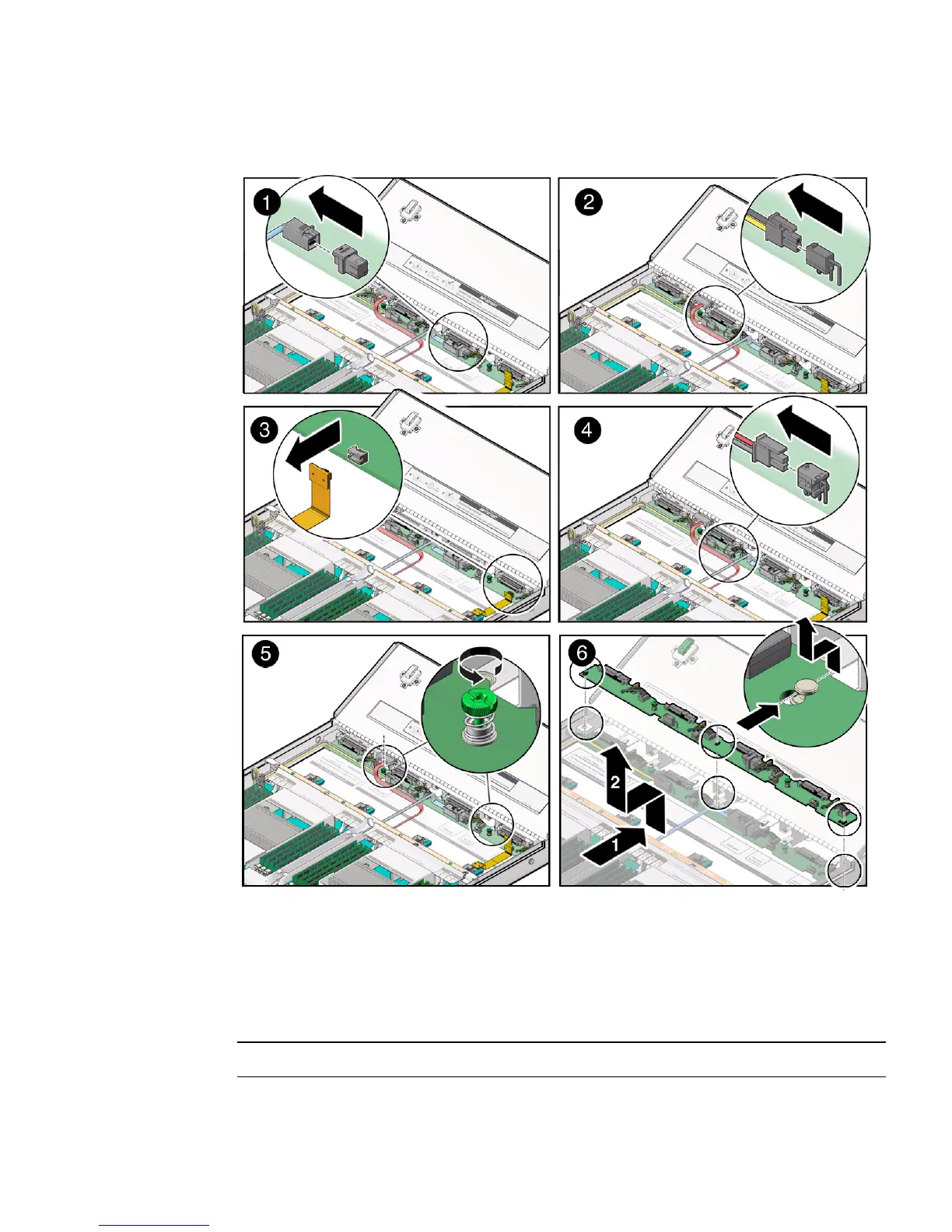
FIGURE: Removing the Disk Backplane
5. Disconnect the disk backplane power cable from the disk backplane [2].
6. Disconnect the disk backplane LED cable from the disk backplane [3].
7. If the server has a DVD drive, disconnect the DVD drive power cable from the
disk backplane [4].
Note – Servers with a DVD drive have only one disk backplane.



 To Next Page