126 Sun Server X4-2 Service Manual • May 2014
b. Open the server fan door.
See “Open the Server Fan Door” on page 43.
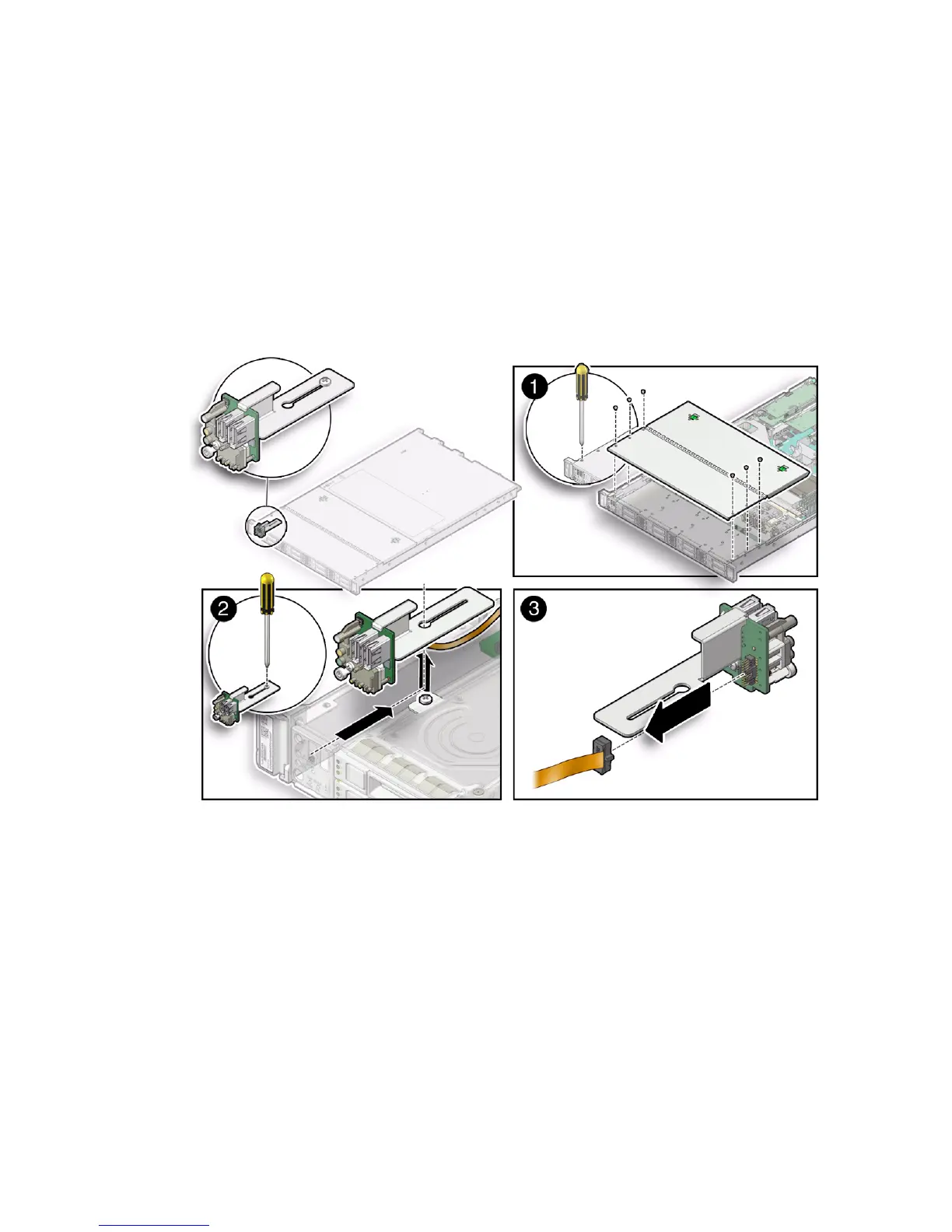
c. To remove the storage drive cage cover, slide it forward (toward the front of
the server) and lift it up.
3. Loosen the screw that secures the front indicator module (FIM) assembly to the
server chassis [2].
FIGURE: Removing the Front Indictor Module
4. Carefully slide the FIM assembly toward the rear of the server enough to lift it
over the Phillips screw and out of the server [2].
5. Disconnect the FIM cable from the FIM assembly and set the assembly aside [3].
6. Continue to “Install the Front Indicator Module” on page 127.
Related Information
■ “Install the Front Indicator Module” on page 127



 To Next Page