174 Sun Server X4-2 Service Manual • May 2014
■ Oracle Linux 5.x
■ Red Hat Enterprise Linux 5.x
■ Oracle VM 3.2
1. Access the BIOS Setup Utility menus.
See “Access BIOS Setup Utility Menus” on page 164.
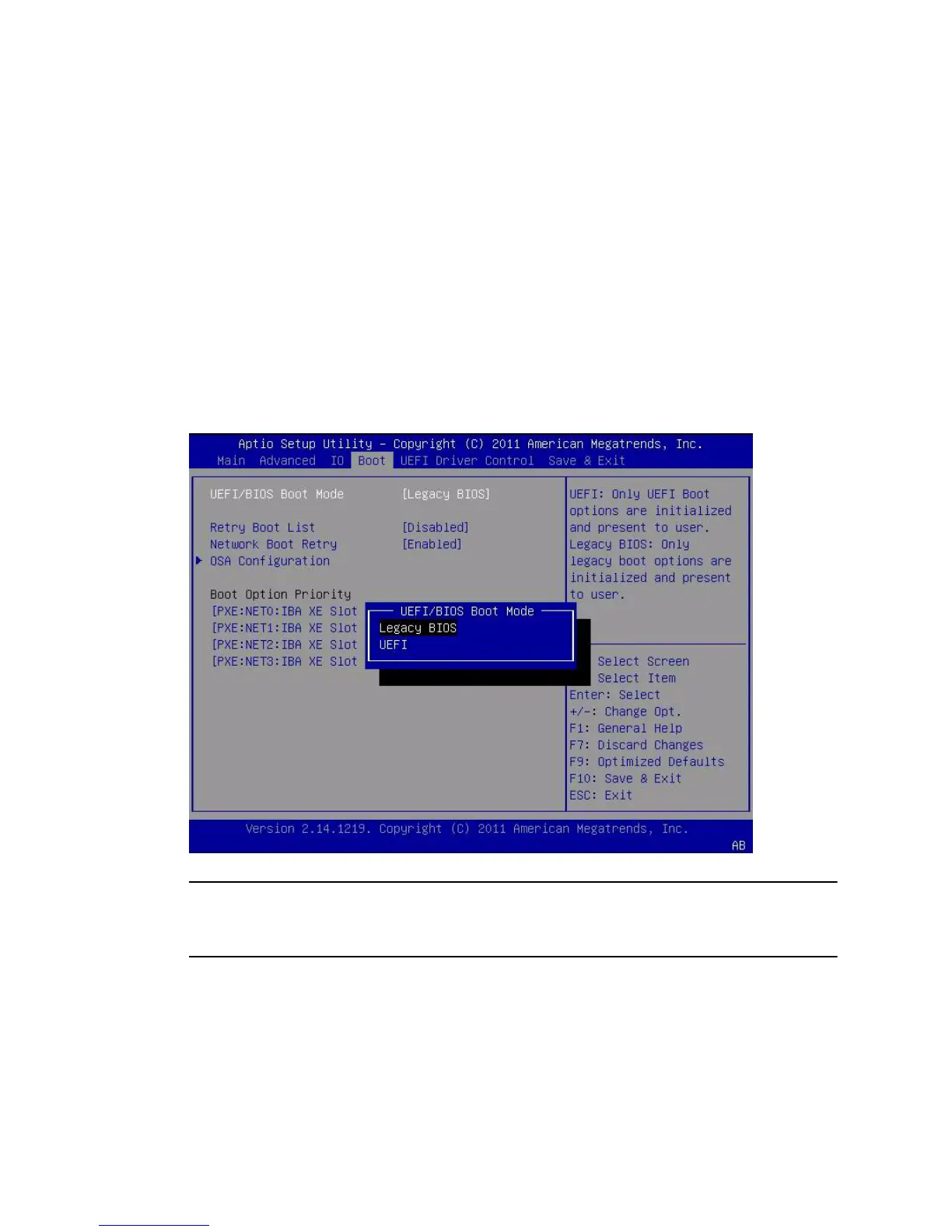
2. From the BIOS Main Menu screen, select Boot.
The Boot Menu screen appears.
3. From the Boot Menu screen, use the up and down arrow keys to select
UEFI/Legacy BIOS Boot Mode, and then press Enter.
The UEFI/BIOS dialog box appears.
Note – You cannot configure the boot device priority after switching the boot mode.
A system reboot is required to properly populate the Boot Options Priority list with
devices that support the chosen boot mode.
4. Use the up and down arrow keys to select the appropriate boot mode, and then
press Enter.
5. Press F10 to save the changes and exit the BIOS Setup Utility.



 To Next Page