48 Sun Server X4-2 Service Manual • May 2014
2. Identify the location of the drive that you want to remove.
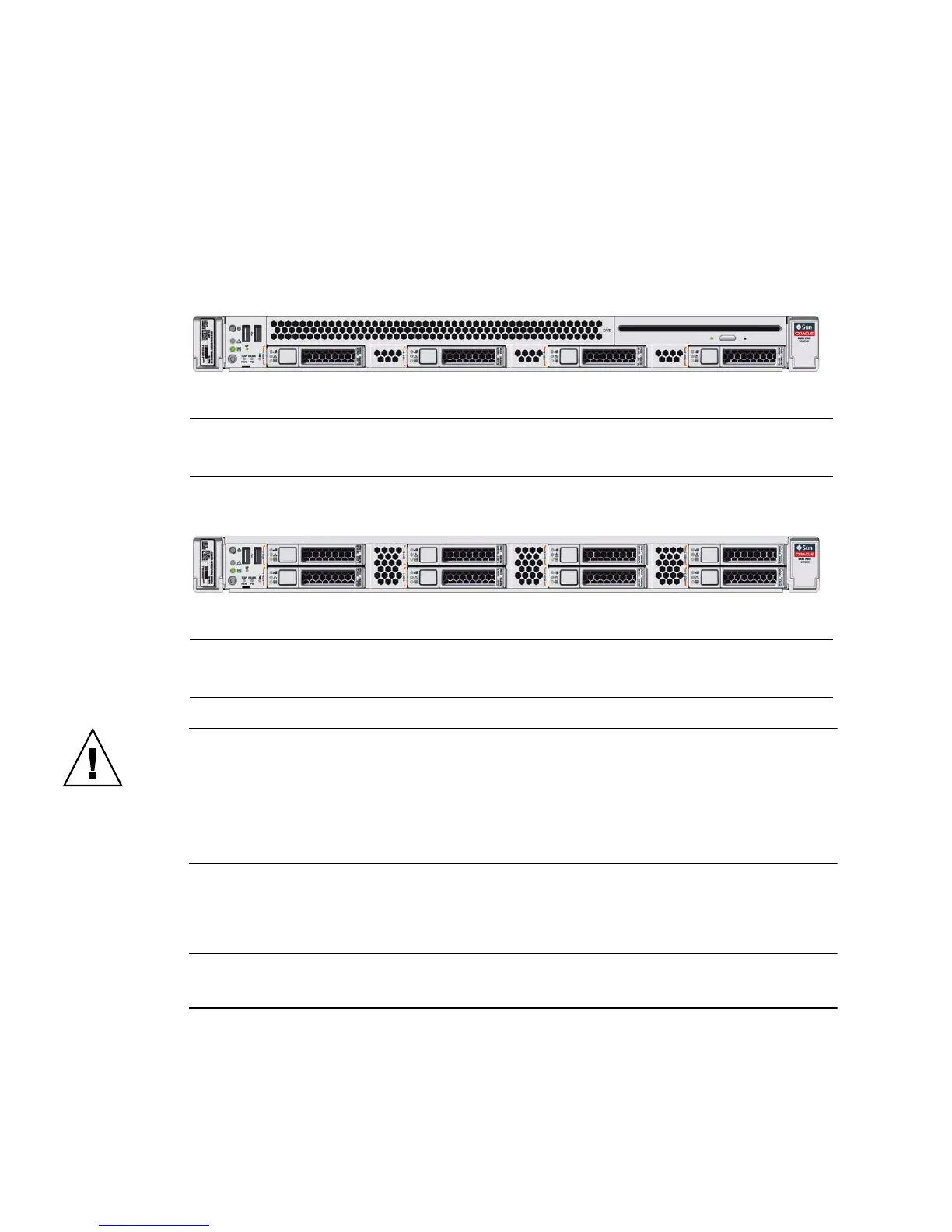
The following illustrations show the location of the drives and the internal system
software designations for the drives.
FIGURE: Drive Location and Numbering on a Server With Four 2.5-inch Drives and a
DVD Drive
FIGURE: Drive Location and Numbering on a Server With Eight 2.5-inch Drives
Caution – In Oracle Engineered Systems, storage drive 7 (HDD7) on an eight-drive
system might be populated with a remote battery module for the host bus adapter
(HBA). The battery module is not a customer-replaceable unit (CRU) and should not
be removed or replaced by customers. The battery module should be removed or
replaced only by Oracle field service personnel. For more information, refer to
“Battery Module” on page 19.
3. Type the operating system commands required to stop the server from using the
drive.
Note – The blue OK to Remove LED on the storage drive might not light, as support
for this varies depending on the operating system in use.
The exact commands required depend on the configuration of your drives.
Unmount file systems or issue RAID commands as needed.
DVD
HDD0 HDD1 HDD2 HDD3
HDD4 HDD5 HDD6 HDD7
HDD0 HDD1 HDD2 HDD3



 To Next Page