58 Sun Server X4-2 Service Manual • May 2014
Caution – When disconnecting the CMA left-side connectors, be sure to use your
arm to support the CMA so that it does not hang down under its own weight and
stress the right-side connectors; otherwise, the CMA might be damaged. You must
continue to support the CMA until you have reconnected both of the left-side
connectors.
4. Disconnect the power cord from the faulty power supply.
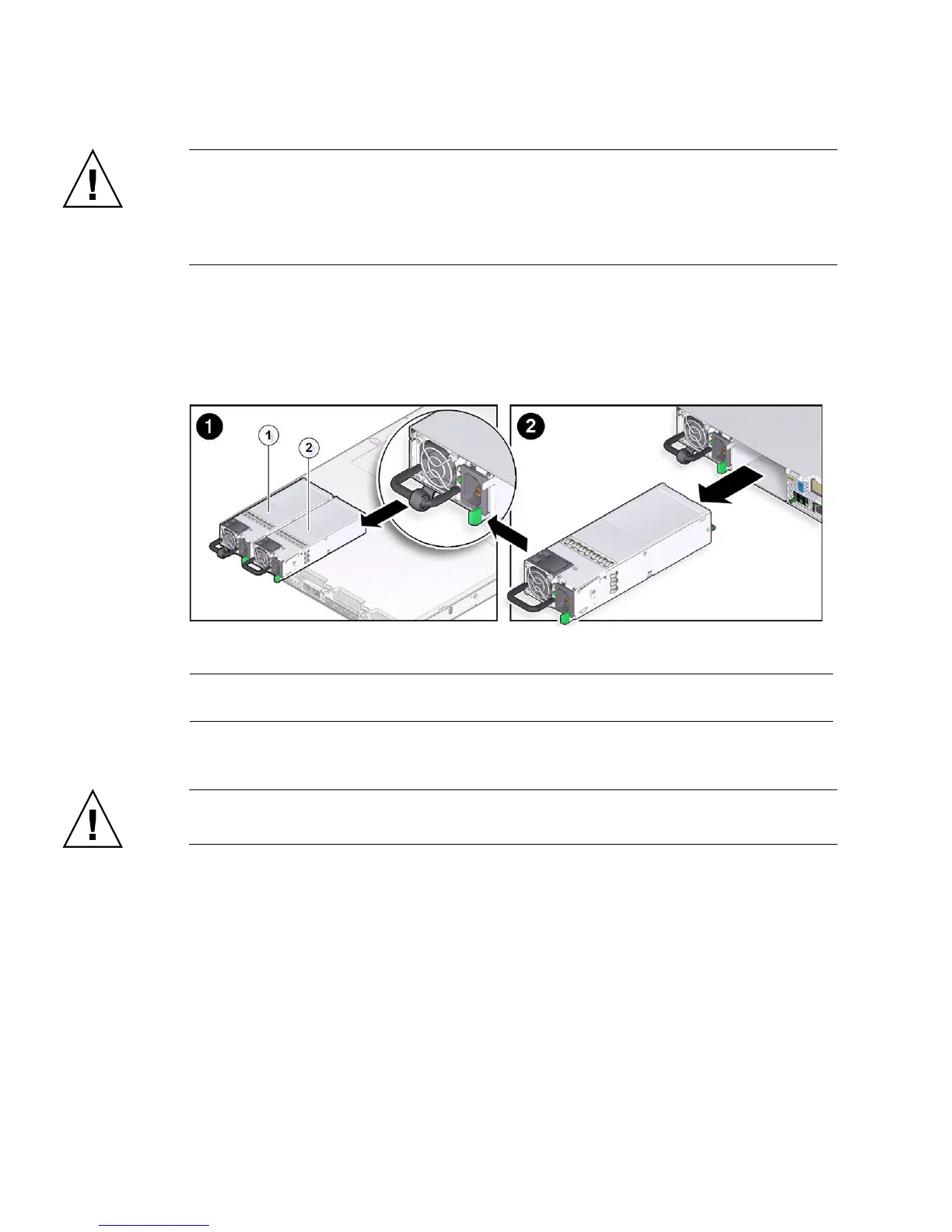
5. Grasp the power supply handle and push the power supply latch to the left [1].
FIGURE: Removing a Power Supply
6. Pull the power supply out of the chassis [2].
Caution – Whenever you remove a power supply, you should replace it with
another power supply; otherwise, the server might overheat due to improper airflow.
7. Continue to “Install a Power Supply” on page 59.
Related Information
■ “Server Back Panel View” on page 5
■ “Power Supply Status Indicators” on page 56
■ “Install a Power Supply” on page 59
Figure Legend
1 Power Supply 0 (PS0)
2 Power Supply 1 (PS1)



 To Next Page