Servicing CRUs That Require Server Power-Off 79
5. If there is a PCIe card installed in the riser, reconnect any external or internal
cables to the card.
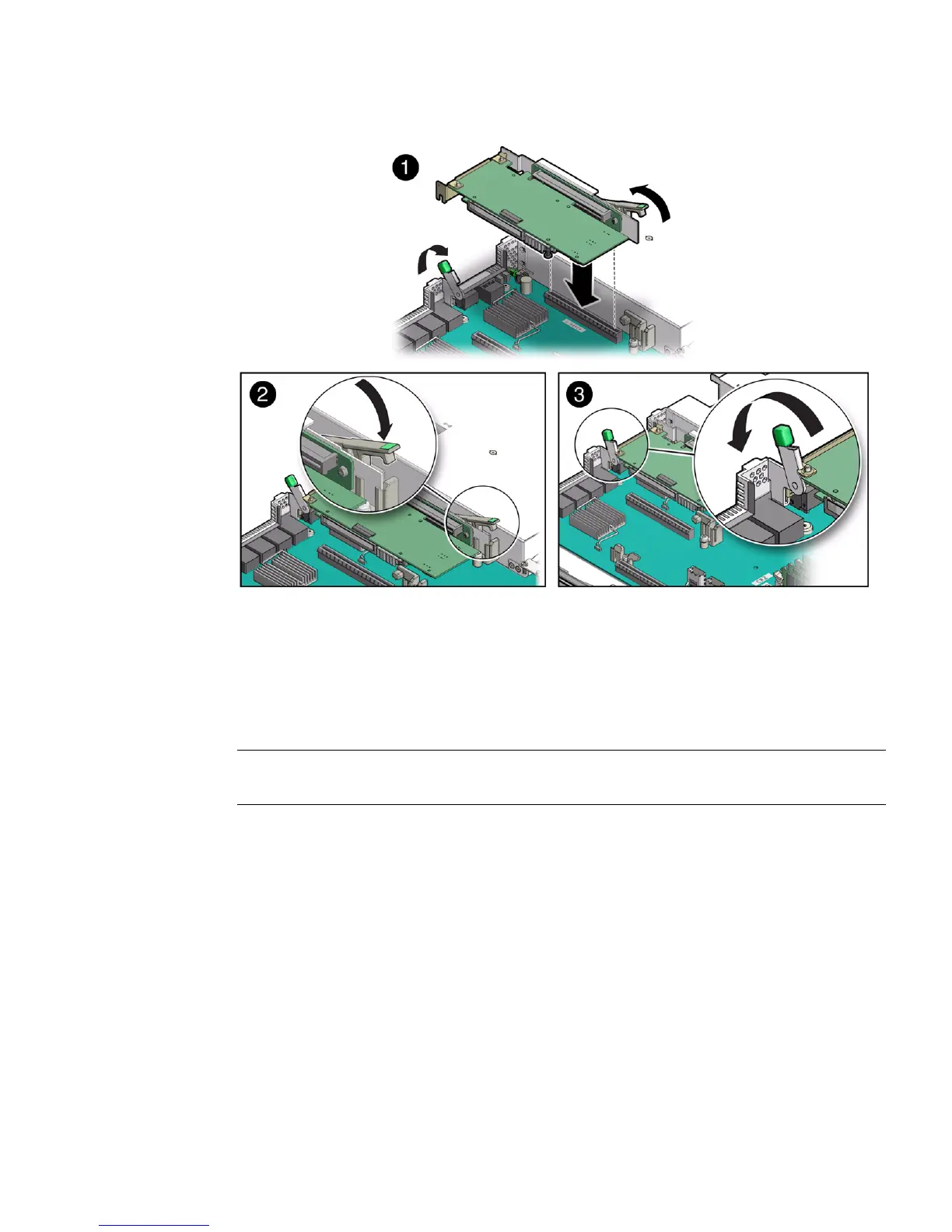
6. Close the green-tabbed latch on the rear of the server chassis next to the
applicable PCIe slot to secure the rear bracket on the PCIe card to the server
chassis [3].
Note – If the riser does not have a PCIe card installed, install a PCIe slot filler panel
and close the green-tabbed latch to secure the filler panel.
7. Return the server to operation.
a. Install the server top cover.
See “Install the Server Top Cover” on page 145.
b. Close the fan door.
c. Return the server to the normal rack position.
See “Return the Server to the Normal Rack Position” on page 148.
d. Reconnect the power cords to the server power supplies and reconnect the
data cables.
See “Reconnect Data Cables and Power Cords” on page 149.



 To Next Page