EasyManua.ls Logo

Swegon GOLD RX - User Manual

Swegon GOLD RX
196 pages
Print Icon
To Next Page IconTo Next Page
Loading...
GB.GOLDSKE.160901
www.swegon.com 1
We reserve the right to alter specifi cations without notice.
OPERATION AND MAINTENANCE INSTRUCTIONS FOR THE
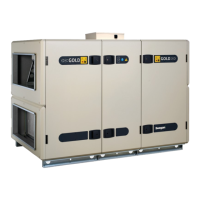
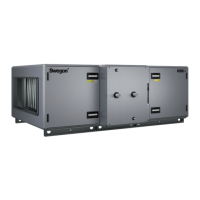
GOLD RX/PX/CX/SD, GENERATION E
Applicable to program version 1.20 and newer versions
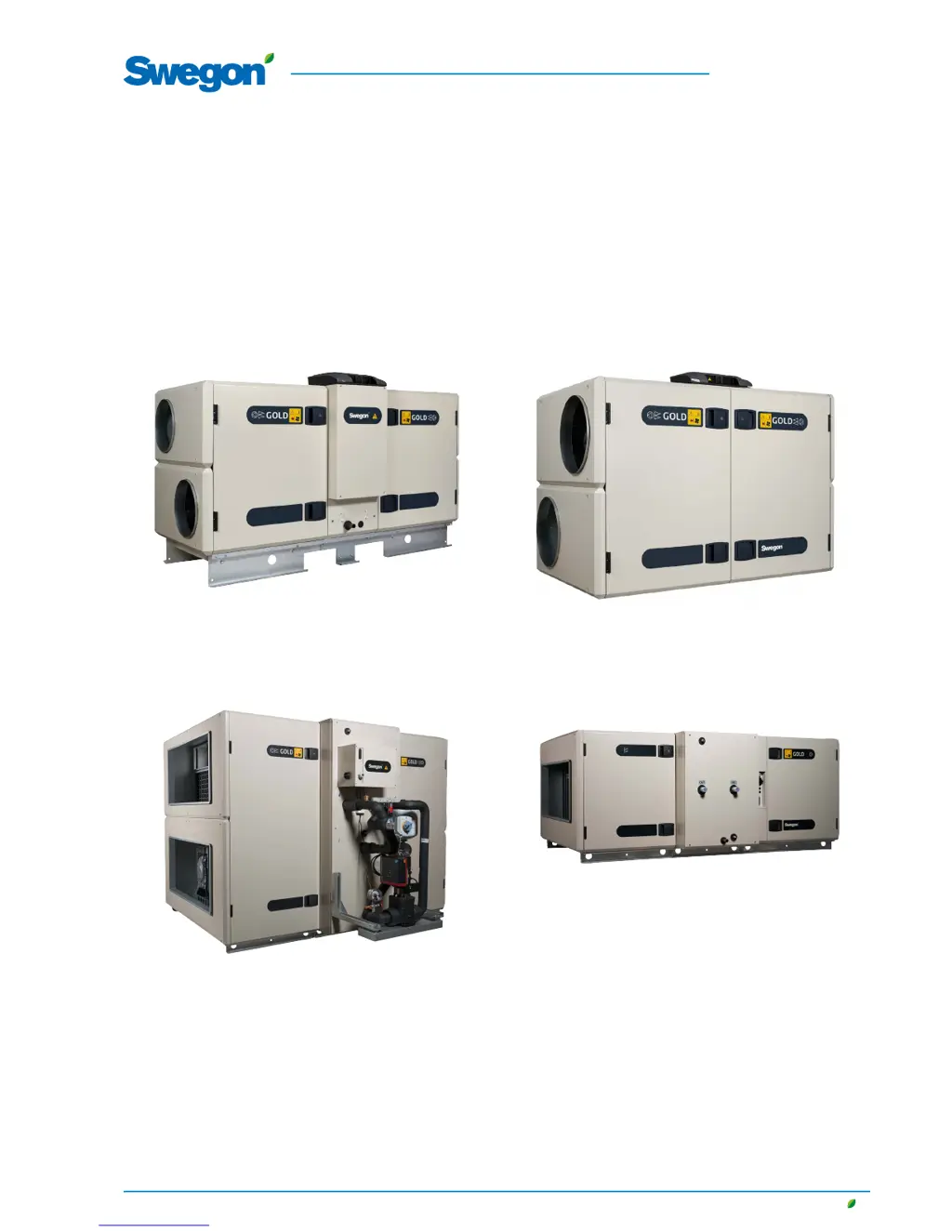
GOLD RXGOLD PX
The document was originally written in Swedish.
GOLD CX GOLD SD

Table of Contents

Other manuals for Swegon GOLD RX

Questions and Answers

  • J
    John HamiltonSep 12, 2025
    Why Swegon Air Handlers show humidification I/O module no. 4 communication error?
    • T
      Timothy RyanSep 12, 2025
      The air handling unit's control unit cannot establish correct communication with I/O module No. 4 for humidity. Select reset in the alarm log.
  • P
    pdennisSep 9, 2025
    Why Swegon Air Handlers show extra regulation sequence 1, I/O-module no E communication error?
    • J
      Julia LopezSep 9, 2025
      The air handling unit's control unit cannot establish correct communication with I/O module No. E for extra regulation sequence. Select reset in the alarm log.
  • J
    Jennifer ChenSep 8, 2025
    Why Swegon Air Handlers pre-heat I/O module no. 9 communication error?
    • T
      Taylor ThorntonSep 8, 2025
      The air handling unit’s control unit cannot establish correct communication with I/O module No. 9 for pre-heating. Select reset in the alarm log.
  • W
    Wayne WebbSep 7, 2025
    What to do if Swegon Air Handlers show extra regulation sequence 1 overheating protection for electric air heater tripped?
    • J
      Justin ValdezSep 7, 2025
      Select reset in the alarm log.
  • M
    Michelle DonaldsonAug 23, 2025
    What to do if Swegon Air Handlers show external fire alarm no. 1 tripped?
    • M
      Michelle JimenezAug 23, 2025
      Select reset in the alarm log.
  • J
    John WalkerSep 5, 2025
    What to do if Swegon Air Handlers show pre-heat overheating protection for electric air heater tripped?
    • I
      Isabel StantonSep 5, 2025
      Select reset in the alarm log.
  • R
    Rebecca RomeroSep 4, 2025
    What to do if Swegon Air Handlers show extra regulation sequence 2 valve monitoring tripped?
    • J
      James MillerSep 4, 2025
      If the valve actuator, air heater for water is defective, select reset in the alarm log.
  • P
    parkseugeneSep 3, 2025
    What to do if Swegon Air Handlers show extra regulation sequence 1 valve monitoring tripped?
    • J
      Joseph FernandezSep 3, 2025
      If the valve actuator, air heater for water is defective, select reset in the alarm log.
  • M
    Matthew BarnesSep 2, 2025
    What to do if Swegon Air Handlers show pre-heat frost guard tripped?
    • A
      Antonio MillerSep 2, 2025
      Select reset in the alarm log.
  • D
    Dale Rogers Jr.Aug 31, 2025
    What to do if Swegon Air Handlers show extra regulation sequence 2 frost guard tripped?
    • N
      Natalie WilkinsSep 1, 2025
      If the frost guard temperature sensor measures a temperature less than the preset alarm limit, select reset in the alarm log.

Summary

1. Safety Instructions

1.1 Safety Isolating Switch;Main Switch

Details the location and usage of the safety isolating switch for starting and stopping the unit.

1.2 Risks

Highlights potential risks associated with moving parts and general warnings before work.

3. Commissioning

3.1 General

Outlines the general sequence and procedures for commissioning the air handling unit.

4. IQnavigator Hand-held Terminal and Image Management

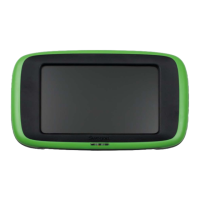
4.1 IQnavigator Hand-held Terminal

Describes the features, connections, buttons, and LEDs of the IQnavigator hand-held terminal.

5. User (local)

5.2 Filter Calibration

Details the process for calibrating filters after installation or replacement.

6. Installation

6.2 Main Setup

Guides through initial setup of time, date, airflow, and temperature settings.

6.3 Filter Calibration

Explains the procedure for filter calibration, crucial for system performance.

7. Maintenance

7.1 Filter Change

Provides instructions on how to remove and install filters, including ordering new ones.

8. Alarms and Troubleshooting

8.1 General

Explains how alarms are displayed, viewed, and reset.

Swegon GOLD RX Specifications

General IconGeneral
Fan typeEC fan
Heat recovery efficiencyup to 85%
Energy classA+
Heat recoveryRotary heat exchanger
Panel thickness50 mm
Frequency50 Hz
Protection classIP44
Control systemIntegrated
CasingGalvanized steel
FrameAluminum
Power consumptionvaries by model
Voltage230V
Weightvaries by model
Sound pressure levelVaries depending on model and configuration

Related product manuals