1- 11
2345678
1
1
2
3
4
2
1
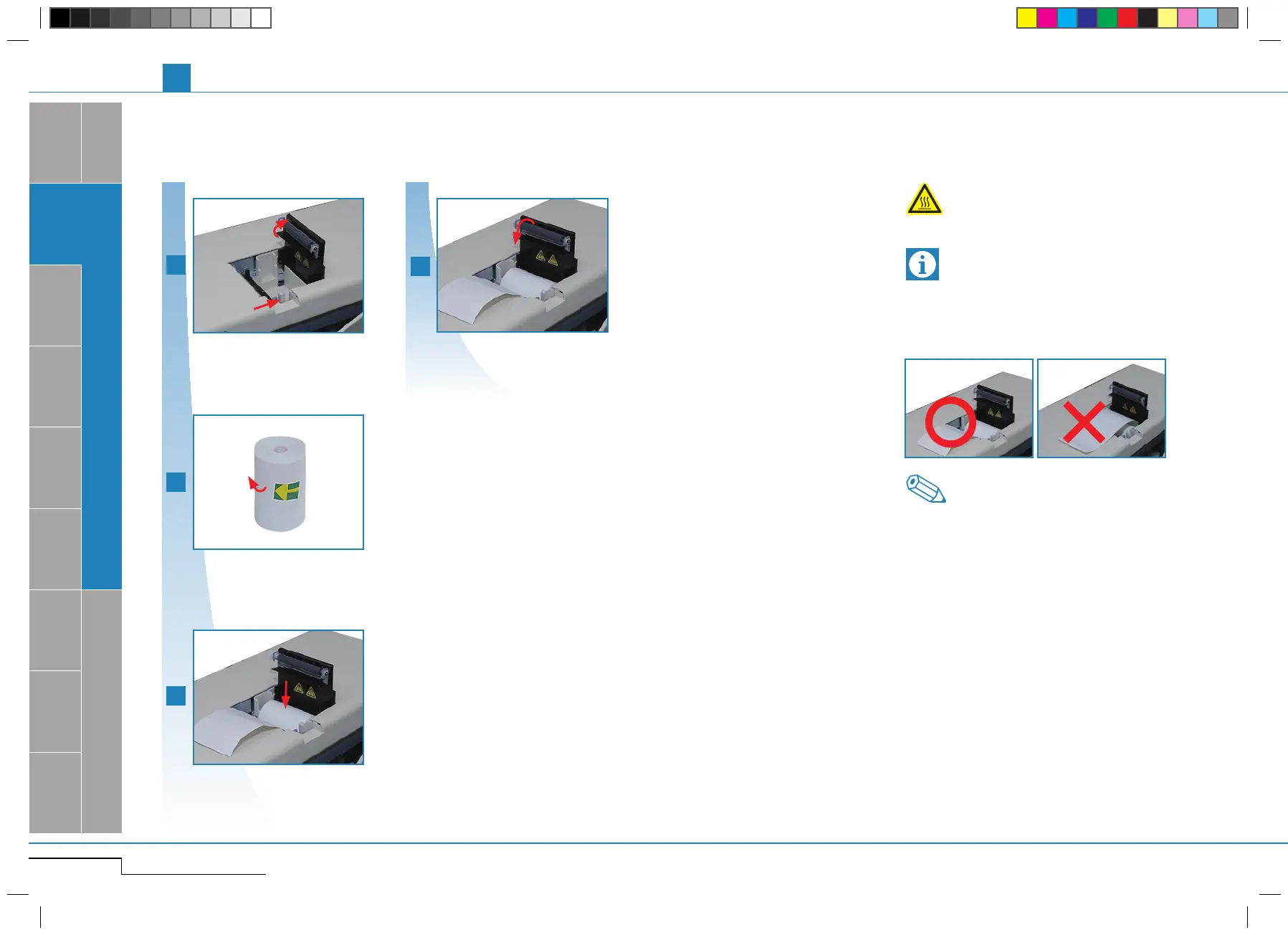
1.3.3. Insert paper roll
Open the paper holder.
Open paper holder by pushing the knob.
Remove the tape.
Remove the tape.
Insert paper.
Close lid. (
*
2)
Close the pepar holder.
Insert paper. (
*
1)
The printer head can get very hot. Do not touch!
Warning, Hot
1.3. SETUP
Static electricity may damage the printer head. Do
not touch.
*
1.
Insert the paper correctly. If inserted at an an-
gle, the paper may jam.
Important
*
2.
The printer cover must be closed ("clicking"
sound). If the cover is not closed completely,
an error message will be displayed.
Note
pocH-100
i
Revised June 2008
SYSTEM OVERVIEW, TECHNICAL INFORMATION & SETUP
INTRODUCTION



 To Next Page