5-2
1234678
5
1
2
3
4
pocH-100
i
Revised June 2008
SETTINGS & CALIBRATION
INTRODUCTION
Set up the instrument according to your personal needs or to laboratory requirements.
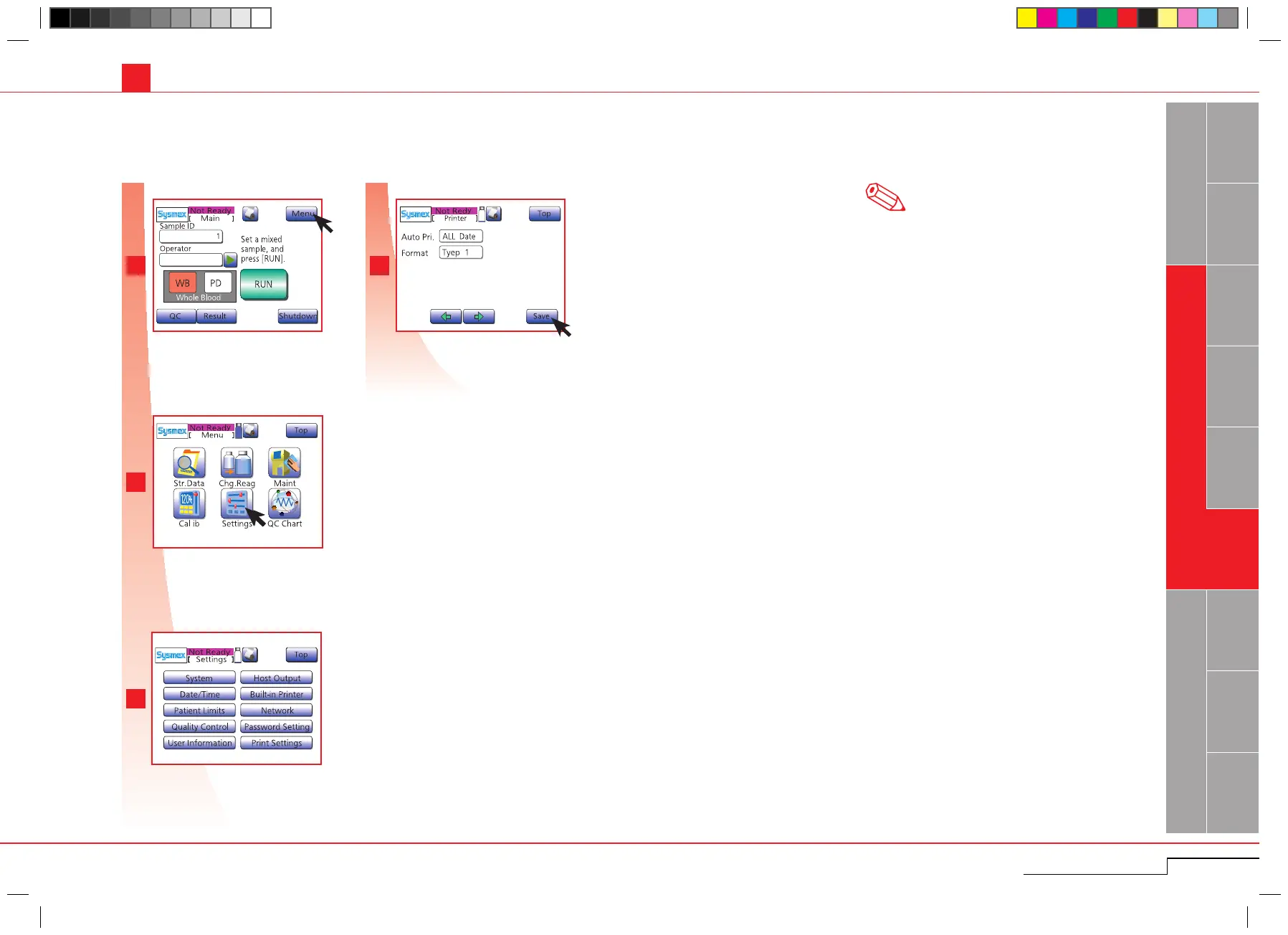
Press "Menu".
Press "Settings".
Select parameter to be changed. (Possible
settings to be changed are described on
pages 5-3~5-10.)
Press "Menu".
Press "Settings".
Select parameter to be changed.
5.1. SETTINGS
See "Possible settings" pages 5-3~5-10 for more
detailed information on parameters that can be set
manually.
5.1.1. Change settings
Some parameters are set by factory default. Others (Date/Time) have to be set on initial operation.
Note
Press "Save" to store the settings.
Press "Save".



 To Next Page