123 5678
4
4 - 11
41
2
3
1
2
CLEANING & MAINTENANCE
INTRODUCTION
pocH-100
i
Revised February 2011
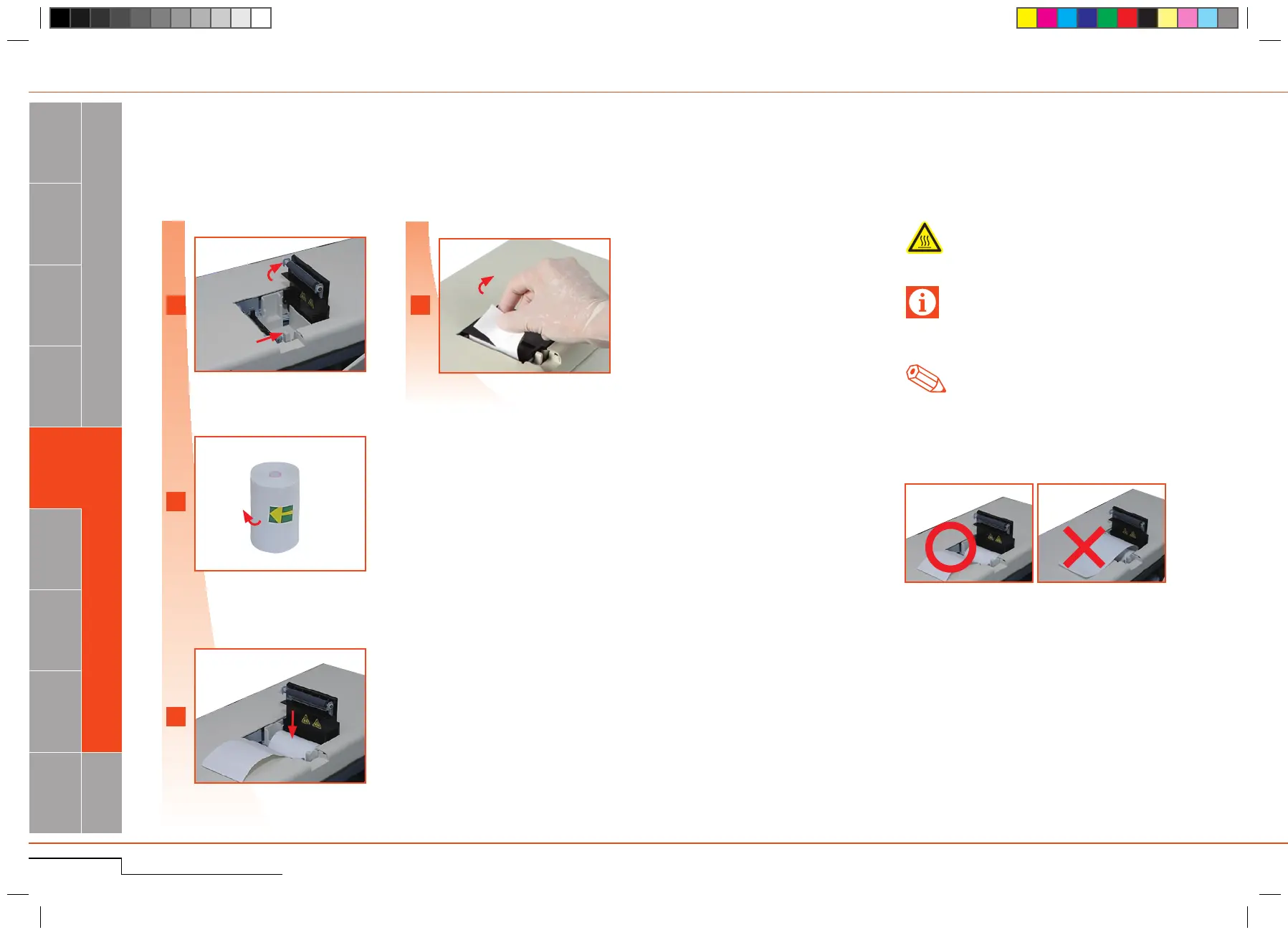
4.1.12. Replace thermal printer paper
OnlyusepaperrecommendedbySysmex.
Openpaperholderbypushingtheknob.
Removethetape.
As needed
Closelidandremoveexcesspaper.
Warning, Hot
Donottouchtheprinterhead!Itcangetveryhot.
Open the paper holder.
Remove the tape.
Insert paper.
Close lid and remove excess paper.
Staticelectricitymaydamagetheprinterhead.
Donottouch.
Important
Theprintercovermustbeclosed(clickingsound).
Ifthecoverisnotclosedcompletely,anerrormes-
sagewillbedisplayed.
*
1.
Insertthepapercorrectly.
Ifinsertedatanangle,thepapermightjam.
Note
Insertpaper.(
*
1
)



 To Next Page