4-4
12 35678
4
1
2
6
4
5
3
7
8
CLEANING & MAINTENANCE
INTRODUCTION
pocH-100
i
Revised February 2011
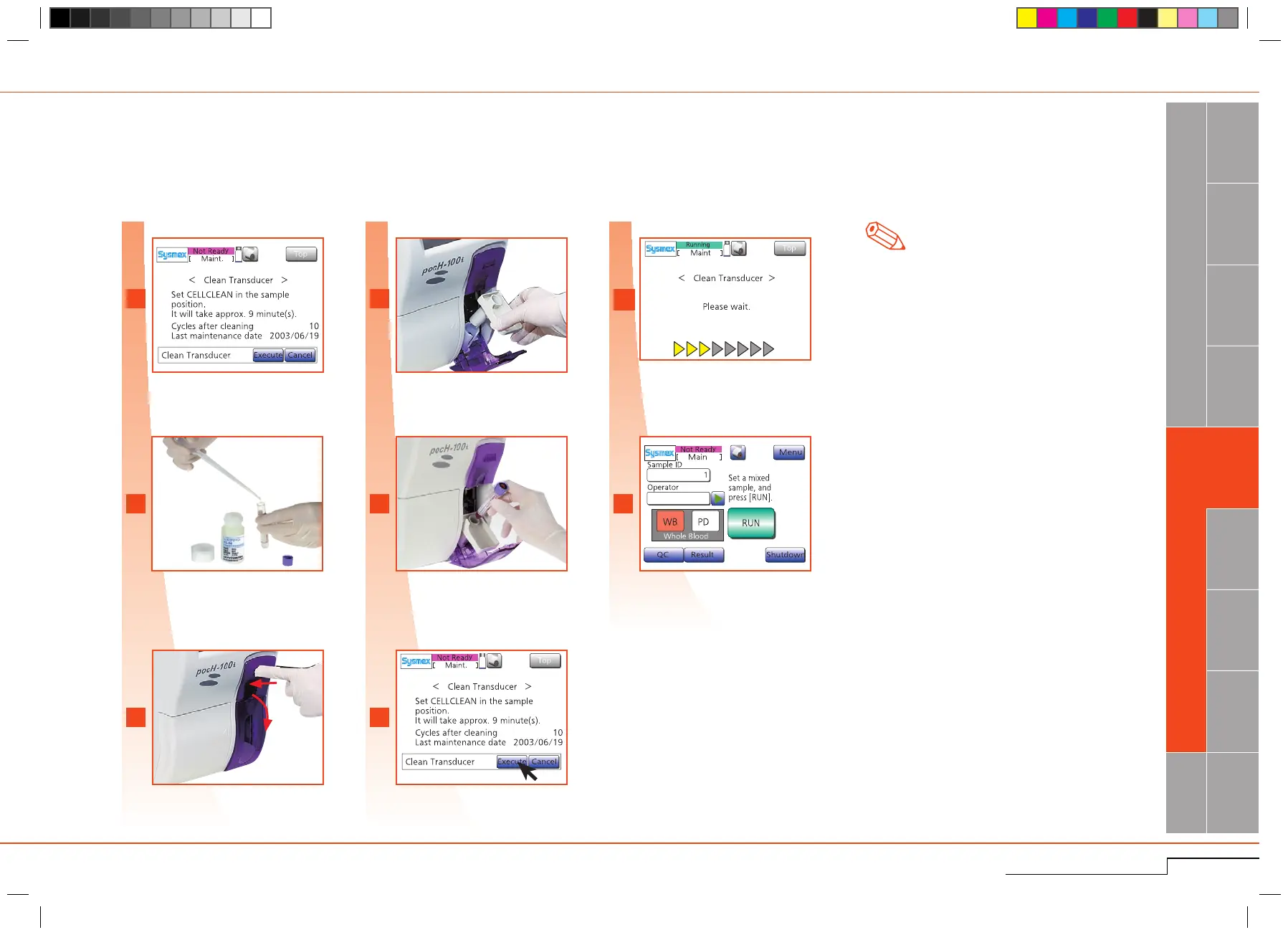
4.1.4. Clean transducer
Every 2 weeks or 150 samples
Cleaninginstructionmessageisdisplayed.
Add 3mL of CELLCLEAN into empty sample
tube.
Opensampleposition.
Cleaning instruction message is
displayed.
Add 3mL of CELLCLEAN into the
sample tube.
Open sample position.
A message will appear when either the counter
valueexceeds150or2weekshavepassedsince
thelastcleaningofthetransducer.
*
1
.
After cleaning,the counterresetsautomati-
cally.
Insertadapter.
SetCELLCLEANinplace,closedoor.
*Foropenpipette,removeacap.
Insert adapter.
Set CELLCLEAN in place, close
doo r.
Evenifthemessage"CleanTransducer"isnotdisplayed,thismaintenancecanbeexecutedbypressing"Menu","Maint."andthen"CleanTransducer".
Press"Execute".
Press "Execute".
Processbegins.Afterwards"AutoRinse"and
"Backgroundcheck"willbeperformedauto-
matically.
When this screenis displayed, remove
CELLCLEAN.(
*
1)
Process begins.
Cleaning completed. Remove
CELLCLEAN.
Note



 To Next Page