5-7
1234 678
5
pocH-100
i
Revised June 2008
SETTINGS & CALIBRATION
INTRODUCTION
Parameter Setting
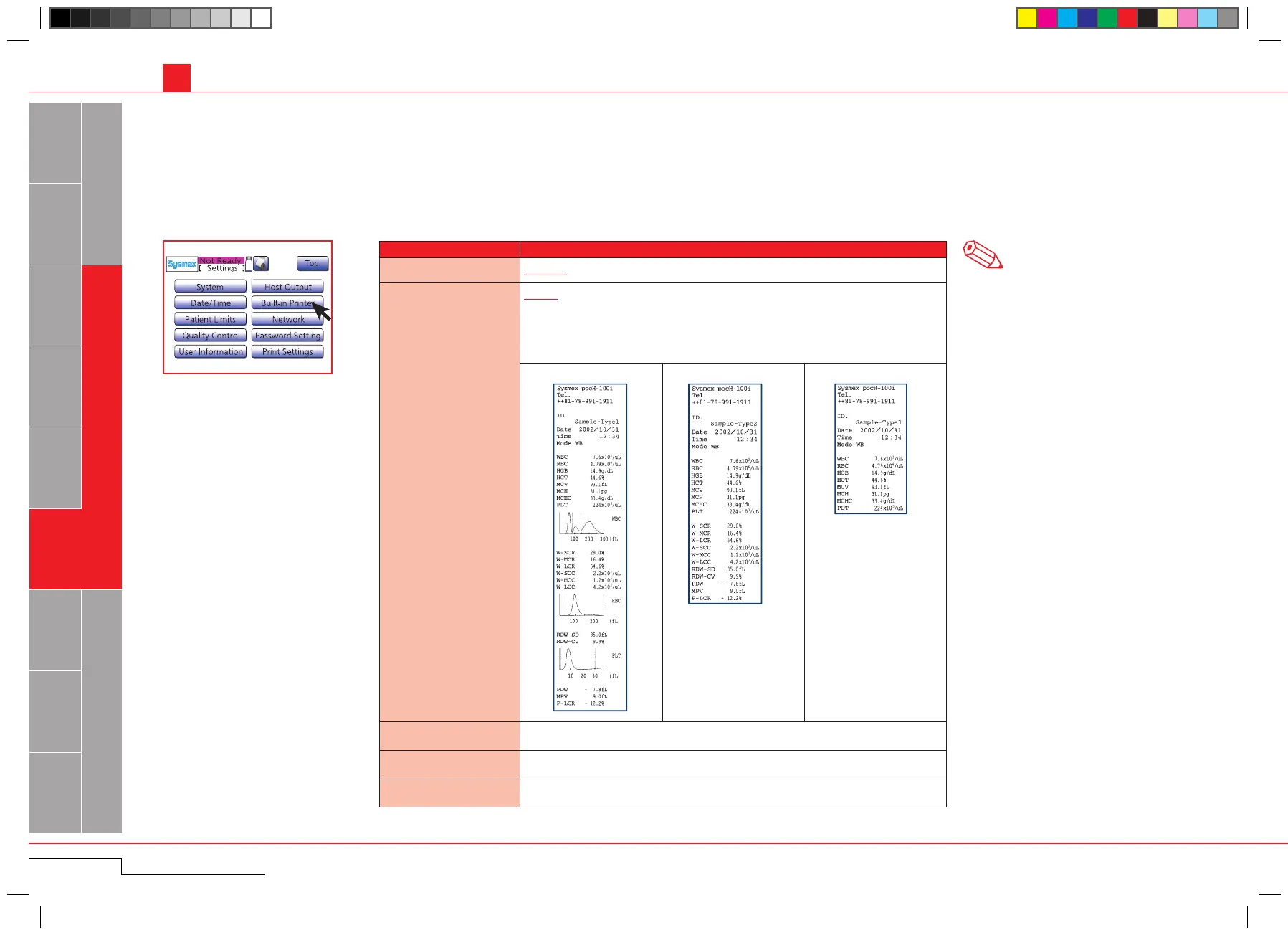
Automatic Print
All Data / Error Data / Disable
Format
Type 1: Prints 19 analysis results and the histograms.
Type 2: Prints 19 analysis results.
Type 3: Prints only CBC8 analysis results.
(The print format for the analysis result of pre-diluted mode is pre-fixed with Type
3 regardless of the setting.)
Type 1 Type 2 Type 3
[First print header line] Up to 16 digits of alphanumeric characters
[Second print header line] Up to 16 digits of alphanumeric characters
[Third print header line] Up to 16 digits of alphanumeric characters
5.1. SETTINGS
5.1.2.7. Printer settings
Press "Menu" > "Settings" > "Built-in Printer".
The underscored items are factory set-
tings.
Printing out analysis results can be set here. The print header can be set individually ( i.e. containing laboratory name, instrument name etc.)
Press "Menu" > "Settings" >
"Built-in Printer".
Note



 To Next Page