4-5
123 5678
4
1
2
3
6
4
5
7
8
CLEANING & MAINTENANCE
INTRODUCTION
pocH-100
i
Revised February 2011
Process begins.Afterwards"Auto Rinse"
and"Backgroundcheck"willbeperformed
automatically.
When this screen is displayed, remove
CELLCLEAN.
•Amessagewillappearifeitherthecountervalue
exceeds1500or3monthshavepassedsincethe
last"Cleanwastechamber".
•Aftercleaning,thecounterresetsautomatically.
Process begins.
Cleaning completed. Remove
CELLCLEAN.
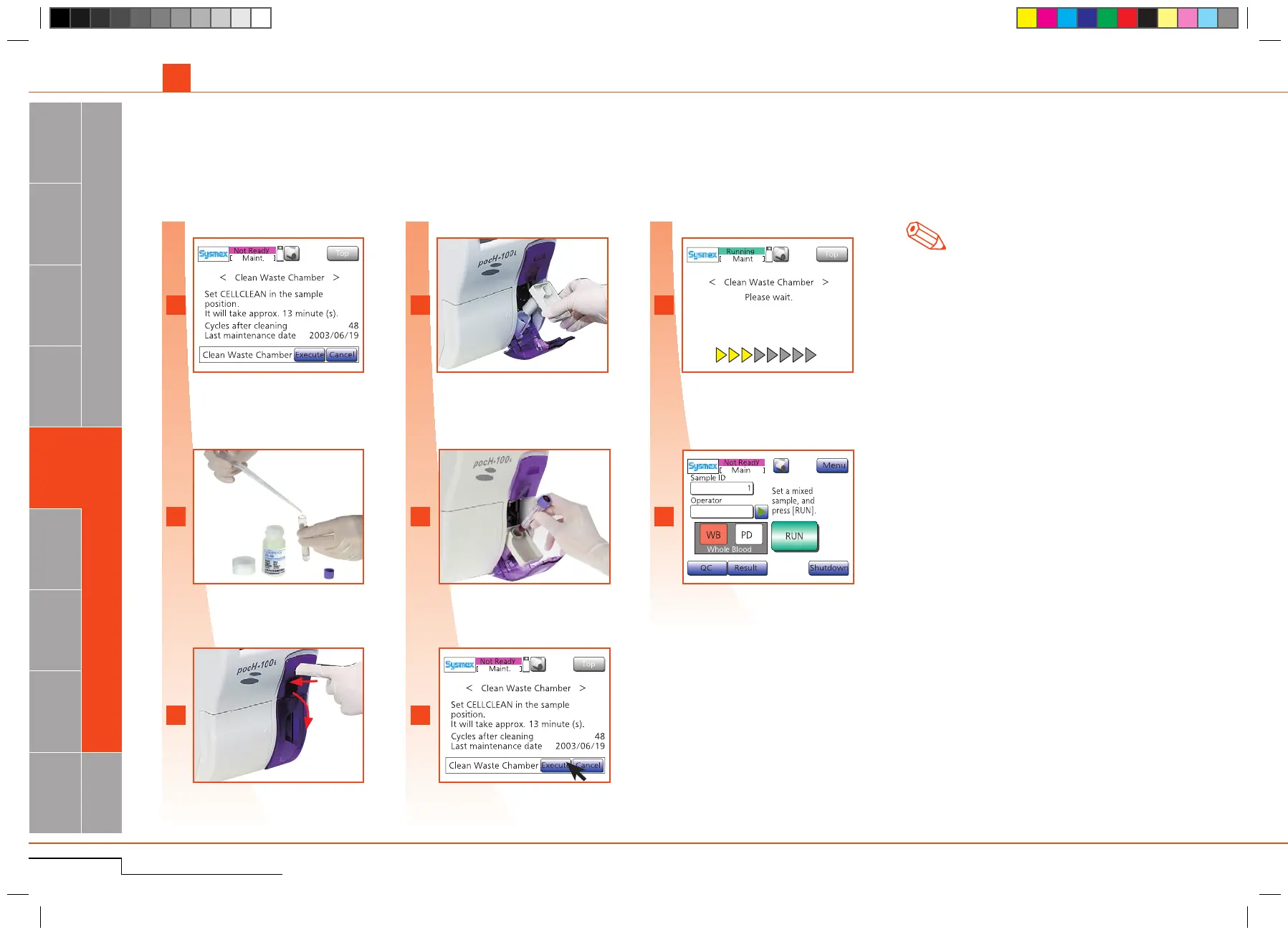
4.1.5. Clean waste chamber
Cleaninginstructionmessageisdisplayed.
Every 3 months or 1500 samples
Add 3mL of CELLCLEAN into empty sample
tube.
Opensamplecompartment.
Insertadapter.
SetCELLCLEANinplace,closecompartment.
*Foropenpipette,removeacap.
Press"Execute".
Cleaning instruction message is
displayed.
Add 3mL of CELLCLEAN into the
sample tube.
Open sample position.
Insert adapter.
Set CELLCLEAN in place, close
compartment.
Press "Execute".
Evenifthemessage"Cleanwastechamber"isnotdisplayed,thismaintenancecanbeexecutedbypressing"Menu","Maint."andthen"Cleanwastechamber".
4.1. CLEANING
Note



 To Next Page