123 5678
4
4 -15
4
5
1
2
3
pocH-100
i
Revised June 2008
CLEANING & MAINTENANCE
INTRODUCTION
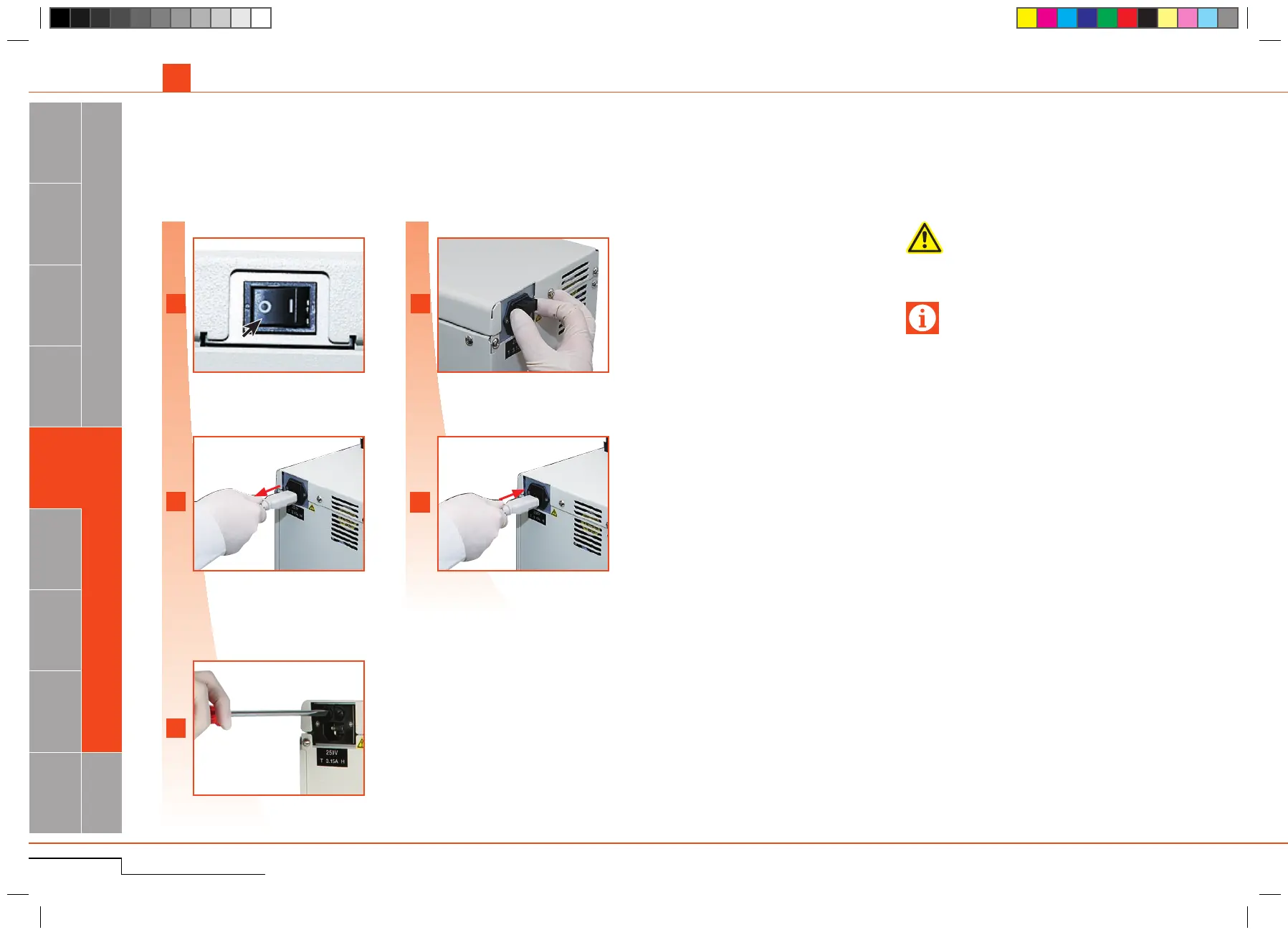
SwitchO F F.
Unplugpowercable.
Turn fuse holder cap counter-clockwise with
screwdriver.
Removefuseholder cap. Replace fuse(s).Put
fuseholdercapbackinplace.
Pluginpowercable.SwitchON.
4.2.2. System fuse replacement
As needed
Switch OFF.
Unplug power cable.
Turn fuse holder cap counter-
clockwise.
Replace the fuse(s).
Switch ON.
Toavoidelectricalshock,disconnectpowersupply
beforeservicing.
Danger, electric shock
Replace only with fuse of the specified type and
correctcurrentspecications.
Important
4.2. TECHNICAL MAINTENANCE-Qualified personnel only!



 To Next Page