4-8
12 35678
4
1
2
3
4
CLEANING & MAINTENANCE
INTRODUCTION
pocH-100
i
Revised February 2011
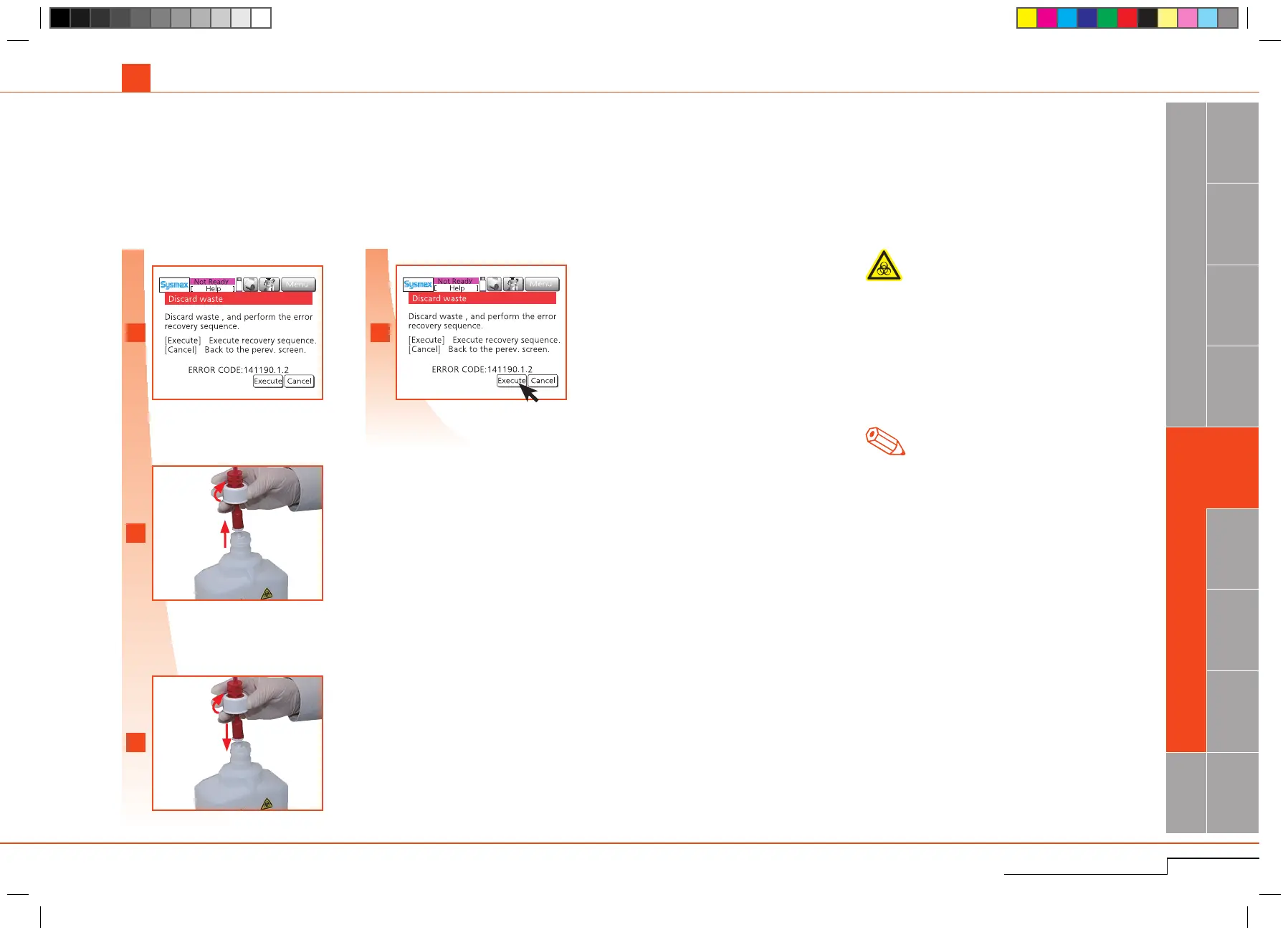
4.1.9. Dispose waste fluid
Ifthe"Discardwaste"errormessageappears,thewastebottleisfullandneedstobeemptied.
ThewastebottlemightbenecessaryincaseofusingpocH-pack65XL.
As needed
1Removecap.
2Disposewasteuid.
3Rinsebottlewithwater.
Insert float switch into empty and cleaned
bottle.
Press"Execute";wastedischargeoperation
starts.(
*
1)
*
1.
To return to the main screen without perform-
ingthewastedischargeoperation,press"Can-
cel".
Note
Biological risks
• Always wear protective garments and gloves
when handling the waste fluid.After work is
completed,washhandswithdisinfectant;
•Disposewasteuidappropriatelyinaccordance
tolocallawsandregulations;
•Ensurethatthewastebottleissecureandprop-
erlyconnectedbeforeoperatingtheinstrument.
Ifthewastefluidisspilt,wipeoffimmediately
withadampcloth.
Rinse bottle with water.
Insert float switch.
Waste discharge operation
starts.
4.1. CLEANING
The screen displays "Discard waste.”
Thescreendisplays"Discardwaste."



 To Next Page