123 5678
4
4 -13
9 12
1
2
3
4 7
8
10
11
5
6
pocH-100
i
Revised June 2008
CLEANING & MAINTENANCE
INTRODUCTION
As needed
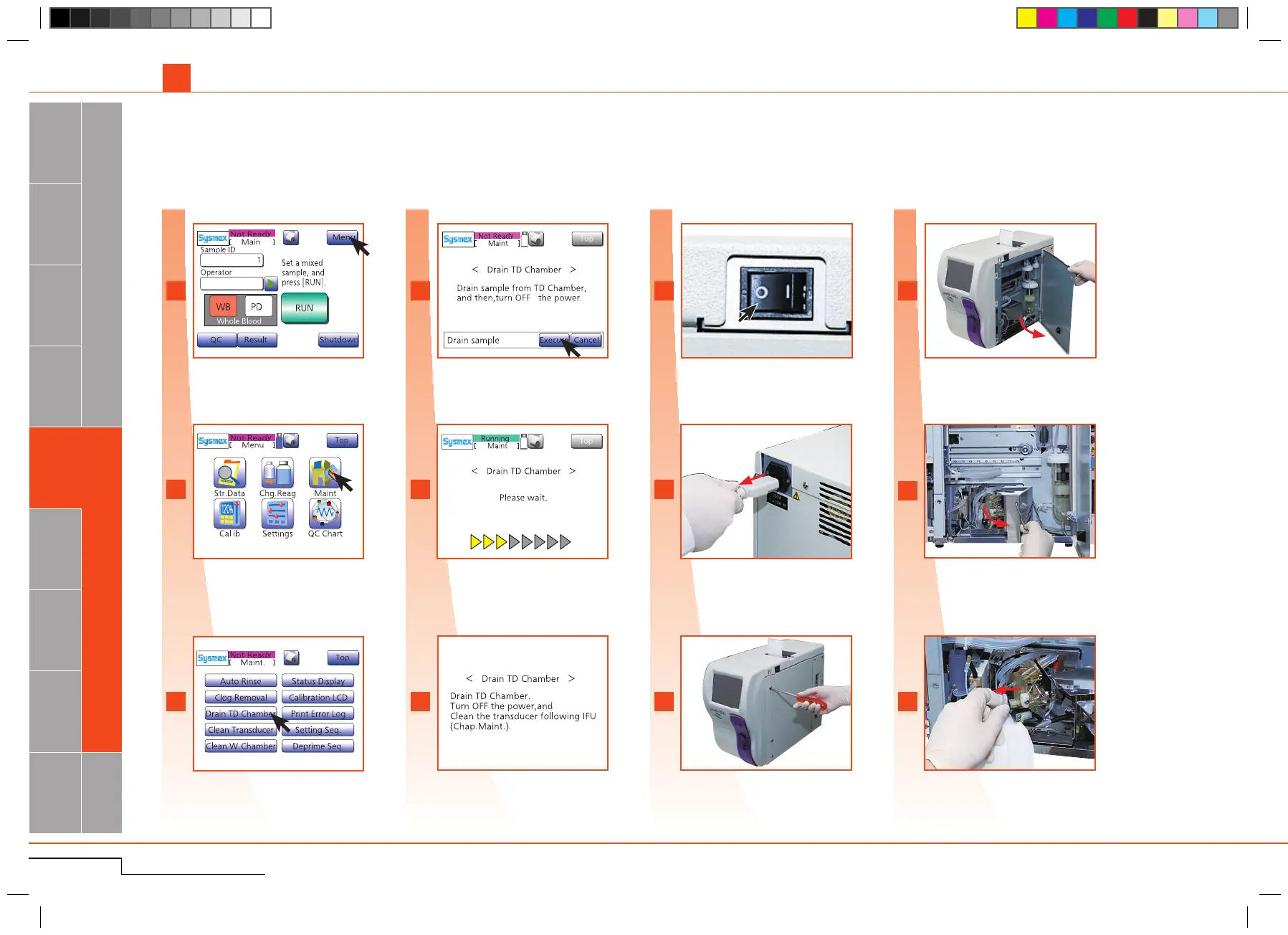
Unscrewcoverbyusingthesuppliedscrew-
driver.
Unscrew cover.
Placeclothunderplugandremoveplug.
Remove the plug.
Press"Menu".
Press "Menu".
Press"Maint.".
Press "Maint.".
Press"DrainTDChamber".
Press "Drain T D Chamber".
Press"Execute".
Press "Execute".
SwitchO F F.
Switch OFF.
Disconnect power cord to avoid electrical
shock.
Disconnect power cord.
Opensidecoverandopendetectorcover.
Open side cover and open detec-
tor c over.
Checkif fluid hasbeen drained.If not,re-
moveitwiththepipette.
Check if fluid has not been drained.
Processstarts.
Process starts.
The screen of process completed.
4.2. TECHNICAL MAINTENANCE-Qualified personnel only!
4.2.1. Clean aperture of TD chamber
Ifthecloggingoftheaperturecannotberemovedbytheautomatedsequence,theaperturemustbecleanedmanuallywiththetransducerbrush.
Thescreenofprocesscompleted.



 To Next Page