3-5
12 45678
3
4
5
6
1
2
3
7
8
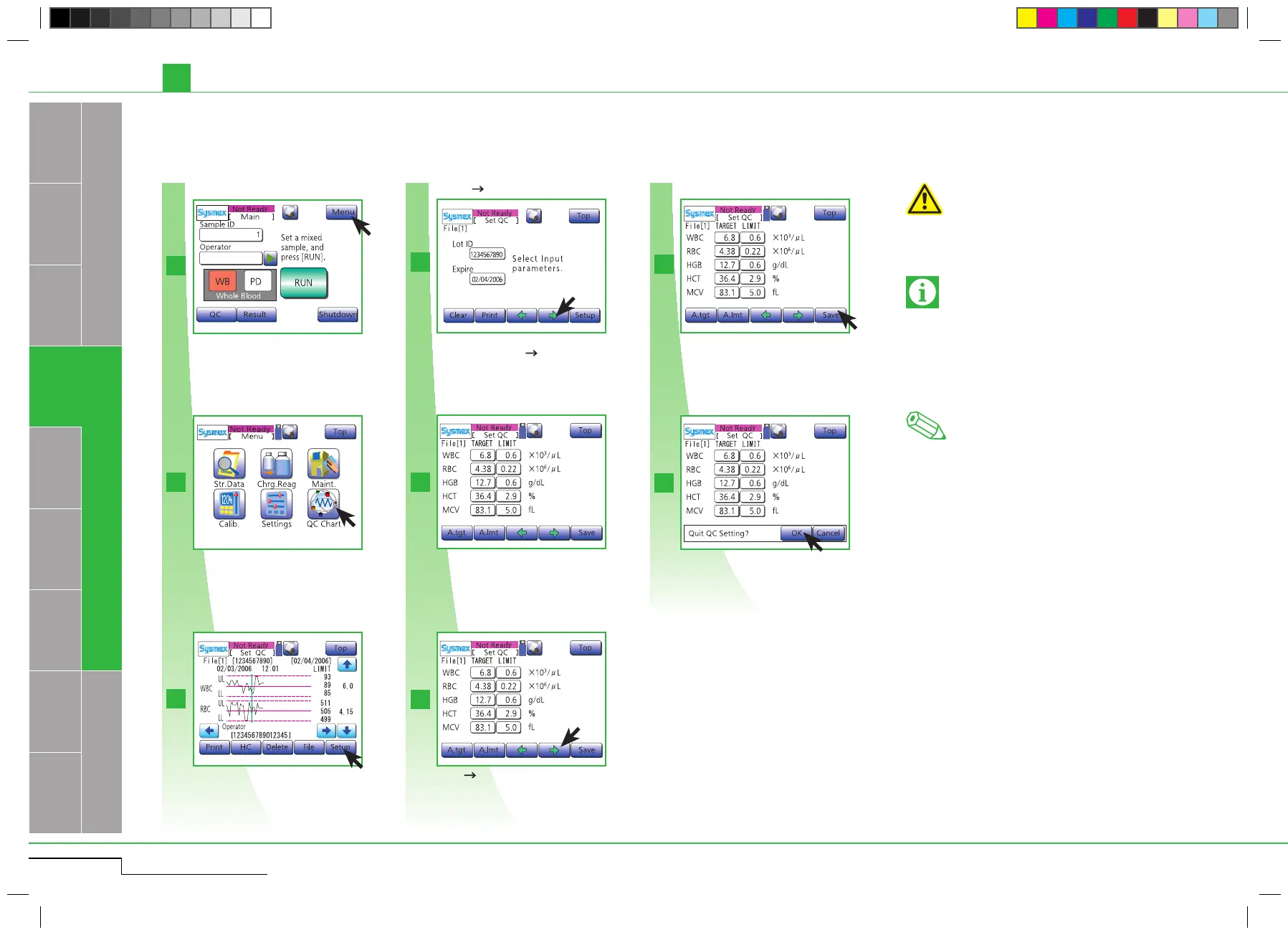
Enter "Lot ID" and "Expire" manually or by
barcode reader. Press " ".
Incorrect analysis results
The operator must ensure the control blood is not
beyond expiration date. The analyzer does not
check the expiration dates entered in the QC file.
3.2.1. STEP 1: a) Settings for control blood information (quality control file)
•Beforeusingnewcontrolblood,enterthecontrol
blood information: Control blood lot ID and Ex-
piration date. For each control parameter enter:
Target value and T arget Limit
•Controlbloodmustalwaysbestoredaccording
to the instructions in the package insert.
Important
Changes in the analysis results over time must
be recorded either by printing results or by other
means such as storing the data on PC.
Note
Press "Setup". Press " " to switch to remaining 5 QC file
setting screens.
After completion of entering all parameters,
press "Save".
Press "OK".
Enter "Lot ID" and "Expire", then
press " ".
Enter TARGET and LIMIT value
for each parameter.
3.2. PERFORMING QUALITY CONTROL
pocH-100
i
Revised June 2008
QUALITY CONTROL
INTRODUCTION
Enter TARGET and LIMIT value for each pa-
rameter manually or by barcode reader.
Press "Menu".
Press "QC".
Press "QC".
Press "Menu".
Press "Setup".
Switch to remaining 5 QC file
setting screens.
Press "Save".
Press "OK".



 To Next Page