2-4
1345678
2
7
4
5
6
1
2
3
pocH-100
i
Revised June 2008
ANALYSIS
INTRODUCTION
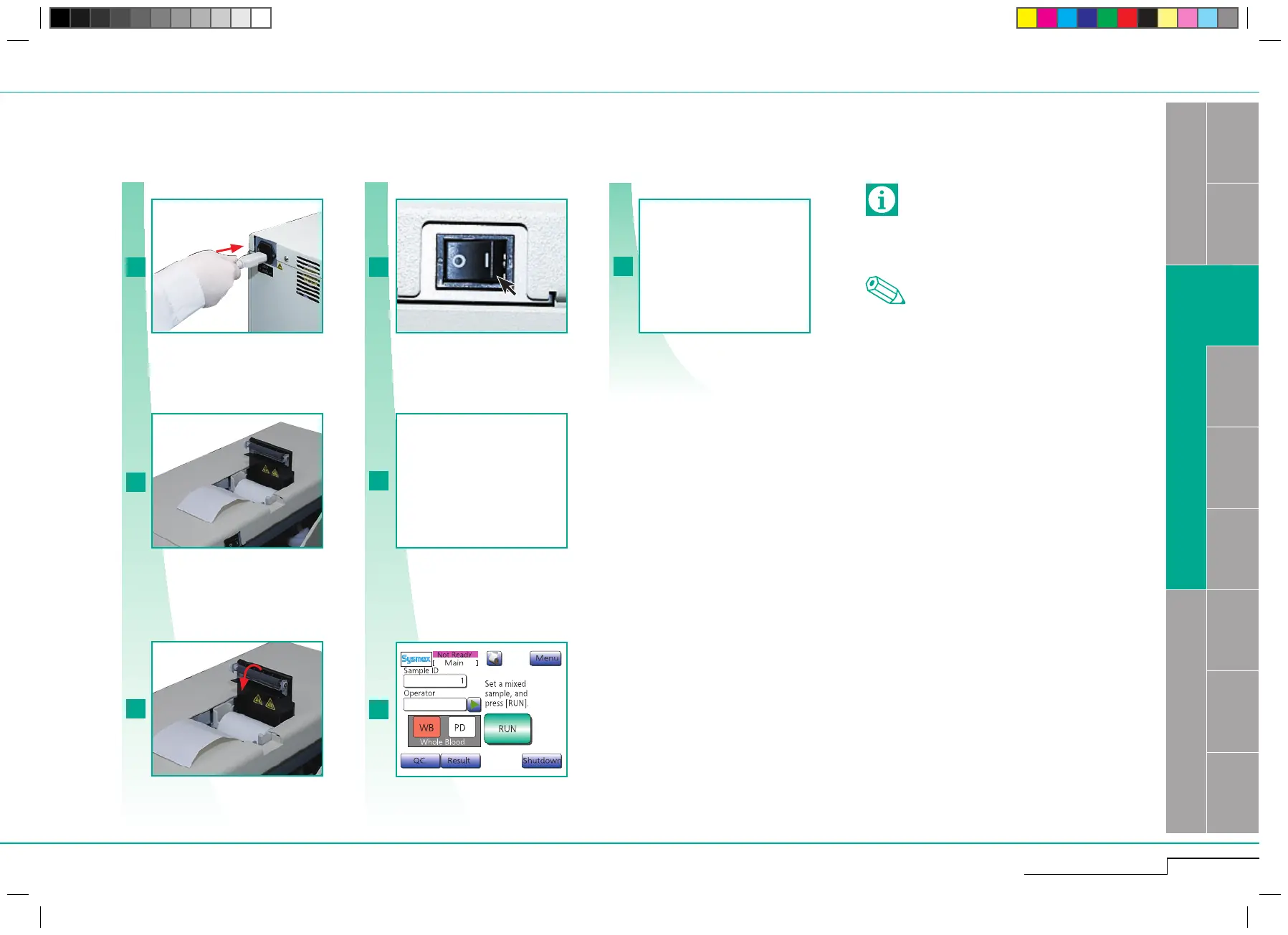
Check if power cable is connected.
Check if there is sufficient paper.
Check if the paper is properly aligned, then
close printer cover.
Switch ON.
READY after 6 -11 Min.
Check the power cable connection.
Check if there is sufficient paper.
Check if the paper is properly
aligned, then close printer cover.
Switch ON.
2.1.4. Prior to analysis
The instrument performs:
1. a rinse cycle
2. a background check
Use only printer paper recommended by Sysmex.
Low quality paper may shorten the life of the
printer head.
Note
If there is an error, press "OK" and follow the screen
instructions.
Important
Perform mandatory quality
check prior to operation.
See "Quality control" page
3 - 1.
READY after 6 -11 Min.



 To Next Page