2-10
1345678
2
17
12a
13
14
12b 15
16
ANALYSIS
INTRODUCTION
pocH-100
i
Revised February 2011
Incorrect analysis results
• All performance data cited in this manual were
generated using specimens in EDTA anticoagulant.
Results may differ using other anticoagulants.
• To prevent aggregation, the sample should be
diluted and analyzed immediately after collection,
else correct analysis results will not be obtained.
Note
• The sample ID can set be up to 15 characters. If a
sample‘s ID is set to „0“ the result for this sam-
ple will not be stored.
• In the pre-diluted mode only the 8 CBC param-
eters are displayed.
• When analyzing in the pre-diluted mode, the his-
togram curves, distribution analysis data and the
distribution flags are not displayed.
The titles and axes of the Histograms are dis-
played.
Important
• Do not open the sample position while aspirating!
• When using micro tubes, place them in the cor-
rect adapter and make sure the cap is removed.
Analysis results are automatically printed/
sent to host computer according to settings
(from page 5-2 ).
Analysis results are automatical-
ly printed according to settings.
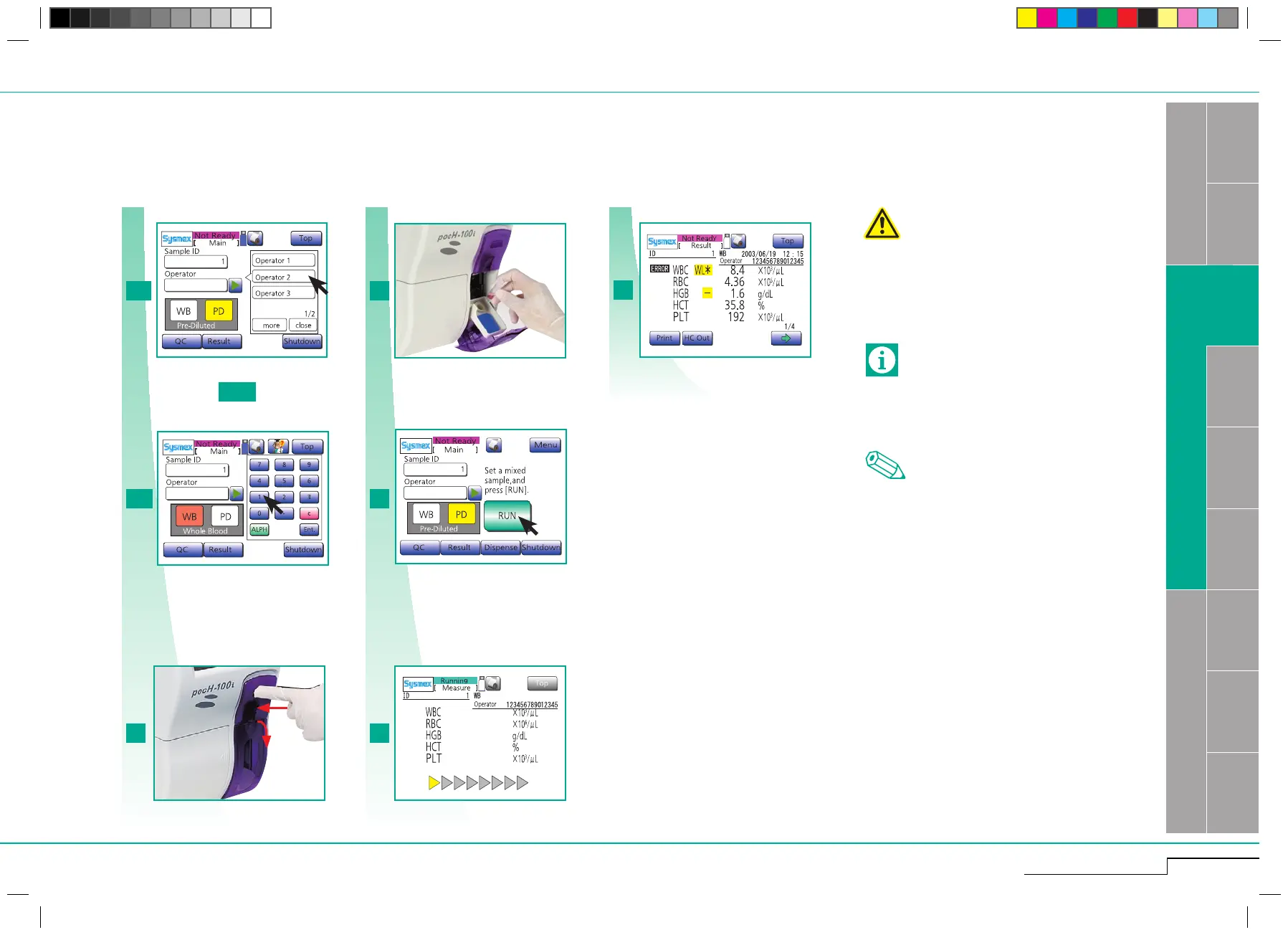
The analysis starts. The results are displayed
within approx. 90-125 seconds and are stored
automatically.
The analysis starts.
Press "RUN" and confirm warning with "OK".
Press "RUN".
Remove the cap, set sample into
the adapter and close the door.
Remove the cap, set sample into the adapter
and close the door.
Open sample position and insert the adapter.
Open sample position and insert
the adap ter.
Enter the operator ID and press "Ent.".
Select a operator ID .
or
Select a operator ID .
Enter the operator ID and press "Ent.".



 To Next Page