V/D
S
ERIES
S
ERVICE SOFTWARE
Revision: 2.1 6-11
6.2.4 Main window
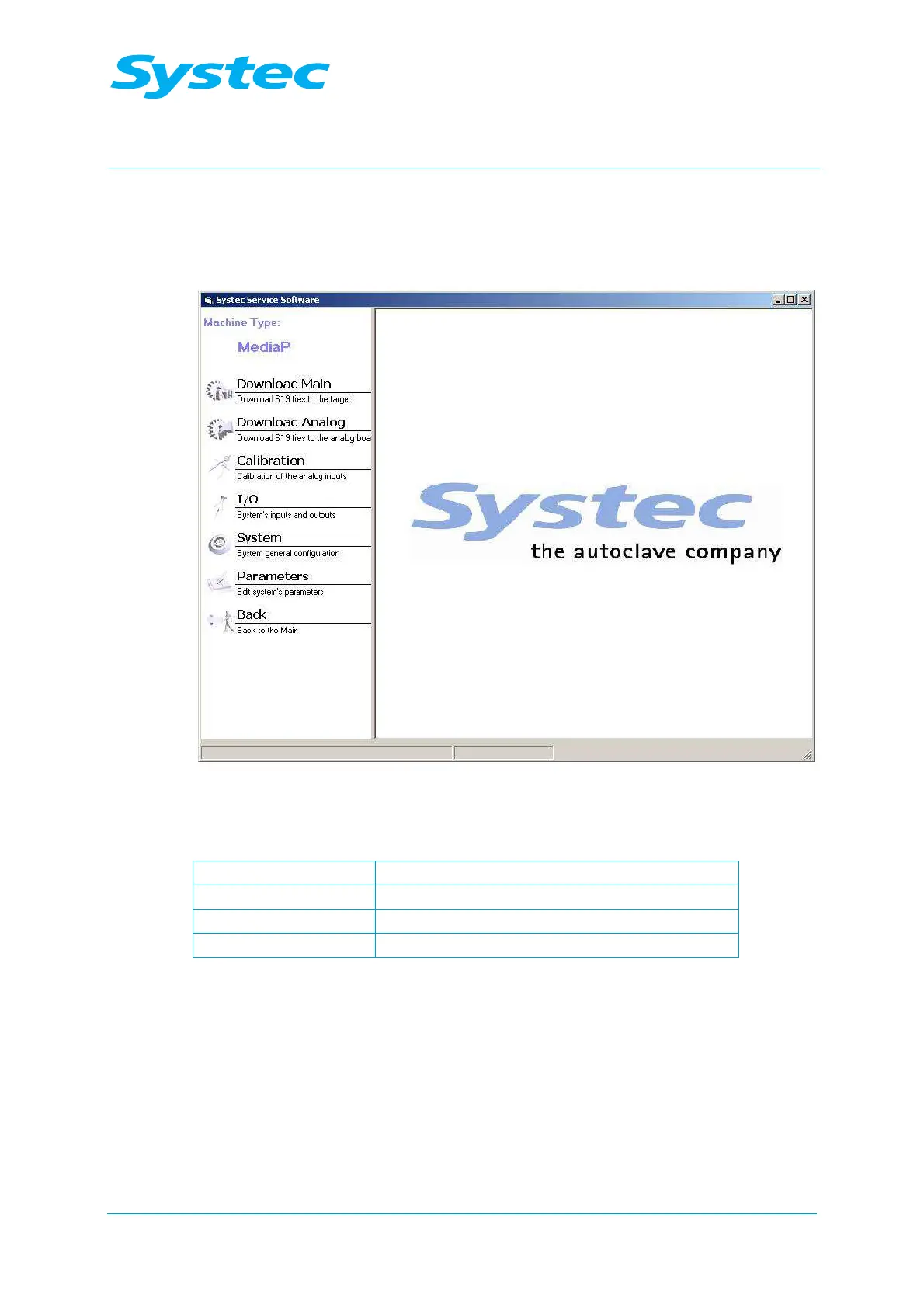
The functions to be executed using the Systec service software can be
selected in the main window.
Fig. 10: Systec service software main window
The Systec device connected to the service software can be seen under
“Machine Type”:
MediaP Systec MediaPrep 10 – 30
MediaPD Systec MediaPrep 45 – 120
SYSTEC Systec V/D series 40 – 200 (14 programs)
Rose-D Systec D-23
The following functions can be accessed by clicking the corresponding
buttons:
− “Download Main”: Used to update the firmware on the digital circuit
board
− “Download Analog”: Used to update the firmware on the analogue
circuit board (D-23 autoclaves only)
− “Calibration”: Used to calibrate the analogue inputs
− “I/O”: Used to view and change the digital outputs, and view the
analogue inputs


 To Next Page