V/D
S
ERIES
S
ERVICE SOFTWARE
6-16 Revision: 2.1
A two-point calibration is used:
Two reference measurements are taken at the lower (low value) and
upper (high value) end of the required measurement range. These
are compared with current measurements from the device and are aligned
to the straight line interpolation by recalculating the gain and offset
values.
The electrodes should not be calibrated!
The service dialogue also shows the measured values for the
electrodes (Elect High, Elect Low). These values are for
information only.
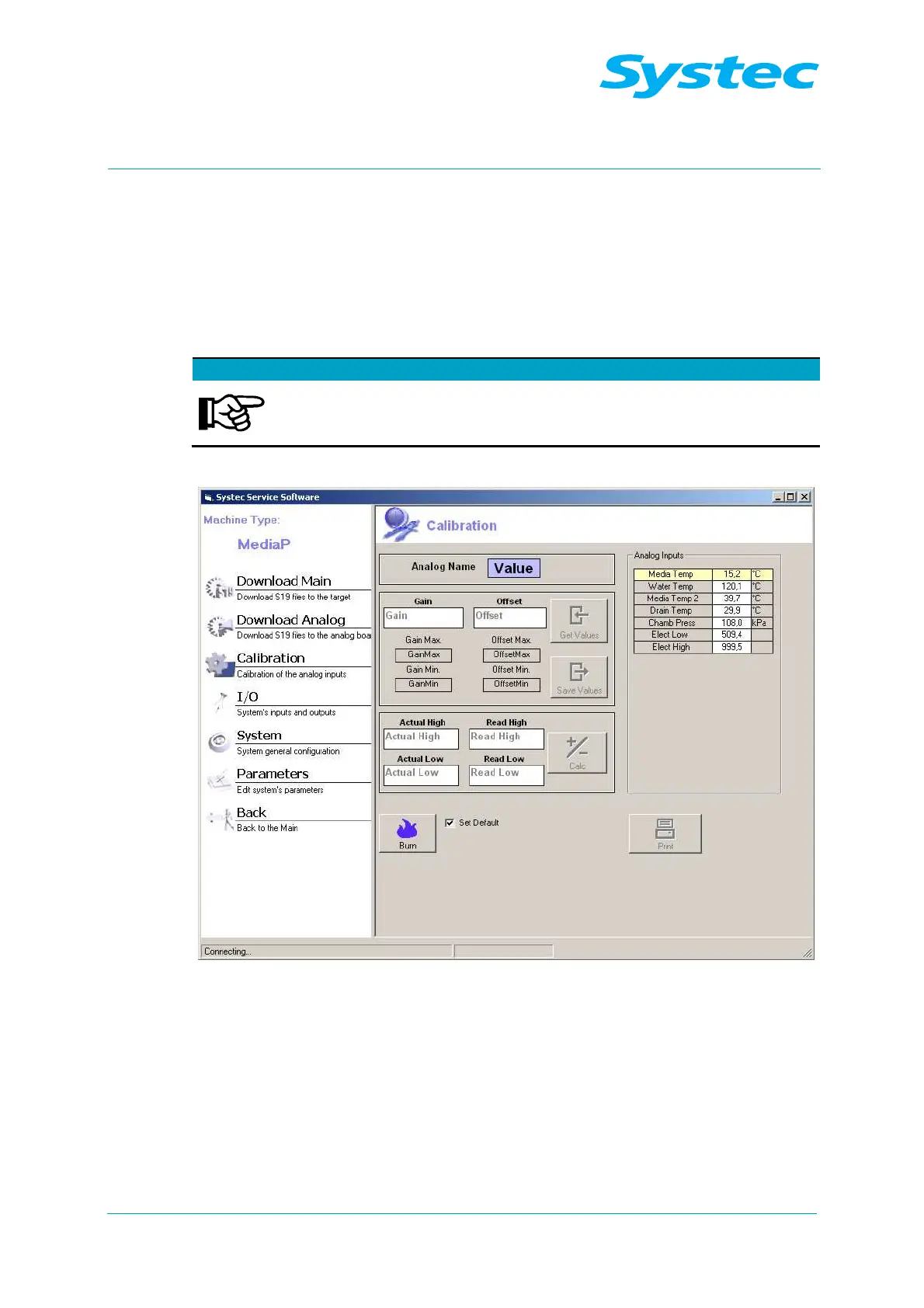
Fig. 14: Systec service software: Calibration
The following options are available:
Analog Inputs
table
Displays all sensors which can be selected for calibration
by a double-click.
Do not calibrate the electrodes.
Gain
Current gain value of the selected sensor.
Offset
Current offset value of the selected sensor.



 To Next Page