WEB Interface 81
ID: um_t2gateway CP560 DVB-T2 Gateway User’s Manual Rev. 2.2 (3686)
Add Rule
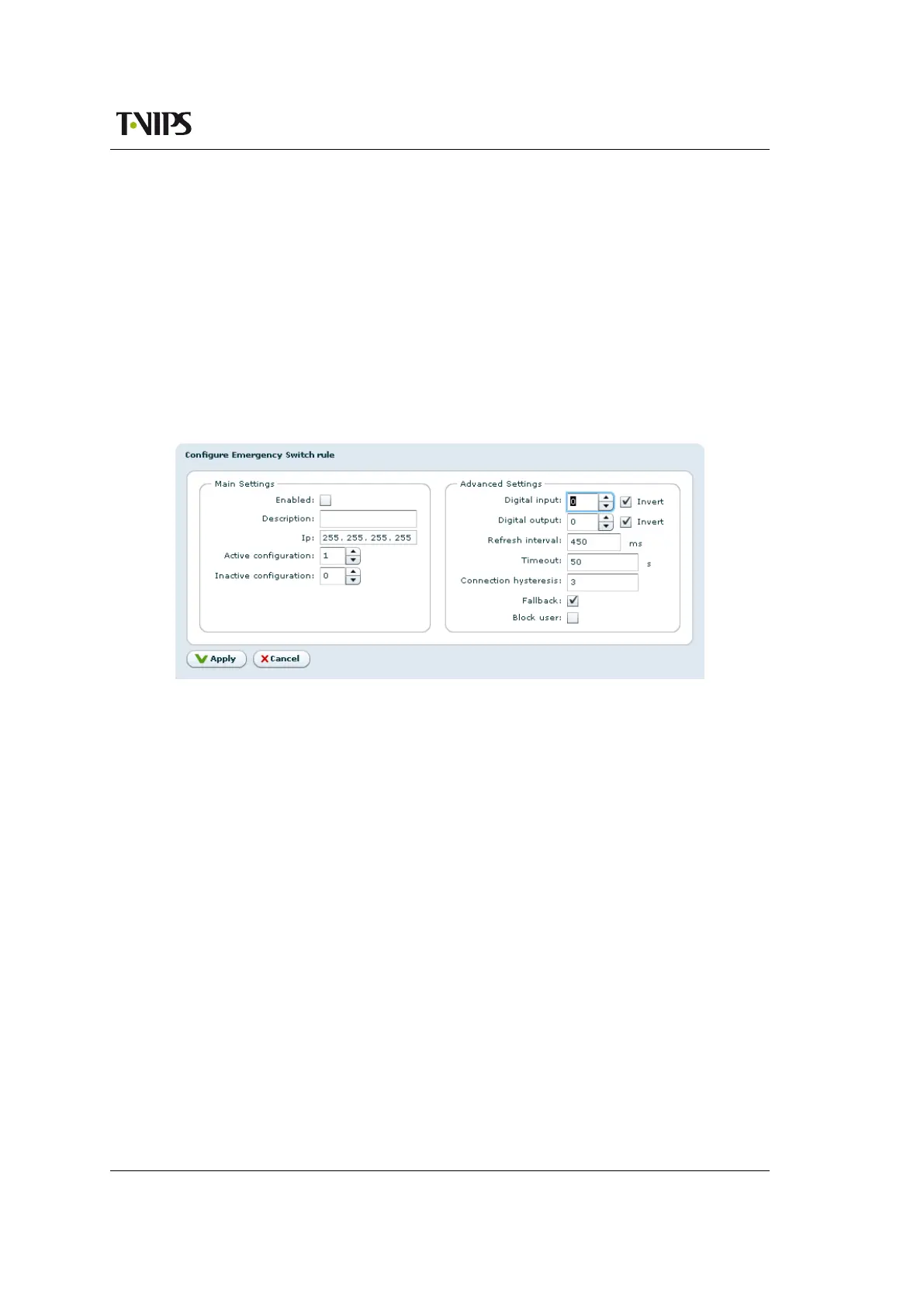
Opens the configuration pane to configure a new switching rule, see Figure 8.34.
Edit Rule
Opens the configuration pane for the selected switching rule. See Figure 8.34.
Delete Rule
Deletes the selected switching rule.
Refresh
Refreshes the list display.
Configure Emergency Switch rule
Figure 8.34 Configuring the emergency switch
The Main settings field has the following parameters:
Enabled
A tick in the box enables this rule.
Description
User defined description of the rule.
Ip
The IP address of the emergency switch unit.
Active configuration
The ID of the configuration that shall be applied when the emergency switch is active.
This ID must be the ID of a valid configuration from the Stored Configurations list.
Inactive configuration
The ID of the configuration that shall be applied when the emergency switch is inactive.
This ID must be the ID of a valid configuration from the Stored Configurations list.
The Advanced settings field has the following parameters
Digital input
For future use.



 To Next Page